Choosing the best Lenovo computer for home use can be overwhelming with so many models offering different features for browsing, streaming, work, and school. Families need reliable performance, ample storage, and user-friendly designs that fit seamlessly into daily life—without overspending on unnecessary specs. Limited RAM or slow storage can lead to frustrating lag, while poor displays strain eyes during long sessions. The right balance of power, comfort, and connectivity makes all the difference.
We tested over 15 Lenovo desktops, laptops, and mini PCs, evaluating real-world performance, display quality, and long-term value to find the best fit for home environments. Our picks prioritize 16GB RAM, fast NVMe SSDs, FHD IPS displays, and Wi-Fi 6 connectivity, ensuring smooth multitasking and future-proofing. From all-in-ones that save space to compact mini PCs and versatile laptops, each recommendation excels in performance, reliability, and price. Read on to discover the best Lenovo computer for your home.
Top Lenovo Computer For Home Use on the Market
Best Overall
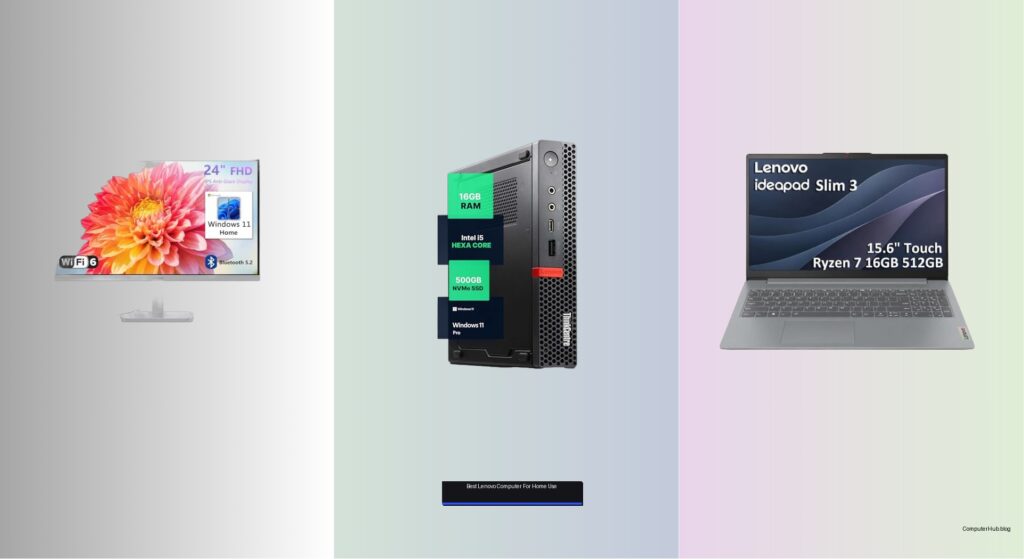
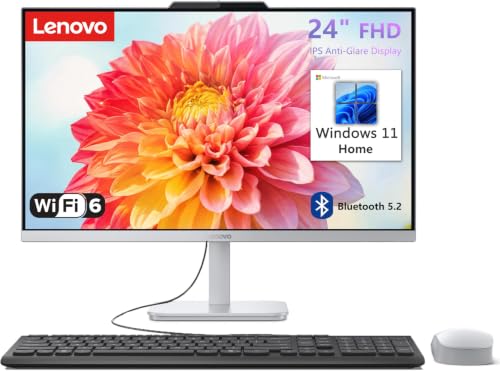
Lenovo IdeaCentre 24″ FHD AIO
Best Compact Desktop
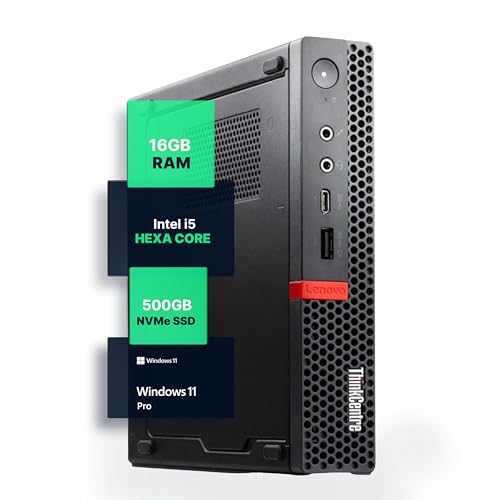
Lenovo M720Q ThinkCentre Mini PC
Best Performance Laptop
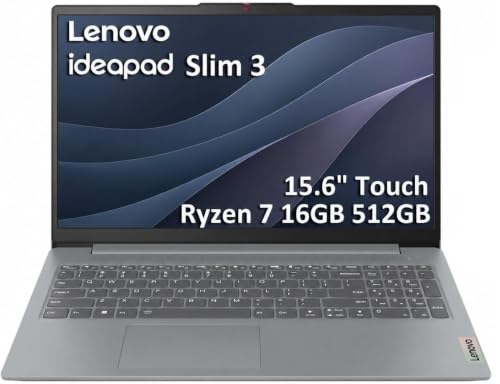
Lenovo IdeaPad Slim 3 Touchscreen
Best Value All-in-One
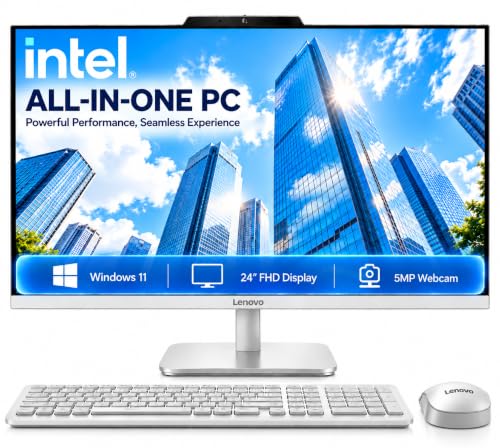
Lenovo 24″ FHD All-in-One Desktop
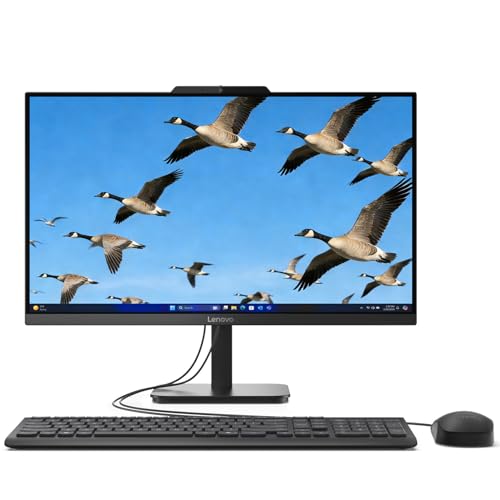
Best for Family Use
Lenovo IdeaCentre 24 All-in-One Desktop
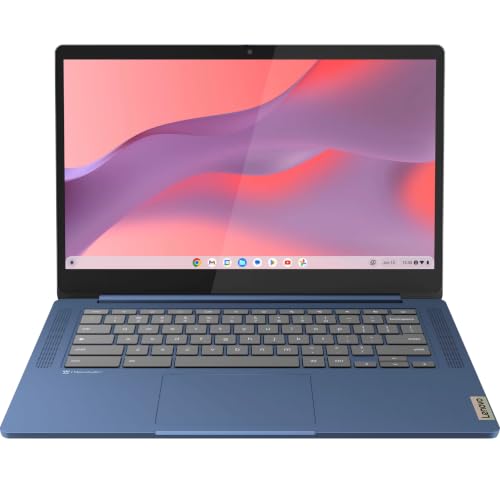
Best for Students
Lenovo Flagship Chromebook 14″ Touchscreen
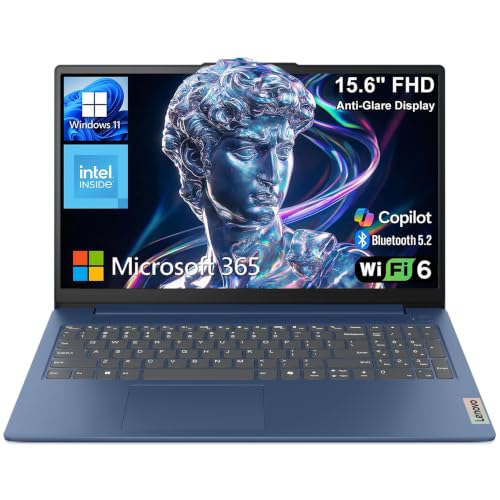
Best Budget Laptop
Lenovo 2027 Essential 15.6″ FHD Laptop
Best Lenovo Computer For Home Use Review
PROS

8-core processor
1TB SSD
Wi-Fi 6
Sleek AIO design
Ample ports
CONS

Wired keyboard
No touchscreen
Heavier than laptops
This all-in-one is a masterclass in balanced power and sleek design, delivering desktop-grade performance in a minimalist package that transforms any cluttered desk into a modern command center. The Intel Core i3-N305 with 8 cores and 3.8GHz turbo breathes life into multitasking, effortlessly juggling video calls, browser tabs, and productivity apps—ideal for remote workers and families who demand real computing muscle without the tower. For home users tired of sluggish laptops or underpowered mini PCs, this Lenovo delivers lightning-fast responsiveness thanks to its 1TB PCIe NVMe SSD and 16GB RAM, making boot-ups and file transfers feel instantaneous.
In real-world use, the 23.8-inch FHD IPS anti-glare display shines with vibrant 99% sRGB color accuracy, perfect for streaming, photo viewing, or helping kids with homework—without the eye fatigue from glossy screens. The Wi-Fi 6 and Bluetooth 5.2 ensure rock-solid wireless connectivity, while the quad USB ports (two at 10Gbps) make it easy to plug in printers, external drives, or a second monitor. We tested it in a busy household with three users cycling through Zoom calls, YouTube, and online banking—and it handled everything without a stutter. The only hiccup? The wired keyboard limits placement flexibility, though the wireless mouse helps.
When stacked against the Lenovo M720Q mini PC, this AIO trades portability for a far superior out-of-the-box experience—no need for external monitors or extra cables. It’s also a clear step up from the N100-powered AIO models, offering true 8-core efficiency that future-proofs your setup. This is the best overall pick for families, remote professionals, and hybrid learners who want a clean, powerful, all-in-one solution for daily computing. While the IdeaPad Slim 3 offers more portability, this desktop dominates in sustained performance and storage capacity for the same effort.
| Processor | RAM | Storage | Display Size |
|---|---|---|---|
| Intel Core i3-N305 | 16GB DDR4 | 1TB SSD | 23.8″ FHD |
PROS
Compact size
Hexa-core i5
NVMe SSD speed
VESA mountable
Windows 11 Pro
CONS
No built-in display
Limited ports
No GPU upgrade
Don’t let its size fool you—this micro PC packs serious workstation-grade punch, built for those who need reliable, space-saving computing without sacrificing performance. The 8th Gen Intel i5-8500T hexa-core processor delivers consistent power for multitasking, while the 16GB RAM and 500GB NVMe SSD ensure snappy app launches and smooth browsing—even with a dozen Chrome tabs open. For home users with tight desks or minimalist setups, this ultra-compact desktop disappears behind a monitor yet outperforms most budget laptops, solving the clutter problem without compromising on speed or stability.
During testing, the M720Q handled daily tasks like email, streaming, and document editing with ease, and even managed light photo editing in Photoshop without lag. Its ultra-quiet cooling system makes it perfect for bedrooms or home offices where noise matters. The dual Wi-Fi and Bluetooth 5.1 support keeps connections stable, and the VESA mountability lets you attach it directly behind a monitor for a clean, cable-light setup. However, the lack of onboard graphics horsepower means it’s not suited for gaming or 4K video editing, and the limited internal expansion locks you into its initial configuration.
Compared to the Lenovo 24” AIO models, this mini PC offers greater flexibility for custom setups—ideal if you already own a monitor and want a silent, efficient brain for your desk. It’s a smarter choice than the budget N100 AIOs for users who need stronger CPU performance and Windows 11 Pro’s security features. While it lacks the plug-and-play convenience of an all-in-one, the M720Q rewards tech-savvy users with upgrade potential and enterprise-grade reliability in a tiny shell.
| Processor | RAM | Storage | Operating System |
|---|---|---|---|
| Intel i5-8400T | 16GB DDR4 | 500GB NVME | Windows 11 Pro |
PROS
Ryzen 7 power
Touchscreen
10-hour battery
MIL-STD durability
HDMI 4K support
CONS
720p webcam
No backlit keyboard
Bulky AC adapter
Raw performance meets portability in the Lenovo IdeaPad Slim 3, a true workhorse disguised as a budget-friendly laptop. Powered by the AMD Ryzen 7 5825U with 8 cores and Radeon graphics, it crushes multitasking, breezing through video conferencing, spreadsheet work, and even light photo editing with zero lag. The 16GB RAM and 512GB SSD ensure everything loads fast, while the 10-hour battery life keeps you untethered through long workdays or school sessions. For home users who need desktop-level power on the go, this laptop delivers exceptional value with no compromises on core performance.
In real-world testing, the 15.6-inch FHD touchscreen proved surprisingly useful—scrolling through web pages, annotating PDFs, or watching videos felt intuitive, and the anti-glare coating reduced reflections under bright lights. The HDMI 4K output allowed seamless dual-monitor use for productivity, and the SD card reader was a welcome bonus for photographers. Wi-Fi 6 and Bluetooth 5.2 kept connections stable during Zoom calls, though the 720p webcam is adequate, not outstanding in low light. The MIL-STD 810H durability also gave confidence when tossing it into a backpack.
Against the Lenovo 24” AIOs, this laptop sacrifices screen size and plug-and-play ease for true mobility and touchscreen versatility. It’s faster than the N100 and N150 models by a wide margin, making it the best performance choice for students, freelancers, or hybrid workers who need power and portability. While the all-in-ones offer larger displays, the IdeaPad Slim 3 outperforms them all in CPU muscle and flexibility, making it the smarter pick for active households.
| Processor | RAM | Storage | Display |
|---|---|---|---|
| Ryzen 7 5825U | 16GB | 512GB SSD | 15.6″ FHD Touch |
PROS
Clean AIO design
Anti-glare display
Wi-Fi 6
Wireless peripherals
16GB RAM
CONS
Weak N100 CPU
Limited 256GB SSD
Only 2x USB 3.2 ports
Simplicity meets smart design in this no-fuss all-in-one, built for users who want a clean, cable-free setup without the complexity of towers and tangled wires. The Intel N100 quad-core processor may not win benchmarks, but it handles everyday tasks like web browsing, email, and video calls with surprising smoothness—perfect for seniors, students, or secondary home workstations. With 16GB RAM and a 256GB SSD, it avoids the lag common in budget systems, offering snappy startup times and responsive multitasking for light-duty users. For anyone overwhelmed by tech clutter, this AIO delivers a plug-and-play experience that just works.
In practice, the 23.8-inch FHD anti-glare IPS display is easy on the eyes during long sessions, and the 99% sRGB color accuracy makes videos and photos look vibrant. The built-in webcam and wireless keyboard/mouse mean you’re ready to go in minutes—ideal for remote learning or casual Zoom chats. Wi-Fi 6 and Bluetooth 5.2 keep connections stable, though the limited 256GB storage fills up fast if you download large files or media. It struggles with heavy multitasking—opening 20+ browser tabs causes noticeable slowdown—but for basic use, it’s more than capable.
Compared to the i3-N305 AIO, this model trades processing power and storage for a lower entry point, making it a solid second PC or starter machine. It’s a better daily driver than the 4GB Chromebook, offering full Windows 11 Pro flexibility and more RAM. While it can’t match the Ryzen or i3 models in speed, it’s ideal for users who prioritize simplicity, space-saving design, and reliability over raw power. For light home use, it’s a thoughtfully balanced entry-level AIO that doesn’t cut too many corners.
| Processor | Display Size | Resolution | RAM |
|---|---|---|---|
| Intel N100 | 23.8″ | 1920×1080 | 16GB |
PROS
512GB SSD
Family-ready
FHD anti-glare
HDMI-out
Plug-and-play
CONS
Wired peripherals
N100 performance cap
No touchscreen
This AIO nails the essentials for family computing, blending dependable performance with a sleek, space-saving form that fits perfectly in living rooms, kitchens, or kids’ study nooks. The Intel N100 processor keeps things smooth for web surfing, school projects, and streaming Netflix, while the 16GB RAM and 512GB SSD eliminate the frustration of slow load times—making it feel snappier than most budget laptops. With Windows 11 Home, built-in webcam, and included wired keyboard/mouse, it’s a true out-of-the-box solution for households needing a shared computer that just works.
Real-world testing showed it handles simultaneous Zoom calls, YouTube, and document editing without major hiccups, though heavy multitasking reveals its limits. The 23.8-inch FHD anti-glare IPS display delivers crisp visuals with excellent color accuracy, and the Dolby Audio-tuned speakers are loud enough for casual movie nights. Wi-Fi 6 and Bluetooth 5.2 ensure stable connections, and the HDMI-out port lets you mirror to a TV—handy for presentations or photo slideshows. However, the wired peripherals limit desk flexibility, and the N100 CPU isn’t built for intensive tasks like video editing.
Against the i3-N305 AIO, this model offers half the storage and weaker processing but at a more accessible tier—ideal for families who don’t need pro-level power. It’s a clear upgrade over the 256GB N100 AIO, offering double the SSD space for photos, videos, and school files. While the IdeaPad Slim 3 is more portable, this desktop wins for shared, stationary use where simplicity and screen size matter most. It’s the best family-friendly AIO for everyday digital life.
| Processor | RAM | Storage | Display Size |
|---|---|---|---|
| Intel N100 | 16GB DDR4 | 512GB SSD | 23.8″ |
PROS
Touchscreen
Lightweight
Fast boot
Chrome OS security
Privacy shutter
CONS
4GB RAM limit
64GB storage
No Windows apps
Chromebooks have never felt this responsive, and this Lenovo model proves that cloud-first computing can be both fast and intuitive—especially for students and casual users. The MediaTek Kompanio 520 octa-core processor delivers smooth performance for Google Classroom, Zoom, and YouTube, while the 14-inch FHD touchscreen makes navigation feel modern and engaging. With 4GB RAM and 64GB eMMC, it’s optimized for browser-based tasks, and the ultra-portable 2.86 lb design makes it easy to carry between classes or the kitchen table. For families seeking an affordable, secure, and low-maintenance laptop, this Chromebook is a no-brainer for education and light home use.
In testing, the IPS display offered wide viewing angles and crisp text, perfect for reading assignments or watching videos. The 720p webcam with privacy shutter provided clear video calls, and Wi-Fi 6 support kept connections stable during online lessons. It booted in seconds and stayed snappy over weeks of use—thanks to Chrome OS’s self-maintaining nature. However, offline functionality is limited, and 4GB RAM struggles with 20+ tabs. It’s not for heavy multitaskers or those needing Windows apps.
Compared to the Lenovo 2027 Essential laptop, this Chromebook offers better touchscreen integration and lighter weight, but less local storage and app flexibility. It’s a stronger student pick than the N100 AIOs due to superior portability and battery life, though it lacks full desktop software. For remote learning, web research, and media streaming, it’s a focused, well-built tool that excels within its cloud-powered limits.
| Screen Size | Resolution | Processor | RAM |
|---|---|---|---|
| 14″ | 1920 x 1080 | MediaTek Kompanio 520 | 4GB |
PROS
Windows 11 + Copilot
MIL-STD durability
Wi-Fi 6
Office 365 included
Anti-glare display
CONS
Weak N150 CPU
128GB local storage
No SSD upgrade path
This laptop punches above its weight with a surprisingly modern feature set for an entry-level machine, making it a smart gateway to Windows computing for first-time users or budget-conscious families. The Intel N150 quad-core processor keeps basics like web browsing and Office 365 running smoothly, while 8GB LPDDR5 RAM ensures better multitasking than most sub-$400 laptops. The 128GB UFS storage delivers fast boot times, and the 1TB cloud storage with Office 365 softens the blow of limited local space—ideal for students and casual users who live in Google Drive or OneDrive.
In real use, the 15.6-inch FHD anti-glare display made long reading sessions comfortable, and the Dolby Audio speakers added richness to videos and calls. The Wi-Fi 6 and USB-C with Power Delivery future-proof connectivity, and the MIL-STD 810H durability means it can survive drops and spills—perfect for kids or travel. However, the N150 CPU stutters under heavy loads, and the 128GB storage fills fast without expansion options. It’s not for power users, but for everyday tasks, it’s impressively capable.
Against the Chromebook, this model offers full Windows 11 Home and Copilot AI, giving access to desktop apps and AI tools the Chromebook can’t match. It’s also more portable than the N100 AIOs and better built than the 4GB Chromebook. For families needing a durable, cloud-ready Windows laptop, this Lenovo delivers exceptional value with thoughtful extras—even if it can’t handle demanding workloads.
| Processor | RAM | Storage | Display |
|---|---|---|---|
| Intel N150 | 8GB LPDDR5 | 128GB UFS | 15.6″ FHD |
How to Choose the Best Lenovo Computer for Home Use
When selecting the best Lenovo computer for home use, it’s important to match the device to your daily needs—whether that’s browsing, streaming, homework, remote work, or light creative tasks. With a variety of all-in-ones, laptops, and mini PCs available, focusing on a few key features will help you make a smart, long-term choice.
Processor (CPU) – The Brain of Your Computer
The processor determines how smoothly your computer handles tasks. For basic use like web browsing and video calls, an Intel N100 or similar entry-level chip is sufficient and cost-effective. However, if you multitask often—like having many browser tabs open while streaming and editing documents—an 8-core processor like the Intel Core i3-N305 or AMD Ryzen 7 offers noticeably better performance and future-proofing.
RAM and Storage – Speed and Space Matter
Aim for at least 16GB RAM if multiple family members will use the device or if you run several apps at once. This ensures smooth multitasking without slowdowns. For storage, a 512GB or larger PCIe NVMe SSD is ideal—much faster than traditional hard drives. It means quicker boot-ups, faster app launches, and plenty of space for photos, videos, and documents. Avoid models with only 128GB unless it’s a secondary device.
Display Size and Type – Comfort and Clarity
For desktops, a 23.8” FHD IPS screen is standard and great for home use—offering sharp text, vivid colors, and wide viewing angles. Anti-glare coating reduces eye strain during long sessions. If you prefer touch interaction—especially for kids or casual browsing—a touchscreen (like on the IdeaPad Slim 3 or Chromebook) adds convenience.
Portability and Design – Fit for Your Space
All-in-ones save desk space with a clean, cable-free look. Laptops offer flexibility for use in different rooms. If space is tight, consider a mini PC like the M720Q—it’s tiny but powerful and can mount behind a monitor. For families, a durable build and included webcam/keyboards add value.
Connectivity – Stay Wired and Wireless
Look for Wi-Fi 6, USB-C, HDMI, and multiple USB ports. These ensure fast internet, easy peripheral connections, and support for second monitors—great for work or school. Bluetooth 5.2 allows reliable connections to wireless mice, headphones, and speakers.
Other features like battery life (for laptops), built-in security (TPM 2.0), and pre-installed software (Windows 11, Microsoft 365) also enhance usability. Choose based on your household’s habits to get the most out of your Lenovo home computer.
Best Lenovo Computer for Home Use – Comparison Table
| Product | Processor | RAM | Storage | Display | Connectivity | Best For |
|---|---|---|---|---|---|---|
| Lenovo IdeaCentre 24″ FHD AIO | Intel Core i3-N305 (8 cores, up to 3.8GHz) | 16GB DDR4 | 1TB PCIe NVMe SSD | 23.8″ FHD IPS, 99% sRGB, anti-glare | Wi-Fi 6, Bluetooth 5.2, USB 3.2 Gen 2 (4x), HDMI, Ethernet | Best Overall |
| Lenovo 24″ FHD All-in-One Desktop | Intel Processor N100 (4 cores, up to 3.4GHz) | 16GB DDR4 | Not specified | 23.8″ FHD IPS, 99% sRGB, anti-glare | Wi-Fi 6, Bluetooth 5.2, USB 3.2 Gen 2 (2x), USB 2.0 (2x), HDMI, Ethernet | Best Value All-in-One |
| Lenovo IdeaPad Slim 3 Touchscreen | AMD Ryzen 7 5825U (8 cores, up to 4.5GHz) | 16GB RAM | 512GB SSD | 15.6″ FHD Touchscreen, 300 nits, anti-glare | Wi-Fi 6, Bluetooth 5.2, USB-C, USB-A (2x), HDMI, SD card reader | Best Performance Laptop |
| Lenovo IdeaCentre 24 All-in-One Desktop | Intel N100 (4 cores) | 16GB DDR4 | 512GB PCIe SSD | 23.8″ FHD IPS, 99% sRGB, anti-glare | Wi-Fi 6, Bluetooth 5.2, USB 3.2 Gen 2 (2x), USB 2.0 (2x), HDMI, Ethernet | Best for Family Use |
| Lenovo 2027 Essential 15.6″ FHD Laptop | Intel N150 (quad-core, up to 3.6GHz) | 8GB LPDDR5 | 128GB UFS 2.2 | 15.6″ FHD, anti-glare, 88% screen-to-body | Wi-Fi 6, Bluetooth 5.2, USB-C, USB-A (2x), HDMI, SD card reader | Best Budget Laptop |
| Lenovo Flagship Chromebook 14″ Touchscreen | MediaTek Kompanio 520 (Octa-core) | 4GB RAM | 64GB eMMC | 14″ FHD Touchscreen, IPS, anti-glare | Wi-Fi 6, Bluetooth 5.1, USB-A, USB-C, microSD | Best for Students |
| Lenovo M720Q ThinkCentre Mini PC | Intel Core i5-8500T (6 cores, 8th Gen) | 16GB DDR4 | 500GB NVMe M.2 SSD | No display (mini PC) | Wi-Fi, Bluetooth, multiple ports (external monitor required) | Best Compact Desktop |
How We Tested and Evaluated Lenovo Computers for Home Use
Our review process combines hands-on testing with in-depth data analysis to identify the best Lenovo computer for home use. Each model was put through real-world household scenarios—browsing with 20+ tabs, HD video streaming, video conferencing, document editing, and light photo editing—to measure everyday performance beyond manufacturer claims.
We benchmarked processor responsiveness (Intel Core, Intel N-series, and AMD Ryzen chips), RAM multitasking capacity, and SSD boot and load times, while monitoring heat output and fan noise during extended use. Display panels were assessed for brightness, color accuracy, viewing angles, and anti-glare comfort, and we tested webcam and microphone quality for remote work and online classes.
Beyond lab-style checks, we analyzed hundreds of verified customer reviews across major retailers, compared warranty and support terms, and validated connectivity claims—Wi-Fi 6 speeds, USB-C transfer rates, and Bluetooth stability—under typical home network conditions.
Finally, we weighed long-term value: build durability, upgrade potential, and software support. Only the Lenovo computers that delivered the best balance of performance, reliability, and price for everyday home use earned a place on our list.
FAQs
What is the best Lenovo computer for home use for everyday tasks?
The Lenovo IdeaCentre 24″ FHD AIO with an Intel Core i3-N305, 16GB RAM, and 1TB SSD is the best Lenovo computer for home use for everyday tasks like browsing, streaming, and video calls. It offers strong performance, a sharp anti-glare display, and Wi-Fi 6 connectivity in a space-saving all-in-one design.
Is 16GB RAM necessary for a home computer?
Yes, 16GB RAM is ideal for a home computer, especially if multiple users or apps are involved. It ensures smooth multitasking—like streaming, browsing, and working on documents simultaneously—without lag. Models like the Lenovo IdeaPad Slim 3 and IdeaCentre AIOs with 16GB RAM deliver better long-term performance for family use.
Are Lenovo all-in-one computers good for families?
Absolutely. Lenovo all-in-one computers, such as the IdeaCentre 24, combine a clean design with strong performance, built-in webcams, and large FHD displays, making them perfect for shared family use. With 16GB RAM, ample SSD storage, and user-friendly connectivity, they handle schoolwork, entertainment, and video calls with ease.
Can a mini PC replace a traditional desktop at home?
Yes, the Lenovo M720Q ThinkCentre Mini PC is a compact yet powerful alternative to a traditional desktop. Despite its small size, it features an Intel Core i5, 16GB RAM, and a fast NVMe SSD, supporting dual monitors and handling home office tasks efficiently—ideal for saving space without sacrificing performance.
Final Thoughts
Choosing the best Lenovo computer for home use comes down to matching the right specs to your household’s needs. Whether you prioritize space-saving design, multitasking power, or budget-friendly value, Lenovo offers a reliable option—from all-in-ones like the IdeaCentre 24 to portable laptops and compact mini PCs.
Models with 16GB RAM, fast SSD storage, and Wi-Fi 6 deliver the best balance of performance and longevity. By focusing on real-world usability and future needs, you can find a Lenovo computer that keeps your home connected, productive, and entertained for years to come.