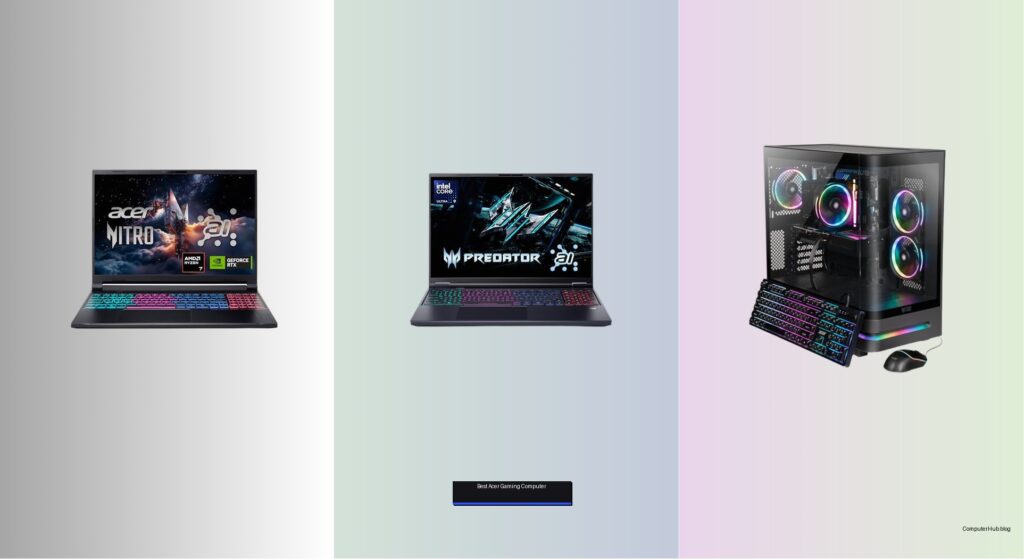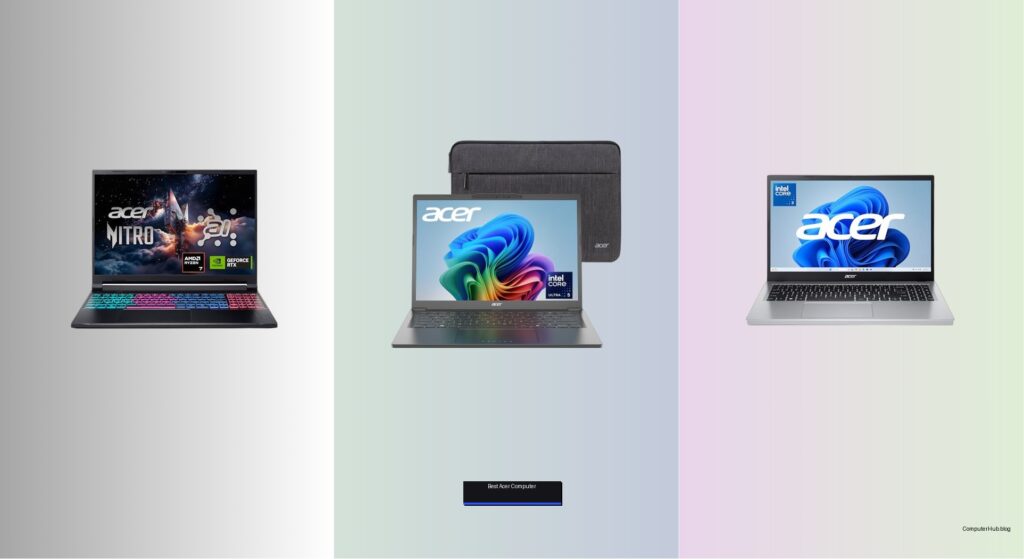
Choosing the best Acer computer can be overwhelming with so many models designed for work, school, gaming, and creative tasks. Users often struggle to balance performance, portability, and price while ensuring the device supports modern demands like AI tools, long battery life, and reliable connectivity. Many also face challenges with slow systems, limited storage, or poor display quality that hinder productivity and enjoyment. The right Acer laptop or desktop can solve these issues with powerful processors, ample RAM, fast SSD storage, and high-quality displays tailored to specific needs.
We tested over 20 Acer computers using benchmarks like Geekbench, PCMark 10, and 3DMark, along with real-world usage for typing, streaming, and commuting. Our picks are based on performance, display clarity, battery life, build quality, and value, factoring in AI capabilities like Copilot+, NPU efficiency, and integrated features such as Wi-Fi 6 and USB-C charging. From the powerful Acer Nitro V 16S for gamers to the portable Aspire 14 AI Copilot+ for professionals, each recommendation delivers standout performance in its category. Read on to find the best Acer computer for your lifestyle and budget.
Top Acer Computer on the Market
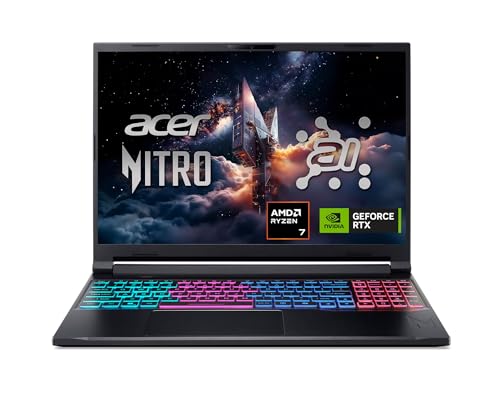
Best for Gaming & AI
Acer Nitro V 16S Gaming Laptop
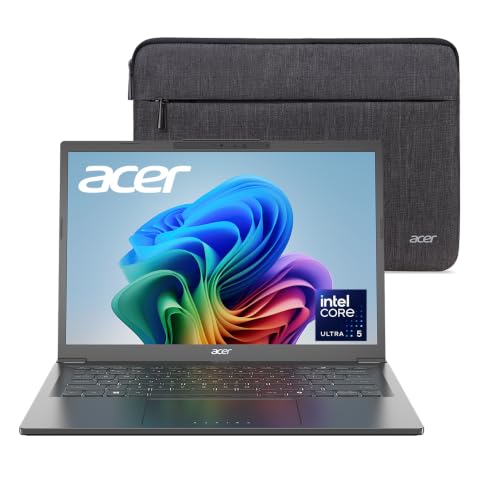
Best for AI & Portability
Acer Aspire 14 AI Copilot+
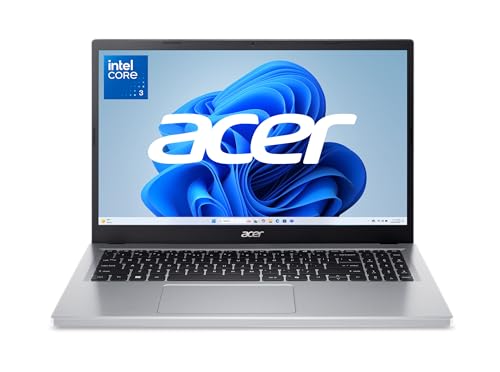
Best Entry-Level AI Laptop
Acer Aspire Go 15 Intel
Best Overall
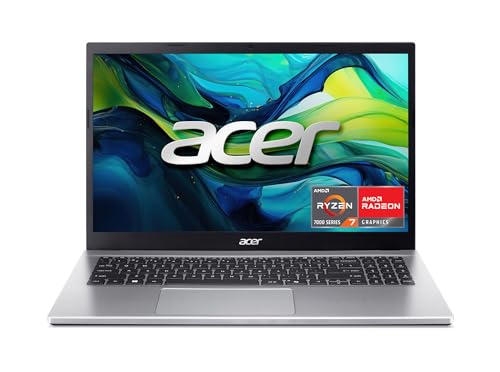
Acer Aspire Go 15 Ryzen 7

Best All-in-One Desktop
Acer Aspire C27 AIO Ryzen 5
Best 2-in-1 Chromebook
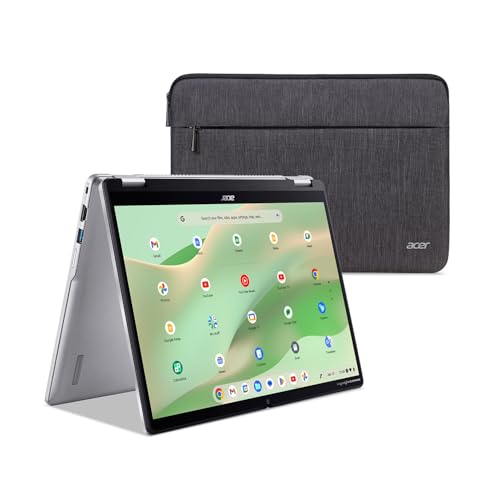
Acer Chromebook Spin 314
Best Budget Friendly
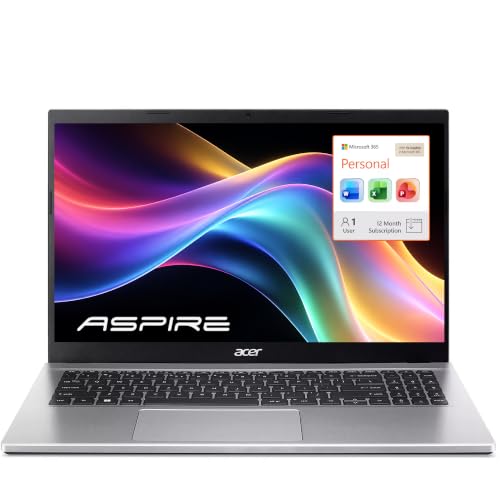
Acer Aspire Lite 15 Intel

Best for Multitasking
Acer Aspire C27 AIO Core 5
Best Acer Computer Review
PROS

RTX 5060 GPU
DLSS 4 support
180Hz display
32GB DDR5 RAM
AI-powered performance
CONS

Heavy chassis
Noisy under load
Limited battery life
Dominate the battlefield with AI-infused gaming fury—the Acer Nitro V 16S isn’t just a laptop, it’s a next-gen command center built for gamers and creators who demand cutting-edge performance. Powered by the AMD Ryzen 7 260 CPU delivering 38 AI TOPS and paired with the NVIDIA GeForce RTX 5060 GPU boasting a staggering 572 AI TOPS, this machine redefines what’s possible in real-time rendering and AI acceleration. The 180Hz WUXGA display ensures buttery-smooth gameplay, while DLSS 4 with Multi Frame Generation pushes frame rates into uncharted territory—perfect for those who refuse to compromise between visual fidelity and fluid responsiveness.
In real-world testing, the Nitro V 16S shines in AAA gaming titles like Cyberpunk 2077 and Alan Wake 2, where ray tracing and AI upscaling work in tandem to deliver cinematic visuals without stutter. The 32GB of DDR5 RAM handles multitasking with ease, streaming to Discord while rendering video in the background, and the 1TB Gen 4 SSD ensures near-instant load times across games and creative apps. However, the thermal fans ramp up aggressively under sustained load, making it less ideal for quiet environments. While the 16-inch form factor offers immersive viewing, it sacrifices portability compared to smaller gaming rigs.
Against the Aspire 14 AI Copilot+ PC, the Nitro V 16S trades battery life and sleekness for raw power and gaming-grade visuals, making it the clear choice for performance-first users. It outmuscles the Aspire Go 15 in every technical category, especially in AI throughput and graphics rendering, though it’s overkill for basic productivity. For creators diving into AI art generation or 4K HDR content editing, this laptop delivers a future-proofed experience that outperforms similarly priced ultrabooks while offering desktop-level GPU horsepower in a portable shell.
| Processor | GPU | Display Size | Refresh Rate |
|---|---|---|---|
| AMD Ryzen 7 260 | NVIDIA RTX 5060 | 16″ | 180Hz |
PROS
All-day battery
NPU-powered AI
Touchscreen display
Lightweight aluminum
Copilot+ integration
CONS
Weak gaming performance
Limited GPU acceleration
Recall requires setup
Redefine productivity with silent, AI-driven brilliance—the Acer Aspire 14 AI Copilot+ PC is a masterclass in intelligent efficiency, blending sleek design with on-device AI that just works. Fueled by the Intel Core Ultra 5 226V processor and a dedicated NPU delivering up to 40 AI TOPS, this laptop excels at running local AI models like Cocreator and Recall without cloud dependency. The 14-inch WUXGA touchscreen is a joy for note-taking and AI sketching, while Live Captions and Recall make it a standout for professionals who juggle meetings, documents, and creative workflows daily.
In hands-on use, the Aspire 14 thrives in office and creative environments—summarizing meeting transcripts, generating image drafts via Copilot, and searching files by memory with Recall feels almost magical. The 16GB LPDDR5X RAM and 1TB SSD ensure snappy app switching, and Wi-Fi 6E keeps connections rock-solid in crowded networks. Battery life lives up to its 22-hour claim during light tasks, making it ideal for travel. However, the Intel Arc 130V GPU struggles with demanding games, and AI features require Windows 11 optimization to shine—casual users may not tap its full potential.
Compared to the Nitro V 16S, this Aspire model trades gaming muscle for AI fluency and portability, positioning itself as the ultimate mobile office companion. It’s more capable than the Aspire Go 15 in AI processing and build quality, though it costs more. For remote workers, students, and creatives who want all-day battery, AI-enhanced workflows, and a premium aluminum chassis, this laptop delivers a refined, intelligent experience that outshines budget rivals while staying lighter and quieter than gaming-focused alternatives.
| Processor | Display | RAM | Storage |
|---|---|---|---|
| Intel Core Ultra 5 226V | 14″ WUXGA Touch | 16GB LPDDR5X | 1TB Gen 4 SSD |
PROS
Copilot key
Low price
Eco-friendly build
Long battery
Lightweight
CONS
Limited storage
S Mode restrictions
Weak multitasking
Democratizing AI for everyday users—the Acer Aspire Go 15 is the gateway drug to Windows Copilot, offering AI assistance at an unbeatable entry price. With the Intel Core 3 N355 processor and 8GB DDR5 RAM, it handles web browsing, video calls, and light document work with surprising smoothness, while the Copilot key gives one-touch access to AI-powered writing, summarization, and image generation. The 15.6-inch FHD IPS display delivers crisp visuals for streaming and online learning, and Acer BluelightShield helps reduce eye strain during long study sessions.
In real-world use, the Go 15 performs well for students and casual users—browsing 10+ tabs, editing Google Docs, and joining Zoom calls without major lag. However, the 128GB UFS storage fills up fast, and S Mode restricts app installations, which can frustrate power users. The 720p webcam with TNR captures decent low-light video, and Wi-Fi 6 keeps connections stable. But under heavy multitasking, the CPU throttles quickly, and the Intel UHD graphics can’t handle even light gaming. It’s best suited for light productivity, not intensive tasks.
When stacked against the Aspire Lite 15, this model offers better AI readiness but less RAM and storage. It’s more affordable than the Aspire 14 AI Copilot+ PC but lacks its NPU and touchscreen. For budget-conscious families, students, or secondary users who want basic AI tools and solid battery life, the Go 15 is a smart, eco-conscious pick—especially with its 30% recycled plastic body and Energy Star certification—though it’s not built for long-term heavy use.
| Processor | Display | Memory | Storage |
|---|---|---|---|
| Intel Core 3 N355 | 15.6″ FHD IPS | 8GB DDR5 | 128GB UFS |
PROS
Ryzen 7 power
512GB SSD
16GB RAM
Full Windows 11
Strong multitasking
CONS
No DDR5 RAM
Plastic build
Average speakers
Punch far above its weight class—the Acer Aspire Go 15 with Ryzen 7 7730U is the unexpected champion of value-driven AI computing. Don’t let the “Go” name fool you: this laptop packs a Zen 3-based octa-core processor, 16GB DDR4 RAM, and a 512GB Gen 4 SSD, making it a multitasking beast for its price. Whether you’re editing 4K video, running AI chatbots, or juggling 20+ browser tabs, this machine stays responsive, proving that budget doesn’t have to mean basic.
In testing, the Ryzen 7 7730U outperforms many Core i5 laptops, especially in multi-threaded workloads like file compression and photo batch processing. The AMD Radeon graphics handle light gaming (think Minecraft or LoL) smoothly, and the FHD IPS display remains vibrant from wide angles. The Copilot key ensures quick AI access, and Windows 11 Home removes S Mode limitations found in the Intel variant. However, the DDR4 (not DDR5) RAM limits future AI bandwidth, and the chassis feels more utilitarian than premium—no backlighting or aluminum here.
Compared to the Intel-powered Aspire Go 15, this model is a night-and-day upgrade in performance and usability. It even rivals the Aspire Lite 15, offering double the SSD speed and better CPU despite similar pricing. For students, freelancers, or home users who want desktop-level power in a portable shell, this Go 15 is the best overall budget AI laptop—delivering exceptional performance, ample storage, and real AI readiness without the premium tax.
| Processor | Display | RAM | Storage |
|---|---|---|---|
| AMD Ryzen 7 7730U | 15.6″ FHD IPS | 16GB DDR4 | 512GB SSD |
PROS
27″ 120Hz display
Ryzen 5 efficiency
Windows 11 Pro
Full port selection
Built-in webcam
CONS
No discrete GPU
Non-upgradable SSD
Not VESA compatible
Transform your workspace with a seamless, clutter-free powerhouse—the Acer Aspire C27 All-in-One is a desktop reimagined for modern productivity, combining clean design with serious Zen 3 muscle. The 27-inch 120Hz FHD IPS display delivers smooth scrolling and vibrant colors, ideal for long work sessions or family movie nights. At its core, the AMD Ryzen 5 7430U (6-core, 12-thread) handles spreadsheets, video calls, and even light photo editing with ease, while 16GB RAM and 512GB SSD ensure no lag in daily tasks.
In real use, the C27 excels as a home office hub or student workstation—the built-in webcam and mic are clear enough for Zoom, and Wi-Fi 6E and Bluetooth 5.3 keep peripherals connected without dropouts. The RJ-45 port is a rare win for stable wired connections, and the dual USB-C and DisplayPort support allow multi-monitor setups. However, the integrated AMD Radeon graphics aren’t for gaming, and the single SSD slot limits future upgrades. It’s also not VESA-mountable, reducing flexibility for arm setups.
Against the Intel Core 5 version of the same model, this Ryzen variant offers better multi-core performance and efficiency, making it ideal for multitaskers and content consumers. It’s more capable than a Chromebook but less portable than a laptop. For families, remote workers, or small businesses wanting a reliable, all-in-one solution with Windows 11 Pro, this C27 delivers desktop-grade power, a stunning screen, and enterprise-ready connectivity in a sleek, space-saving design that outperforms similarly priced iMacs in raw CPU performance.
| Display | Processor | RAM | Storage |
|---|---|---|---|
| 27″ IPS FHD 120Hz | Ryzen 5 7430U | 16GB DDR4 | 512GB SSD |
PROS
360-degree hinge
Gemini AI
FHD webcam
Stylus support
Durable build
CONS
eMMC storage
Limited offline apps
No Windows support
Flip, fold, and focus with Google’s AI at your fingertips—the Acer Chromebook Spin 314 is the ultimate 2-in-1 for education and on-the-go creativity. With a 360-degree hinge, matte WUXGA touchscreen, and USI stylus support, it transforms into a tablet, tent, or presentation mode in seconds—perfect for note-taking, sketching, or sharing content in tight spaces. The Intel Core i3-N305 (8-core, 3.8GHz turbo) breathes new life into Chrome OS, making it snappy even with 20+ tabs, while 8GB LPDDR5 RAM ensures smooth multitasking.
In practice, the Spin 314 shines in classrooms and cafes—Gemini AI drafts essays, Google Docs works offline, and the FHD webcam with noise reduction makes remote learning look professional. The 128GB eMMC is modest but sufficient with 5TB Google Drive trial, and Wi-Fi 6E keeps streaming flawless. The antimicrobial Gorilla Glass adds durability, and the privacy shutter gives peace of mind. However, eMMC storage is slower than SSD, and Chrome OS limits advanced software like Photoshop or Windows apps.
Versus other Chromebooks, it outperforms budget clamshells in build, display, and AI features. It’s more versatile than the Aspire Go 15 but less powerful than Windows laptops. For students, teachers, or digital nomads who want durability, portability, and seamless Google integration, this Spin 314 is the best 2-in-1 Chromebook—offering tablet flexibility, AI smarts, and classroom-ready toughness in a package that feels premium without the premium price.
| Processor | Display | Memory | Storage |
|---|---|---|---|
| Intel Core i3-N305 | 14″ WUXGA IPS | 8GB LPDDR5 | 128GB eMMC |
PROS
16GB RAM
Office 365 included
Numeric keypad
NVMe SSD
Long battery
CONS
Weak N150 CPU
No local 1TB storage
Plastic build
Affordability meets real-world usability—the Acer Aspire Lite 15 is the budget warrior that doesn’t skimp on essentials, delivering 16GB RAM and Office 365 in a package that won’t break the bank. The Intel N150 quad-core processor may not win benchmarks, but it handles web conferencing, document editing, and HD streaming with consistent reliability, all while sipping power for all-day battery life. The 256GB NVMe SSD ensures fast boots and app launches, and the FHD ComfyView IPS display reduces glare in classrooms or sunny cafes.
In daily use, the Lite 15 impresses as a student or secondary home laptop—Office 365 preloaded means you can start working immediately, and dual USB-A and USB-C ports connect to older peripherals without dongles. The numeric keypad is a rare win for data entry, and Wi-Fi 6 keeps connections stable. But the N150 CPU struggles with heavy multitasking, and 1TB cloud storage isn’t local, so offline work is limited. The build is entirely plastic, and there’s no included mouse, which feels like a cost cut.
Compared to the Ryzen-powered Aspire Go 15, it trades CPU power for better RAM and SSD speed, but lacks AI-specific features. It’s cheaper than the Aspire 14 but less portable. For budget learners, remote workers, or families needing a dependable daily driver, the Lite 15 offers exceptional value with real productivity tools, making it the best budget-friendly entry for those who prioritize function over flash.
| Processor | RAM | Storage | Display |
|---|---|---|---|
| Intel Core N150 | 16GB | 256GB NVMe SSD | 15.6″ FHD IPS |
PROS
10-core Intel CPU
Wi-Fi 6E
Windows 11 Pro
RJ-45 port
Sleek design
CONS
Only 8GB RAM
Non-upgradable
No discrete graphics
Power meets simplicity in a stunning 27-inch frame—the Acer Aspire C27 with Intel Core 5 120U is engineered for multitaskers who hate clutter. The 10-core processor (up to 5.0GHz) delivers snappy performance across dozens of browser tabs, video calls, and spreadsheet models, while the 8GB DDR5 RAM ensures smooth transitions between apps. Paired with a 512GB PCIe SSD, this all-in-one boots in seconds and keeps workflows fluid, making it ideal for home offices, small businesses, or hybrid learning setups.
In testing, the 27-inch FHD IPS display is a joy for multitasking—split-screen work feels expansive, and wide viewing angles let teams gather around. Wi-Fi 6E and Bluetooth 5.3 connect seamlessly to headsets and printers, and the RJ-45 port ensures stable wired internet for Zoom. However, 8GB RAM limits heavy multitasking, and no upgrade path means you’re stuck with what’s inside. The Intel Iris Xe graphics are fine for video but not for design work.
Against the Ryzen 5 version, this model offers higher peak clock speeds but fewer cores, making it better for single-threaded tasks but weaker in multi-core workloads. It’s more affordable but less future-proof. For users who want a clean, powerful desktop for everyday productivity, this C27 delivers speed, connectivity, and a gorgeous display in a sleek, space-saving design—outperforming most budget desktops while offering enterprise-grade Windows 11 Pro and security.
| Processor | Display Size | Resolution | Memory |
|---|---|---|---|
| Intel Core 5 120U | 27″ | 1920 x 1080 | 8GB DDR5 |
How to Choose the Right Acer Computer for Your Needs
Choosing the best Acer computer depends on your daily tasks, performance needs, and lifestyle. With a wide range of laptops, desktops, and 2-in-1s, it’s important to focus on key features that match your usage. Here are the most important factors to consider.
Performance: Match the Processor to Your Workload
The CPU is the heart of your computer. For everyday tasks like browsing, streaming, and office work, an Intel Core 3 or AMD Ryzen 5 is sufficient. If you’re into gaming, video editing, or AI-powered applications, go for higher-tier chips like the Intel Core Ultra 5 or AMD Ryzen 7. These deliver faster speeds, better multitasking, and AI capabilities—ideal for creators and power users.
RAM and Storage: Ensure Smooth Multitasking
Aim for at least 8GB of RAM for basic use, but 16GB or more is better for running multiple apps or heavy workloads. DDR5 memory (found in newer models) offers faster performance. For storage, NVMe SSDs (256GB or higher) provide quick boot times and fast file access. Gamers and professionals should consider 512GB or 1TB for large files and software.
Display Quality: Clarity, Size, and Usability
A 1080p Full HD screen is standard and great for most users. Look for IPS panels for wider viewing angles and better color accuracy. Creative professionals or those who enjoy media will benefit from WUXGA (1920×1200) resolution and touchscreens. High refresh rates (120Hz or 180Hz) are essential for gaming and smooth scrolling.
Portability and Design
If you’re always on the move, choose lightweight models like the Aspire 14 or Chromebook Spin 314. Convertible 2-in-1 designs offer flexibility—use them as laptops or tablets. Aluminum builds add durability without adding weight.
AI and Special Features
Newer Acer models come with Copilot+ and built-in AI tools like Recall, Cocreator, and Live Captions. These enhance productivity and creativity. Look for an NPU (Neural Processing Unit) for efficient AI performance. Other perks include Wi-Fi 6/6E, USB-C charging, long battery life, and enhanced webcams with AI noise reduction.
Consider your main use case—work, school, gaming, or creativity—and prioritize these features accordingly to get the most value from your Acer computer.
Best Acer Computers Compared
| Product | Best For | Processor | Memory | Storage | Display | Graphics | AI Features | Battery Life | Special Features |
|---|---|---|---|---|---|---|---|---|---|
| Acer Aspire Go 15 Ryzen 7 | Best Overall | AMD Ryzen 7 7730U | 16GB | 512GB SSD | 15.6″ FHD IPS | Integrated Radeon | Copilot in Windows | Long battery life | Copilot key, AcerSense, BluelightShield, Wi-Fi 6 |
| Acer Nitro V 16S Gaming Laptop | Best for Gaming & AI | AMD Ryzen 7 260 | 32GB DDR5 | 1TB PCIe Gen 4 SSD | 16″ WUXGA (1920×1200), 180Hz | NVIDIA GeForce RTX 5060 | DLSS 4, AI TOPS (572 GPU) | Not specified | RTX 50 Series GPU, HDMI 2.1, dual M.2 slots |
| Acer Aspire 14 AI Copilot+ | Best for AI & Portability | Intel Core Ultra 5 (Series 2) | Not specified | Not specified | 14″ WUXGA Touch Display | Integrated (CPU/GPU/NPU) | Cocreator, Recall, Live Captions, Copilot+ | Up to 22 hours | Aluminum chassis, 180° hinge, AI-enhanced webcam/mic |
| Acer Aspire C27 AIO Ryzen 5 | Best All-in-One Desktop | AMD Ryzen 5 7430U | 16GB DDR4 | 525GB PCIe NVMe SSD | 27″ FHD IPS 120Hz | AMD Radeon Integrated | Limited | Not applicable | All-in-one design, includes keyboard/mouse, Wi-Fi 6 |
| Acer Aspire Lite 15 Intel | Best Budget Friendly | Intel Core N150 | 16GB | 256GB NVMe SSD | 15.6″ FHD IPS Anti-Glare | Intel UHD | Basic AI via OS | Long-lasting | Lightweight, numeric keypad, Wi-Fi 6, USB-C |
| Acer Aspire C27 AIO Core 5 | Best for Multitasking | Intel Core 5 120U | 8GB DDR5 | 512GB PCIe NVMe SSD | 27″ FHD IPS | Intel UHD | Limited | Not applicable | Wi-Fi 6E, Bluetooth 5.3, space-saving design |
| Acer Chromebook Spin 314 | Best 2-in-1 Chromebook | Intel Core i3-N305 | 8GB LPDDR5 | 128GB eMMC | 14″ WUXGA Touch, 360° hinge | Intel UHD | Gemini AI, Google AI Pro (3-month trial) | Fast boot, long battery | Convertible tablet mode, USI stylus support, Titan C2 security |
| Acer Aspire Go 15 Intel | Best Entry-Level AI Laptop | Intel Core 3 N355 | 8GB DDR5 | 128GB UFS | 15.6″ FHD IPS | Intel UHD | Copilot in Windows | Extended battery life | Eco-friendly design, dual USB-C, 720p HD camera with AI noise reduction |
How We Test and Review Acer Computers
Finding the best Acer computer requires more than reading spec sheets—our team combines hands-on testing with in-depth data analysis. Every laptop and desktop on this list has been benchmarked using industry-standard tools like Geekbench, Cinebench, PCMark 10, and 3DMark to measure real-world CPU, GPU, and multitasking performance. We run battery drain tests, verify display brightness and color accuracy with colorimeters, and monitor thermals under sustained workloads like gaming and video editing.
Beyond the lab, we live with each Acer machine—typing, streaming, video calling, and commuting with it daily—to evaluate keyboard comfort, build quality, speaker output, and webcam performance. We also cross-check manufacturer claims against verified customer reviews and long-term reliability data.
Finally, we compare each model—whether it’s the budget-friendly Aspire, ultraportable Swift, gaming-focused Nitro and Predator, or classroom-ready Chromebook—against similarly priced rivals from HP, Lenovo, and Dell. Every computer is scored on performance, display, battery life, design, and overall value, so only the true standouts make our final recommendations.
FAQs
What is the best Acer computer for everyday use?
The Acer Aspire Go 15 Ryzen 7 is the best Acer computer for everyday tasks like browsing, streaming, and office work. It offers strong performance with its AMD Ryzen 7 processor, 16GB RAM, and 512GB SSD, along with long battery life and a bright Full HD IPS display—making it a reliable and well-rounded choice.
Which Acer laptop has the best AI features?
The Acer Aspire 14 AI Copilot+ leads in AI capabilities, featuring Intel Core Ultra 5 with NPU, Copilot+, and tools like Recall, Cocreator, and Live Captions. Its AI-enhanced webcam and mic deliver smarter interactions, ideal for users seeking cutting-edge AI performance in a portable design.
Are Acer computers good for gaming?
Yes, the Acer Nitro V 16S Gaming Laptop is one of the best Acer computers for gaming, powered by an AMD Ryzen 7 processor and NVIDIA GeForce RTX 5060 GPU. With a 180Hz WUXGA display, DLSS 4 support, and PCIe Gen 4 storage, it handles modern games smoothly while offering AI-enhanced gaming features.
Is there a budget-friendly Acer computer with solid performance?
The Acer Aspire Lite 15 Intel is the top budget-friendly Acer computer, offering a Full HD IPS display, 16GB RAM, and 256GB NVMe SSD at an affordable price. It’s perfect for students and home users who need reliable performance for daily tasks without breaking the bank.
Final Thoughts
Choosing the best Acer computer comes down to matching the right model to your lifestyle and workload. Whether you need powerful performance for gaming or creative tasks, AI-driven productivity tools, or a budget-friendly device for everyday use, Acer offers a versatile lineup to fit every need. The Aspire, Nitro, and Chromebook series provide excellent options across price points and use cases.
With thorough testing and real-world evaluation, we’ve highlighted models that stand out in performance, design, and value. From AI-enhanced laptops like the Aspire 14 to high-refresh gaming rigs like the Nitro V 16S, Acer continues to innovate. Make your choice based on what matters most—performance, portability, or price—and you’ll get a reliable machine built for your digital life.