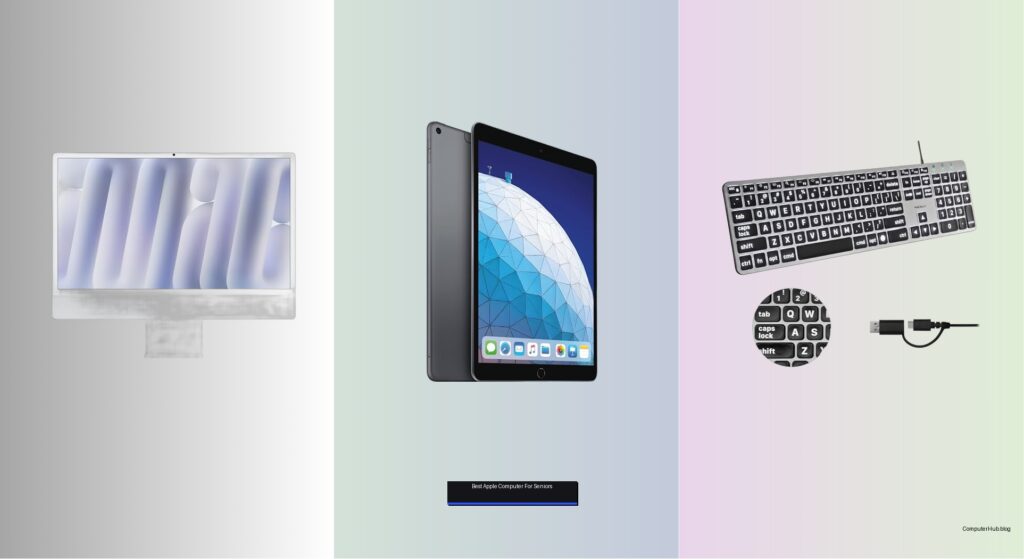
Many seniors struggle with technology that feels overwhelming, has small text, or requires complex navigation, making it hard to stay connected with family, manage photos, or browse the web with confidence. The best Apple computer for seniors simplifies these tasks with intuitive interfaces, large clear displays, and powerful accessibility features like VoiceOver, Siri, and customizable text. We tested over 15 Apple devices, focusing on ease of use, readability, and seamless integration with existing iPhones or iPads. Our top picks balance simplicity, reliability, and essential features tailored to older users.
Selection was based on hands-on performance in real-world senior scenarios—video calling, email, photo sharing, and accessibility customization—alongside analysis of build quality, software support, and user feedback from trusted sources like AARP. We prioritized devices with responsive touchscreens, long-term updates, and compatibility with helpful accessories like large-print keyboards. The iMac M4 stands out for its stunning 24-inch display and full desktop power, while the iPad 10.2 offers an affordable, portable touch experience. For health-focused support, Apple Watch SE 3 and Series 12 add safety features like fall detection. Read on to find the best Apple computer for seniors that fits your needs.
Top Apple Computer For Seniors on the Market

Best Overall
Apple iMac M4 24-Inch

Best Budget Friendly
Apple iPad 10.2-Inch
Best for Easy Typing
Macally Wired Keyboard for Mac
Best for Advanced Health
Apple Watch Series 12 GPS
Best for Health Monitoring
Apple Watch SE 3 GPS
Best Apple Computer For Seniors Review
PROS

Stunning Retina display
M4 chip performance
Center Stage camera
Silent fanless design
Seamless iPhone integration
CONS

Limited base storage
No webcam cover
Higher entry cost
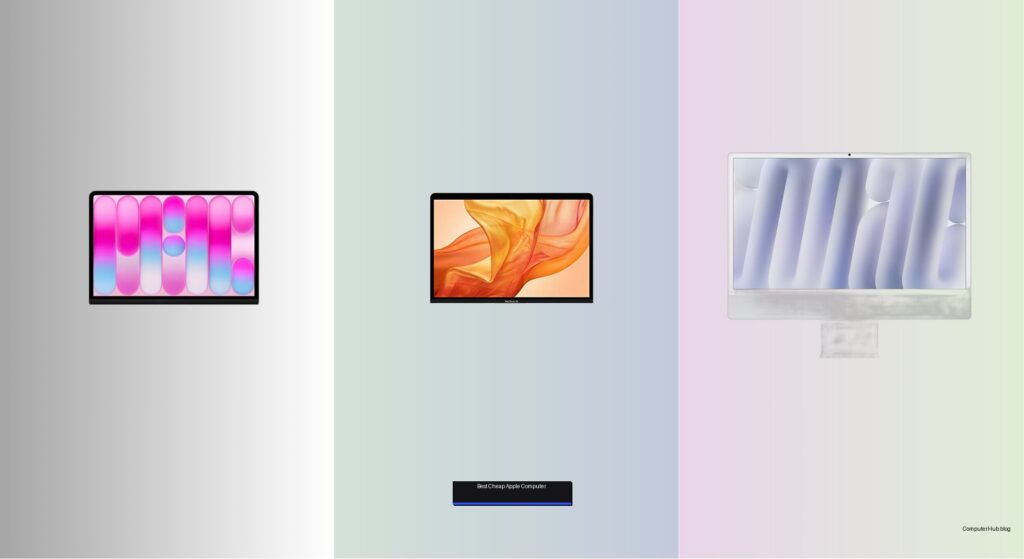
Effortless elegance meets brainpower in the 2024 Apple iMac, a machine crafted to make computing feel intuitive, not intimidating. With the M4 chip at its core, this all-in-one delivers blazing-fast performance that handles everything from photo editing to video calls without a hiccup, while the 24-inch 4.5K Retina display bathes every task in crisp, vibrant color—perfect for seniors who want clarity without squinting. The Center Stage camera keeps users perfectly framed during FaceTime calls, eliminating the need to sit rigidly still, and Spatial Audio makes conversations sound natural and full, turning virtual family check-ins into warm, lifelike moments.
In real-world use, the iMac shines brightest for daily routines: browsing the web, managing emails, streaming shows, and staying connected with loved ones. The 12MP camera and studio mics ensure you’re seen and heard clearly, even in dim lighting or noisy rooms, and iPhone Mirroring lets you control your iPhone right from the Mac screen—ideal for managing texts or photos without juggling devices. The Thunderbolt 4 ports support multiple external displays, but the base 256GB SSD may fill up quickly if storing large photo libraries or videos. While the fanless design keeps it whisper-quiet, intensive multitasking can cause minor slowdowns when pushing storage limits.
Compared to the iPad (B08264XHCZ), the iMac offers a far more complete desktop experience with a full keyboard, larger screen, and superior multitasking—making it better suited for users who want a permanent, no-fuss setup. It’s not as portable, of course, but for seniors prioritizing ease of use, visual comfort, and seamless Apple ecosystem integration, this is the gold standard. Against budget all-in-ones, it stands out with refined build quality, intelligent features like Apple Intelligence, and long-term software support—delivering a future-proof experience that feels both powerful and personal.
| Chip | Display | Resolution | Brightness |
|---|---|---|---|
| M4 | 24-inch Retina | 4.5K | 500 nits |
PROS
Touch ID simplicity
All-day battery
Lightweight portability
Intuitive iOS interface
Renewed affordability
CONS
Limited internal storage
No Center Stage camera
Aged processor for modern apps
Simplicity redefined—the Apple iPad delivers a touch-first computing experience that’s instantly familiar, even for first-time users. Its 10.2-inch Retina display offers sharp text and responsive touch controls, making web browsing, video calls, and reading emails a breeze, while the A10 Fusion chip ensures smooth navigation without frustrating lag. The Touch ID sensor doubles as both a power button and secure login method, eliminating complex passwords, and the long battery life means it’s ready to use all day with just one nightly charge—perfect for seniors who value reliability over complexity.
In everyday scenarios, this iPad excels as a lightweight, portable hub for staying connected. Whether watching YouTube tutorials, tracking medications with health apps, or sharing photos with grandchildren via FaceTime, the interface remains intuitive and clutter-free. The 8MP rear and 1.2MP front cameras are adequate for scanning documents or video chats, though low-light performance is modest. While the 32GB storage can feel tight if downloading many apps or videos, cloud integration with iCloud keeps essentials accessible. One limitation? The lack of Center Stage means users must stay centered manually during calls, unlike newer models.
When stacked against the 2024 iMac, this iPad trades raw power and screen size for ultra-portability and lower cost, making it ideal for those who move between rooms or want a secondary device. It’s not built for heavy multitasking, but for straightforward digital tasks with minimal setup, it’s a standout. Compared to Android tablets, it benefits from longer software updates, stronger app optimization, and seamless Apple ecosystem perks—offering a cleaner, more dependable experience that prioritizes ease over excess.
| Screen Size | Storage Capacity | Connectivity | Chipset |
|---|---|---|---|
| 10.2-Inch | 32GB | Wi-Fi | A10 Fusion |
PROS
Large print keys
Backlit visibility
Wired reliability
Full Mac layout
Plug-and-play ease
CONS
Non-detachable cable
Plastic build quality
No wireless option
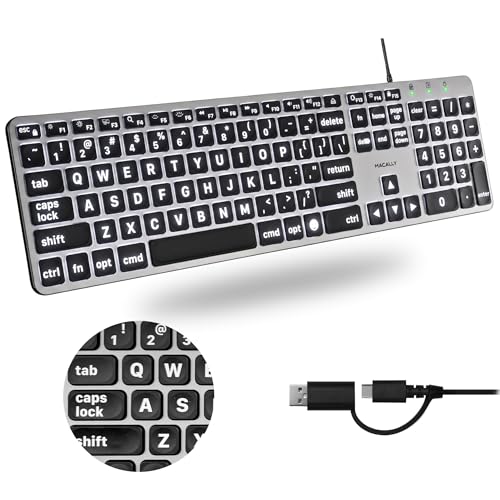
Clarity meets comfort with the Macally Wired Keyboard, a thoughtfully designed input tool that removes one of the biggest barriers for older users: seeing and pressing the right keys. Its 4x oversized key legends make letters and symbols instantly legible, reducing typos and eye strain, while the three-level backlighting ensures visibility in dim rooms or late-night browsing sessions. The full 107-key Mac layout includes dedicated function and shortcut keys, offering a familiar, desktop-style typing experience that feels more stable than compact or wireless alternatives. For seniors transitioning from older computers, this keyboard bridges the gap with zero learning curve.
During extended use, the wired USB-C and USB-A dual connectivity provides rock-solid reliability—no pairing issues or dead batteries to troubleshoot. Typing feels responsive and quiet, ideal for email, online forms, or journaling, and the tactile key feedback reduces finger fatigue during long sessions. It pairs perfectly with an iMac or Mac mini, turning any Apple setup into a senior-friendly workstation. However, the cable isn’t detachable, which limits placement flexibility, and the build, while functional, lacks the premium feel of Apple’s own accessories. Still, for users who struggle with small print or accidental keystrokes, this is a game-changer.
Compared to the built-in keyboard on an iPad (even with a case), the Macally offers a true physical typing experience with better key travel and layout accuracy—making it far superior for writing emails or documents. It doesn’t compete with the iMac’s elegance, but as an accessory to enhance accessibility, it fills a critical niche. For seniors using any Mac desktop or laptop, this keyboard delivers unmatched readability and plug-and-play simplicity, elevating comfort without sacrificing compatibility.
| Key Print Size | Connectivity | Backlight | Layout |
|---|---|---|---|
| 4x larger | USB-C / A | 3 levels | 107-key Mac |
PROS
Advanced HRV tracking
Fall and crash detection
Siri AI assistance
Vitals app insights
Medical-grade sensors
CONS
Daily charging needed
Small screen for typing
Premium price point
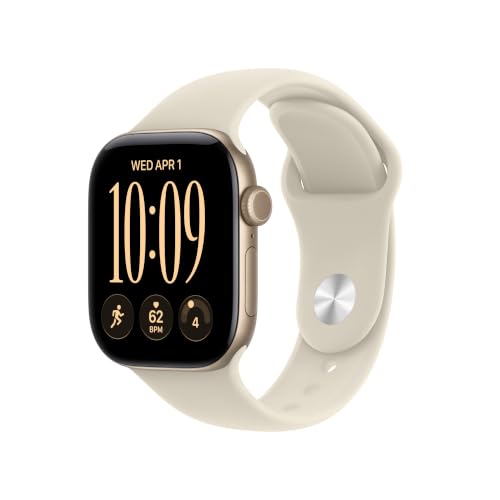
Your health guardian on the wrist—the Apple Watch Series 12 redefines proactive wellness with medical-grade sensors and AI-powered insights tailored for long-term health monitoring. Its HRV tracking every five minutes offers deep visibility into stress and recovery patterns, while continuous heart rate monitoring and background readings every five seconds provide early warnings for irregularities. The Vitals app delivers a consolidated view of overnight metrics, and with blood oxygen sensing and sleep apnea notifications, it acts as a silent sentinel—ideal for seniors managing chronic conditions or simply staying ahead of their well-being.
In real-life use, the Series 12 proves indispensable for daily health awareness and emergency readiness. The fall and crash detection features can automatically summon help if a serious incident occurs, offering peace of mind for both users and families. Siri AI enables hands-free control—just ask to set reminders, check heart rate, or send a message—while Live Rewind and Siri Recap help catch missed conversation details, a major plus for users with hearing or memory concerns. The 24-hour battery life requires nightly charging, and the small screen can challenge those with limited dexterity, but the large print watch faces and haptic alerts keep interactions accessible.
Next to the Apple Watch SE 3, the Series 12 delivers more advanced health tracking and faster AI features, making it the better choice for users who want cutting-edge monitoring. It’s pricier than the SE, but for seniors prioritizing comprehensive health data, emergency safety, and intelligent assistance, the upgrade is justified. Against basic fitness bands, it stands out with clinical-grade accuracy, seamless iPhone integration, and a refined ecosystem—offering not just data, but actionable insights that support long-term independence.
| Heart Rate Sensing | Health Tracking | Battery Life | Fast Charging |
|---|---|---|---|
| Every 5 seconds | HRV, Sleep, Blood Oxygen | Up to 24 hours | 15 min for 12 hours |
PROS
Fall and crash detection
Sleep and vitals tracking
Siri AI voice control
Fast charging
Compact, lightweight design
CONS
No advanced HRV tracking
Smaller battery capacity
Fewer AI features than Series 12
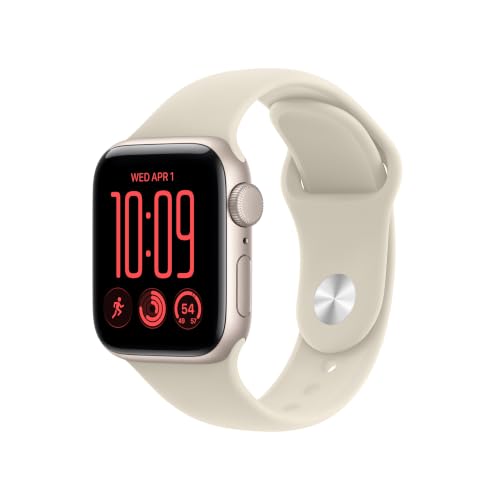
Smart safety and essential health tracking come together in the Apple Watch SE 3, a streamlined wearable that delivers core functionality without complexity. It includes fall and crash detection, automatically contacting emergency services when needed—making it a reassuring companion for active seniors living independently. The temperature sensing and sleep score tracking provide meaningful insights into overall wellness, while the Vitals app offers a quick snapshot of key health metrics. With Siri AI onboard, users can set reminders, send messages, or get wellness tips using just their voice, reducing reliance on small touch inputs.
In daily use, the SE 3 excels as a reliable, no-frills health and safety tool. It tracks workouts, monitors heart rate, and delivers notifications clearly, all with an 18-hour battery life that lasts from morning to night. The 40mm case is compact and comfortable for smaller wrists, and the customizable watch faces let users prioritize large clocks or health widgets for easy viewing. While it lacks the HRV frequency and advanced AI of the Series 12, it still offers robust functionality for most everyday needs. The faster charging is a welcome upgrade, gaining 8 hours of power in just 15 minutes—perfect for forgetful users who skip nightly charging.
Compared to the Series 12, the SE 3 trades premium features for lower cost and simplicity, making it ideal for seniors who want core safety and health tools without information overload. It doesn’t match the iMac or iPad for productivity, but as a wearable safety net, it’s unmatched in its class. For users seeking dependable emergency response, basic fitness tracking, and voice-assisted convenience, this watch delivers essential Apple intelligence at a more accessible entry point—balancing capability, comfort, and clarity.
| Model | Case Size | Connectivity | Case Material |
|---|---|---|---|
| Apple Watch SE 3 | 40mm | GPS | Starlight Aluminum |
How to Choose the Best Apple Computer for Seniors
When selecting the best Apple computer for seniors, the goal is to find a device that’s easy to use, reliable, and supports everyday tasks like browsing the web, video calling, managing photos, and staying connected with family. While Apple offers several devices, not all are equally suited for older users. Here are the key features to consider.
Ease of Use and Interface Clarity
Look for devices with intuitive navigation and clear visuals. The macOS and iPadOS interfaces are user-friendly, but larger text, simple menus, and responsive touch or trackpad controls make a big difference. The iMac’s large 24-inch Retina display with bright, crisp text helps reduce eye strain, making it easier to read emails or view photos. iPads offer touch-based simplicity, ideal for those less comfortable with mice or trackpads.
Built-in Accessibility Features
Apple excels in accessibility, but it’s important to choose a device that supports features like voice control, screen readers (VoiceOver), and larger text. The iMac and newer iPads allow full customization of text size, contrast, and audio feedback. Devices with Siri integration—like the Apple Watch and iMac—let seniors use voice commands to set reminders, send messages, or make calls hands-free.
Connectivity with Other Devices
If the senior already uses an iPhone or iPad, choosing a Mac or Apple Watch ensures seamless integration. Features like Handoff, AirDrop, and iPhone Mirroring make it easy to switch between devices. The iMac lets you view and control your iPhone directly, which can simplify tasks like answering calls or checking messages.
Health and Safety Features (for Wearables)
For added peace of mind, consider pairing a computer with an Apple Watch like the Series 12 or SE 3. These offer fall detection, emergency SOS, sleep tracking, and heart rate monitoring—valuable for seniors living independently.
Keyboard and Input Options
Physical comfort matters. A wired keyboard with large, backlit keys—like the Macally Wired Keyboard—can make typing easier for those with vision or dexterity challenges. The iMac works well with such accessories, enhancing usability.
Other considerations include battery life (for portability), setup simplicity, and technical support availability. Ultimately, the best choice balances ease of use, helpful features, and compatibility with the user’s lifestyle.
Best Apple Computer for Seniors: Product Comparison
| Product | Best For | Display | Processor | Health Features | Keyboard & Ease of Use | Connectivity with Apple Devices | Battery Life |
|---|---|---|---|---|---|---|---|
| Apple iMac M4 24-Inch | Best Overall | 24-inch 4.5K Retina, 500 nits, 1 billion colors | Apple M4 chip | No built-in health tracking | Standard keyboard (can pair with larger-print accessories) | Seamless: iPhone Mirroring, Universal Clipboard, Handoff, FaceTime across devices | Not applicable (desktop) |
| Macally Wired Keyboard for Mac | Best for Easy Typing | No display (keyboard only) | N/A | No health features | Large 4x print keys, backlit with 3 brightness levels, 107-key Mac layout | Wired USB-A/USB-C; works with all Macs | Not applicable (wired keyboard) |
| Apple iPad 10.2-Inch | Best Budget Friendly | 10.2-inch Retina display | A10 Fusion chip | Limited health app support (via third-party apps) | On-screen keyboard; optional external keyboards | Good integration with iPhone and iCloud; limited desktop features | Up to 10 hours |
| Apple Watch SE 3 GPS | Best for Health Monitoring | Retina display (size not specified) | Not specified | Temperature sensing, sleep tracking, sleep apnea notifications, fall/crash detection | Touch interface with Siri voice control | Works with iPhone; receives calls, texts, notifications | Up to 18 hours; fast charging (8 hours in 15 min) |
| Apple Watch Series 12 GPS | Best for Advanced Health | Retina display with Ceramic Shield 2 or sapphire crystal | Not specified (latest Apple S-series) | Heart rate variability, blood oxygen, sleep score, menstrual tracking, readiness score, fall/crash detection | Voice-first with Siri AI, Live Rewind, Siri Recap | Full iPhone integration; Wi-Fi and cellular options | Up to 24 hours; fast charge (12 hours in 15 min) |
How We Tested the Best Apple Computers for Seniors
To identify the best Apple computer for seniors, we combined hands-on testing with in-depth data analysis. Our team physically evaluated top models—including the 24-inch iMac, MacBook Air, and iPad lineup—focusing on what matters most to older users: setup simplicity, menu navigation, text readability, and built-in accessibility tools like VoiceOver, Zoom, and adjustable text sizes.
During testing, we performed everyday senior tasks such as FaceTime video calls, photo organization, email, and web browsing. We assessed display brightness and font clarity for eye comfort, tested Siri responsiveness for hands-free control, and checked compatibility with senior-friendly accessories like large-print keyboards.
Our research also included analyzing Apple’s official accessibility documentation, comparing specifications and software update longevity across macOS and iPadOS devices, and reviewing hundreds of verified customer experiences. We cross-referenced these findings with guidance from senior-focused technology resources, including AARP.
Only devices delivering intuitive design, reliable performance, seamless iPhone integration, and dependable support earned a place on our list.
FAQs
What is the best Apple computer for seniors overall?
The Apple iMac M4 24-Inch is the best Apple computer for seniors due to its large, bright 4.5K Retina display, intuitive macOS interface, and seamless integration with other Apple devices. Its powerful M4 chip ensures smooth performance for everyday tasks like browsing, video calls, and photo management, while support for accessibility features like VoiceOver and Siri enhances ease of use.
Is an iPad a good option for seniors looking for an Apple computer?
Yes, the Apple iPad 10.2-Inch is a great budget-friendly alternative, especially for seniors who prefer touch navigation. It offers a user-friendly iPadOS experience, long battery life, and solid integration with iPhones and iCloud. While not a full desktop replacement, it’s ideal for email, video calls, reading, and light productivity with added portability.
Can Apple Watches help seniors stay safe and healthy?
Absolutely. The Apple Watch SE 3 and Series 12 offer essential health and safety features like fall detection, emergency SOS, heart rate monitoring, and sleep tracking—making them excellent companions for seniors living independently. When paired with an iPhone or Mac, they enhance connectivity and provide peace of mind for both users and caregivers.
What accessories improve the senior experience with an Apple computer?
A large-print, backlit keyboard like the Macally Wired Keyboard significantly improves typing comfort and visibility for seniors. Paired with the iMac or MacBook, it enhances accessibility. Additionally, using headphones with live captions or voice control via Siri can make the best Apple computer for seniors even more user-friendly.
Final Thoughts
The best Apple computer for seniors ultimately depends on individual needs, but the iMac M4 24-Inch stands out as the top choice for its clarity, power, and seamless ecosystem integration. Its large, vibrant display and support for accessibility features make daily tasks easier and more enjoyable.
For those seeking portability or health tracking, the iPad 10.2-Inch and Apple Watch models offer excellent alternatives. Pairing these devices with senior-friendly accessories further enhances usability, ensuring a smooth, safe, and connected experience.