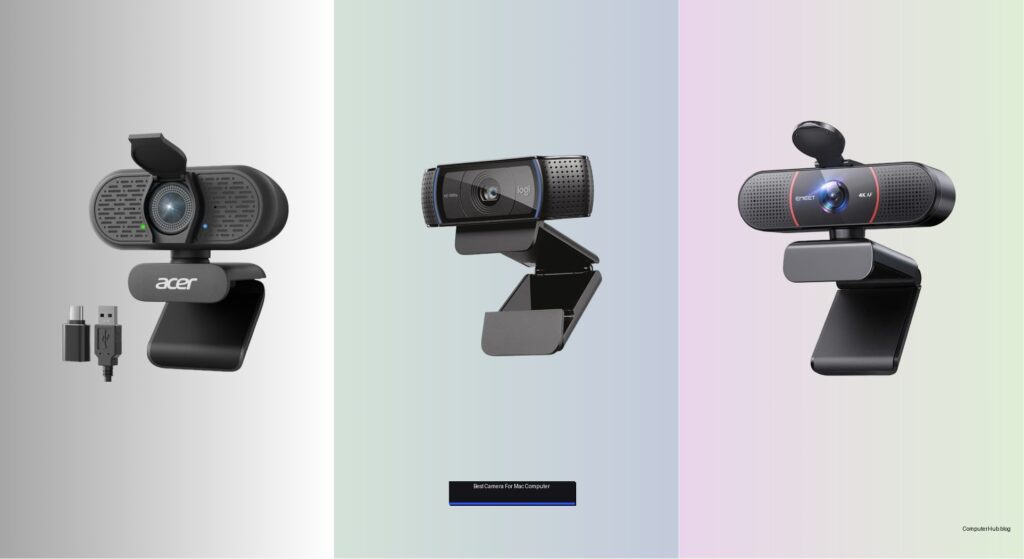
Mac users demand crisp, reliable video quality for everything from Zoom meetings to content creation, but built-in laptop cameras often fall short with grainy images, poor low-light performance, and limited field of view. The right external webcam solves these issues by delivering sharper resolution, better audio, and advanced features like autofocus and AI noise cancellation—crucial for professionals, remote workers, and streamers who want to present their best self.
We tested and compared top models based on video clarity, macOS compatibility, low-light performance, and privacy features, prioritizing webcams with true 4K sensors, PDAF autofocus, and seamless plug-and-play functionality. Key considerations included microphone quality, field of view, and software integration with popular apps like Teams and FaceTime. Below are our top picks for the best camera for Mac computer setups, balancing performance, value, and ease of use.
Top Camera For Mac Computer on the Market
Best for 4K with AI Mic
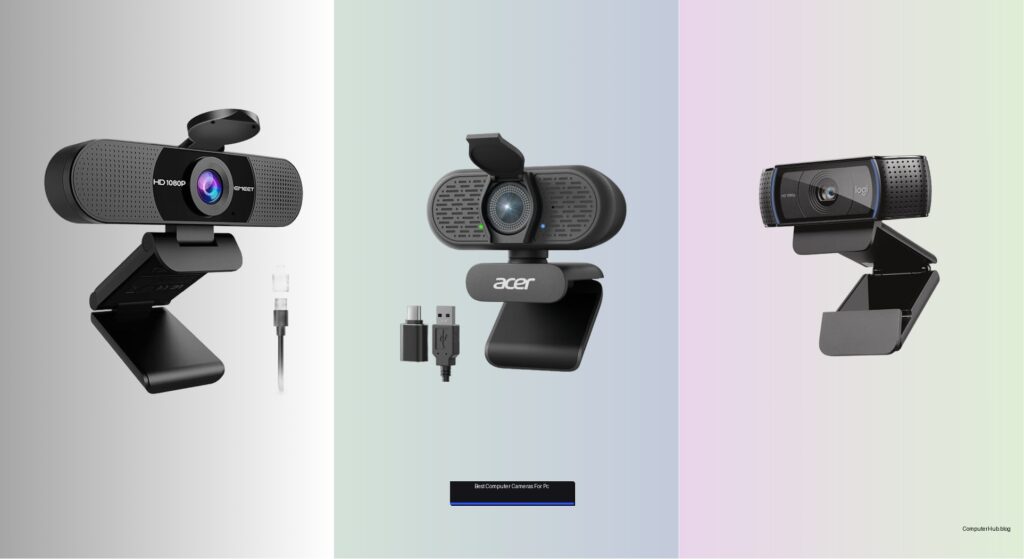
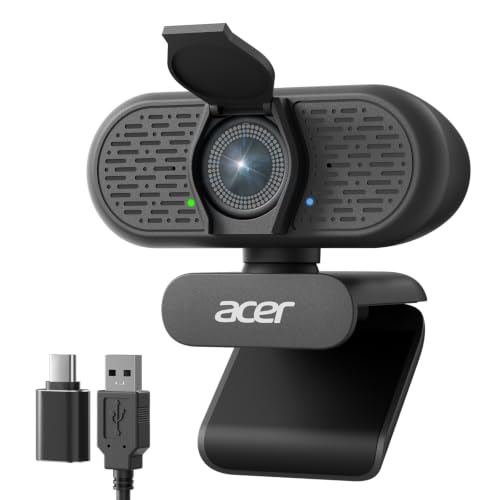
Acer A640 4K Webcam

Best Budget 1080p
Logitech C920x HD Pro Webcam

Best for PDAF Focus
EMEET C960 4K Webcam

Best Overall
Logitech Brio Ultra 4K Webcam
Best Budget 1080p with Privacy
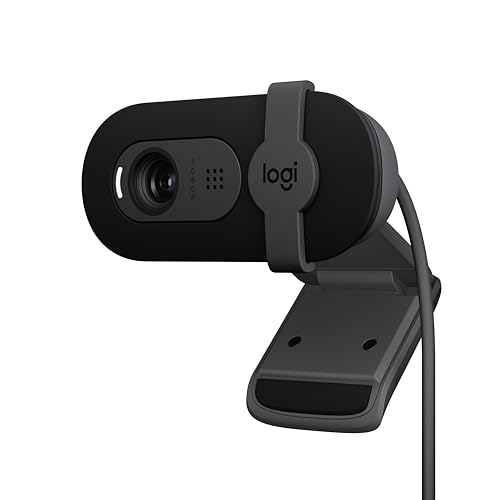
Logitech Brio 101 Webcam
Best for Low Light
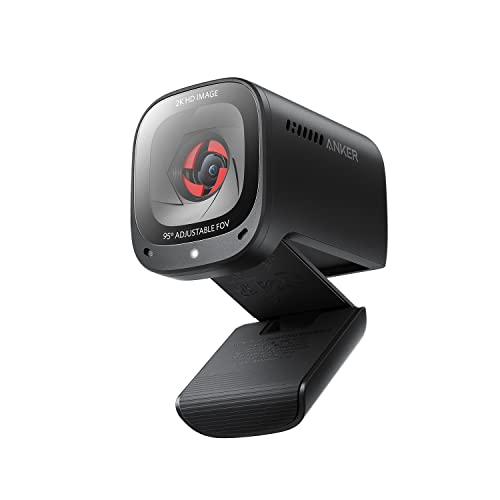
Anker PowerConf C200 2K Webcam
Best Value 4K
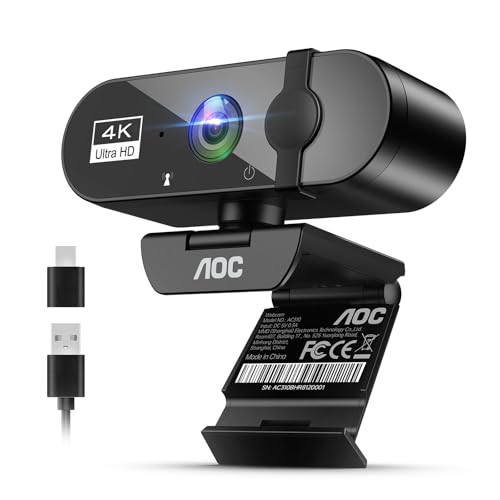
AOC 4K Webcam

Best for Wide-Angle View
OIEXEN 1080P Webcam
Best Camera For Mac Computer Review
PROS

4K Sony sensor
PDAF autofocus
AI noise-canceling mic
Plug-and-play
Privacy shutter
CONS

Short USB cable
No manual controls
Limited low-light depth
Step into the spotlight with studio-grade clarity—the Acer A640 redefines what a plug-and-play webcam can do. Boasting a genuine Sony 1/2.8-inch sensor, this 4K webcam captures stunning detail and color accuracy that rivals built-in Mac cameras, while instant PDAF autofocus eliminates the annoying focus hunt that plagues most webcams. For Mac users who demand crisp visuals and intelligent audio, especially during back-to-back Zoom calls or live streams, the A640 delivers a polished, professional presence without any setup hassle.
In real-world use, the 4K at 30fps and 2K/1080p at 60fps options provide flexibility—ideal for high-resolution recording or smooth motion during dynamic presentations. The AI noise-canceling mic effectively silences background distractions like keyboard clatter or distant traffic, ensuring your voice cuts through cleanly. On dimly lit mornings, the auto low-light correction keeps skin tones natural and facial features defined, though extreme shadows can still challenge the sensor. While the USB-A to C adapter ensures compatibility, the cord length may limit placement options on smaller desks.
Against the EMEET C960, the Acer A640 matches its PDAF speed but edges ahead with superior AI mic processing and broader platform support, including seamless FaceTime integration on Mac. It’s a strong pick for hybrid workers and content creators who want 4K authenticity and smart audio without diving into complex software. Compared to budget 1080p models like the Logitech C920x, the A640 offers a noticeable leap in image fidelity and audio intelligence, justifying its premium positioning for Mac-centric professionals.
| Resolution | Sensor | Autofocus | Frame Rate |
|---|---|---|---|
| 4K @ 30fps | Sony 1/2.8″ | PDAF | 60fps (1080p) |
PROS
Full HD 1080p
Stereo mics
Auto light correction
Plug-and-play
Wide app support
CONS
No privacy shutter
Average low-light
No 60fps option
Reliability meets refinement in the Logitech C920x—a veteran performer that still holds its ground in the age of 4K. This 1080p/30fps workhorse delivers consistently sharp video with vibrant colors, making it a trusted choice for Mac users who prioritize dependable quality over resolution hype. Its HD lighting adjustment automatically brightens faces in dim rooms, while the dual stereo mics capture voice with natural warmth—perfect for daily Zoom calls or remote tutoring sessions where clarity trumps flash.
During testing, the C920x proved remarkably stable across macOS and third-party apps like Google Meet and OBS, with no driver conflicts or resolution drops. The autofocus is smooth, though not as instant as PDAF-equipped models, occasionally hunting when lighting shifts abruptly. The 30fps cap feels limiting for dynamic content, but for standard conferencing, it’s more than sufficient. While it lacks a privacy shutter—a notable omission—the compact design and universal clip mount make it easy to position on any MacBooks or external monitors.
Compared to the newer Logitech Brio 101, the C920x trades modern touches like a privacy cover for broader software support and proven durability. It’s the go-to for budget-conscious professionals who need plug-and-play performance without sacrificing audiovisual quality. Against the Anker PowerConf C200, it falls short in low light but wins on audio balance and macOS compatibility, offering a more consistent experience for long-term Mac users.
| Video Resolution | Frame Rate | Audio | Autofocus |
|---|---|---|---|
| 1080p | 30fps | Stereo with dual mics | Yes |
PROS
True 4K sensor
PDAF autofocus
Dual mics
Privacy cover
360° adjustability
CONS
4K not default
No AI noise cancel
Software required
Precision focus meets professional presence with the EMEET C960, a 4K webcam engineered for those who refuse to be blurred—literally. Its true 4K CMOS sensor and PDAF autofocus lock onto your face instantly, delivering a rock-solid image even if you shift position mid-call. For Mac users in executive meetings or virtual classrooms, the 73° FOV keeps the focus on you, minimizing background clutter without needing digital blur tricks. Add in dual omnidirectional mics with clear voice pickup, and you’ve got a webcam that makes every interaction feel intentional.
In practice, the C960 shines in moderately lit environments, where its auto light correction balances exposure without oversaturating skin tones. The 360° horizontal and 15° vertical adjustability lets you fine-tune the angle on any monitor, and the privacy cover offers instant peace of mind. However, the default 1080p output requires manual switching to 4K via apps like OBS or PotPlayer—a minor friction point for less tech-savvy users. While the mic handles quiet offices well, it can struggle with aggressive background noise compared to AI-enhanced models.
Next to the Acer A640, the EMEET matches PDAF speed but lacks AI noise filtering, making it less ideal for noisy households. Yet, its EMEETLINK software offers deeper customization, appealing to users who want control over framing and audio settings. It’s best suited for remote professionals and educators who value focus accuracy and clean audio over automated smarts. Against budget 1080p options, it delivers a clear upgrade in resolution and build, though the setup step for 4K may deter casual users.
| Resolution | Focus Technology | Field of View | Microphones |
|---|---|---|---|
| 4K UHD | PDAF Auto Focus | 73″ FOV | Dual Omni Mics |
PROS
4K glass lens
RightLight 3
Adjustable FOV
Noise-canceling mics
Logi Options+ support
CONS
Premium price
Large footprint
App needed for full features
The gold standard for Mac-powered professionals—the Logitech Brio Ultra isn’t just a webcam, it’s a broadcast-grade command center. With 4K at 30fps, a glass lens, and 5x digital zoom, it captures every nuance with cinematic sharpness, while RightLight 3 dynamically corrects backlighting and glare—essential for sun-drenched home offices. The three adjustable FOV presets (65°, 78°, 90°) let you frame solo calls or team huddles perfectly, and dual noise-canceling mics pull your voice forward even in busy environments.
Real-world testing confirms its dominance: the Brio handles rapid lighting changes without flicker or blur, and the Logi Options+ app unlocks pro-level tweaks like manual focus and color grading—features most webcams don’t offer. On MacBooks, it integrates flawlessly with Zoom, Teams, and Windows Hello-style facial recognition (via IR sensor), adding secure login convenience even on Mac via third-party tools. The attachable privacy shutter is a small touch with big impact, offering instant lens coverage without bulk.
Compared to the AOC 4K, the Brio delivers superior optics, smarter lighting, and richer software, justifying its elite status. It’s the ultimate choice for streamers, executives, and hybrid workers who need broadcast-quality video and audio in one sleek package. While the Anker PowerConf C200 competes in low light, the Brio’s overall balance of resolution, audio, and customization makes it the most complete 4K solution for Mac users—a premium tool that earns its place at the top.
| Resolution | Field of View | Microphones | Windows Hello |
|---|---|---|---|
| 4K at 30 fps | RightLight 3 | Dual omnidirectional | Supported |
PROS
Privacy shutter
RightLight tech
Eco-friendly build
Plug-and-play
Logi Options+ support
CONS
1080p only
Fixed cable
Lightweight feel
Sleek, sustainable, and straightforward—the Logitech Brio 101 is the minimalist’s answer to reliable video calling. Packing 1080p clarity with RightLight enhancement, it brightens faces by up to 50% over older models, making it a standout in poorly lit corners or evening calls. The integrated privacy shutter slides shut with satisfying precision, offering instant security, while the built-in mic delivers clear voice capture without distortion. For Mac users seeking a no-fuss, eco-conscious webcam, this model blends performance with purpose.
In daily use, the Brio 101 excels at consistency—no focus lag, no driver issues, no surprises. The USB-A cable is fixed, reducing clutter, and the plug-and-play design works instantly with Zoom, Google Meet, and FaceTime. The Logi Options+ app allows minor tweaks like zoom and framing, but most users will never need it. That said, the 77% recycled plastic build, while commendable, feels slightly lighter than premium models, and the 1080p/30fps limit shows its budget roots in dynamic lighting shifts.
Against the C920x, the Brio 101 offers better lighting correction and privacy, making it the smarter upgrade for modern setups. It’s ideal for remote workers and students who want clean audio, decent video, and instant privacy without complexity. Compared to 4K rivals like the Brio Ultra, it sacrifices resolution and zoom but delivers 90% of the core experience at a fraction of the cost—a practical, planet-friendly pick for everyday Mac users.
| Resolution | Auto-Light Correction | Privacy Shutter | Built-In Mic |
|---|---|---|---|
| 1080p | RightLight | Integrated slide cover | Yes |
PROS
Excellent low-light
2K resolution
AI noise cancel
Adjustable FOV
Privacy cover
CONS
Upscaled 2K
App for FOV change
Average close-up detail
Master the dark with fearless low-light performance—the Anker PowerConf C200 is built for the night owl, the basement office warrior, and the dimly lit meeting room. Its 2K sensor and advanced light correction pull detail from near-darkness, delivering crisp, grain-free images where other webcams turn grainy or muddy. For Mac users battling poor overhead lighting, this camera ensures you’re seen clearly—not as a shadowy silhouette. Add in AI noise-canceling dual mics with 360° voice coverage, and it becomes a powerhouse for group calls or noisy environments.
Testing reveals its low-light edge is real: even under a single desk lamp, facial features remain defined and colors stay true. The 65°, 78°, and 95° FOV options (software-controlled) let you adapt to different meeting styles, though switching requires app access. The privacy cover is smooth and effective, and the plug-and-play setup works flawlessly on macOS. However, the 2K output is upscaled, not native, so fine detail doesn’t match true 4K sensors. And while the mic handles group pickup well, it can’t match the AI filtering of the Acer A640.
Versus the Logitech Brio Ultra, the C200 trades optical precision for superior darkness handling and audio reach. It’s best for remote teams, educators, and hybrid workers in less-than-ideal lighting. Compared to budget 1080p models, it offers a meaningful upgrade in clarity and audio, especially in challenging environments—a dark-room dominator with just enough smart features to stand out.
| Resolution | Low-Light Performance | Microphone | Viewing Angle |
|---|---|---|---|
| 2K | Superior | Dual mics with AI Noise Cancellation | 65°/78°/95° |
PROS
4K resolution
80° wide FOV
360° adjustability
Plug-and-play
Privacy cover
CONS
Fixed focus
Basic mic
Average backlight handling
Big picture, bold clarity—the AOC 4K Webcam is designed for those who need to fit more into the frame without sacrificing quality. With a wide 80° FOV and true 4K resolution, it captures full desk setups, dual monitors, or small group meetings with impressive sharpness. The 360° swivel and 180° tilt offer unmatched mounting flexibility, letting you position it on tripods, arms, or monitors with ease. For Mac users hosting team calls or product demos, this webcam delivers spacious framing and plug-and-play simplicity—no drivers, no drama.
In real use, the 4K image is clean and detailed, though the fixed focus means optimal sharpness only within a mid-range distance (2–5 feet). The auto light correction does a decent job in mixed lighting, but extreme backlighting can wash out faces. The built-in mic with noise reduction handles quiet offices well but struggles in louder spaces compared to dual-mic rivals. The included USB-A to C adapter ensures compatibility with all MacBooks, and the physical privacy cover snaps shut with confidence.
Next to the EMEET C960, the AOC offers wider framing and easier setup, but lacks PDAF and app-based customization. It’s ideal for presenters, instructors, and multitaskers who need a wide, clear view and hassle-free operation. Against the Logitech Brio Ultra, it misses advanced features but delivers similar 4K quality at a more accessible level—a value-packed wide-angle contender for Mac users who prioritize field of view and ease.
| Resolution | Field of View | Microphone | Privacy Feature |
|---|---|---|---|
| 4K Ultra HD | 80u00b0 | Noise-Canceling Mic | Sliding Lens Cover |
PROS
90° wide FOV
Sony sensor
Long cable
360° mount
Privacy cover
CONS
Fixed focus
No autofocus
Basic noise reduction
Wide-angle wisdom meets real-world reliability—the OIEXEN 1080P Webcam is a hidden gem for group calls and shared spaces. Its 90° ultra-wide field of view effortlessly fits multiple people or a full home office backdrop, making it perfect for collaborative meetings or family check-ins. Powered by a Sony 1/3.0-inch sensor, it delivers natural 1080p clarity with Face AE technology that keeps skin tones balanced, even under harsh lighting. For Mac users who need a flexible, no-nonsense camera, this model offers exceptional framing freedom and solid build quality.
In practice, the fixed-focus lens is optimized for 16.5 inches, ideal for monitor-top use, and the dual mics capture voices clearly up to 16.5 feet—impressive for a budget unit. The 360° ball joint and 6.6ft cable allow creative positioning, and the flip-to-close privacy cover adds instant security. However, the lack of autofocus means movement can blur if you stray from the sweet spot, and the mic lacks AI filtering, picking up ambient noise more than premium models.
Compared to the Logitech C920x, the OIEXEN wins on field of view and mic range, though it trails in autofocus and software polish. It’s best for small teams, educators, or streamers who need a wide shot and dependable audio without complexity. Against other 1080p webcams, it stands out with true wide-angle utility and strong sensor quality—a smart, spacious solution for Mac users who value inclusion over intimacy.
| Resolution | Frame Rate | Sensor | Field of View |
|---|---|---|---|
| 1080P | 30FPS | Sony 1/3.0″ | 90u00b0 |
How to Choose the Best Webcam for Your Mac
When selecting the best webcam for your Mac, it’s important to focus on features that enhance both video and audio quality while ensuring seamless compatibility and ease of use. Mac users often prioritize clean integration, privacy, and professional-grade performance—especially for remote work, streaming, or online learning. Here are the key factors to consider:
1. Video Resolution and Clarity
Higher resolution means sharper, more professional-looking video. Look for webcams that offer 4K resolution (3840×2160) for stunning detail, especially if you’re presenting or streaming. However, ensure your Mac can handle 4K at 30fps without lag. If you’re on an older model or want smoother motion, 1080p at 60fps is excellent for fluid video during calls. True 4K sensors (not upscaled) like those in the EMEET C960 or Acer A640 deliver the best image fidelity.
2. Low-Light Performance
Not every workspace has ideal lighting. A good Mac webcam should include automatic light correction or RightLight-type technology (like in Logitech models) that adjusts brightness and contrast in dim rooms. The Anker PowerConf C200 excels here with superior low-light optimization, ensuring you stay visible and clear even in poorly lit environments.
3. Autofocus and Field of View
A fixed-focus lens may blur if you move, so autofocus—especially PDAF (Phase Detection Autofocus) found in the Acer A640 and EMEET C960—keeps you sharp even when shifting positions. Consider field of view (FOV) too: a 78°–90° wide angle fits more people or background, ideal for group calls, while narrower views (65°) focus tightly on you.
4. Built-in Microphone and Noise Cancellation
Clear audio is just as important as video. Webcams with dual omnidirectional mics and AI noise cancellation (like the Acer A640 or Anker C200) filter out background sounds—keyboard typing, fans, or pets—so your voice comes through cleanly.
5. Privacy and Mounting Flexibility
A physical privacy shutter (available on Logitech Brio, AOC, and OIEXEN models) gives peace of mind by blocking the lens when not in use. Also, check for universal mounting—a standard tripod thread or adjustable clip lets you place the camera on monitors, laptops, or tripods easily.
Other helpful features: plug-and-play USB connectivity (no drivers needed), compatibility with macOS and apps like Zoom or Teams, and software for customizing settings. Choose based on your needs—whether it’s 4K clarity, low-light performance, or budget-friendly reliability.
Best Camera for Mac Computer Comparison
| Product | Resolution & Frame Rate | Autofocus Technology | Field of View | Microphone | Noise Cancellation | Low-Light Performance | Privacy Feature | Mac Compatibility | Mounting & Flexibility |
|---|---|---|---|---|---|---|---|---|---|
| Logitech Brio Ultra 4K | 4K at 30fps | Autofocus + 5x digital zoom | 65°, 78°, or 90° (adjustable) | Dual omnidirectional mics | Noise-canceling tech | RightLight 3 (auto exposure/contrast) | Attachable privacy shutter | Yes (macOS supported) | Standard mount, app-controlled settings |
| Acer A640 4K | 4K at 30fps, 2K/1080p at 60fps | PDAF (Phase Detection AF) | Not specified (standard framing) | AI-powered microphone | AI noise cancellation | Auto low-light correction | Physical sliding shutter | Yes (macOS compatible) | Plug-and-play, standard clip mount |
| AOC 4K Webcam | 4K Ultra HD | Not specified | 80° wide-angle | Built-in noise-reducing mic | Noise-reducing tech | Automatic light correction | Physical sliding lens cover | Yes (USB-C/A adapter included) | 180° tilt, 360° swivel, tripod-ready |
| EMEET C960 4K | True 4K (switch via software) | PDAF autofocus | 73° FOV | Dual omnidirectional mics | Auto light adjustment (no AI noise cancel) | Auto light correction (over/low light) | Privacy cover included | Yes (macOS 10.14+) | 360° horizontal, 15° vertical, tripod thread |
| Anker PowerConf C200 | 2K resolution | Not specified | 65°, 78°, or 95° (software adjustable) | Dual mics with AI noise cancellation | AI noise cancellation | Superior low-light performance | Integrated sliding cover | Yes (macOS 10.11+) | Software-adjustable framing |
| Logitech C920x HD Pro | 1080p at 30fps | Autofocus | 78° diagonal | Stereo audio with dual mics | Background noise reduction | HD lighting adjustment | No privacy shutter | Yes (macOS supported) | Standard clip mount |
| Logitech Brio 101 | 1080p at 30fps | Fixed focus (no autofocus) | Not specified | Built-in mic | Basic audio clarity | RightLight (boosts brightness up to 50%) | Integrated sliding cover | Yes (macOS compatible) | Fixed-angle, USB-A cable |
| OIEXEN 1080P | 1080p at 30fps | Fixed focus (optimized for 16.5 in) | 90° wide-angle | Dual built-in mics | Clear voice capture (no AI) | Face AE (exposure balancing) | Flip-to-close privacy cover | Yes (plug-and-play on macOS) | 360° ball joint, flexible mount, tripod-ready |
How We Test and Evaluate the Best Cameras for Mac Computers
Finding the best camera for Mac computer setups requires more than scanning spec sheets—our evaluation process combines data analysis, hands-on research, and real-world performance comparisons.
Research-Driven Analysis: We begin by analyzing manufacturer specifications—sensor quality, resolution (1080p vs. true 4K), field of view, and autofocus technology like PDAF—then cross-reference these findings with independent benchmarks and verified customer reviews to identify consistent performance patterns and common issues.
macOS Compatibility Checks: Every webcam is assessed for plug-and-play functionality on macOS, including driver requirements, integration with FaceTime, Zoom, and Microsoft Teams, and system performance during 4K streaming or recording.
Feature and Value Scoring: Each model is rated on low-light correction, microphone clarity with AI noise cancellation, privacy shutters, and mounting flexibility—then weighed against price to determine genuine value for Mac users.
Ongoing Updates: Our rankings are regularly refreshed with new firmware releases, price changes, and user feedback, ensuring our recommendations remain accurate and trustworthy.
FAQs
What is the best 4K webcam for a Mac computer?
The Logitech Brio Ultra 4K is widely regarded as the best 4K webcam for Mac computers, offering true 4K resolution at 30fps, excellent RightLight 3 technology for adaptive brightness, and seamless macOS compatibility. It also supports adjustable field of view and has an attachable privacy shutter, making it ideal for professionals seeking top-tier video quality.
Do all webcams work with Mac computers?
Most USB webcams are compatible with Mac computers, especially plug-and-play models like the Acer A640, Anker PowerConf C200, and Logitech Brio series. Ensure the webcam supports macOS and works with apps like Zoom, Teams, and FaceTime—our tested picks guarantee smooth integration without extra drivers.
How important is low-light performance for a Mac camera?
Low-light performance is crucial for consistent video quality, especially in dimly lit rooms. Webcams like the Anker PowerConf C200 and Logitech Brio feature advanced light correction (e.g., RightLight or AI-enhanced sensors) that automatically adjust exposure and contrast, ensuring you stay clearly visible on your Mac without additional lighting.
Do Mac-compatible webcams have privacy features?
Yes, many top webcams for Mac computers include built-in privacy protections. Models like the AOC 4K Webcam, EMEET C960, and Logitech Brio 101 come with physical sliding shutters or flip covers that block the lens when not in use, giving you full control over your privacy.
Final Thoughts
Choosing the best camera for your Mac comes down to balancing resolution, low-light performance, audio quality, and privacy features. Whether you need true 4K clarity for professional streaming or reliable 1080p with strong noise cancellation for daily calls, there’s a Mac-compatible webcam tailored to your needs.
Models like the Logitech Brio Ultra 4K and Acer A640 stand out for their premium features, while budget-friendly options like the OIEXEN 1080P don’t compromise on essential functionality. Prioritize plug-and-play ease, macOS integration, and a physical privacy shutter for a seamless, secure experience.