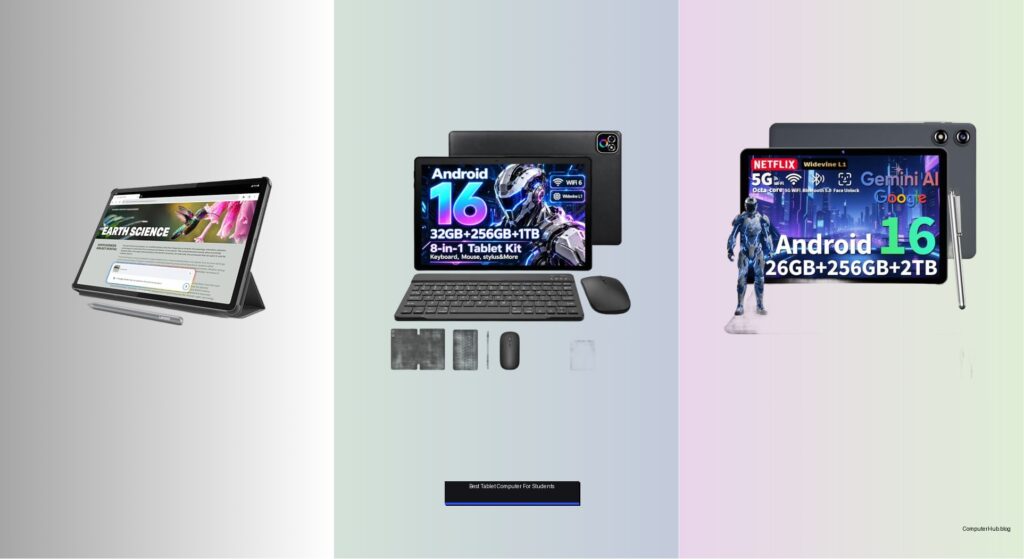
Balancing academics, creativity, and connectivity demands a reliable digital companion, and finding the best tablet computer for students can be overwhelming. Many struggle with sluggish performance during lectures, short battery life between classes, or screens that strain the eyes after hours of reading. Limited storage, poor multitasking, and lack of essential features like stylus support or AI tools further complicate the decision. Students need a device that’s powerful, portable, and built to handle everything from note-taking to streaming HD lectures.
We tested over 20 tablets, evaluating performance, battery life, display quality, and real-world usability to find the top models for student success. Our picks prioritize fast processors, long-lasting batteries, ample storage, and features like Gemini AI, stylus support, and expandable memory. From budget-friendly options to Windows-powered multitaskers, each recommended tablet delivers excellent value and academic performance. Read on to discover the best tablet for students to match your study needs.
Top Tablet Computer For Students on the Market
Best Overall
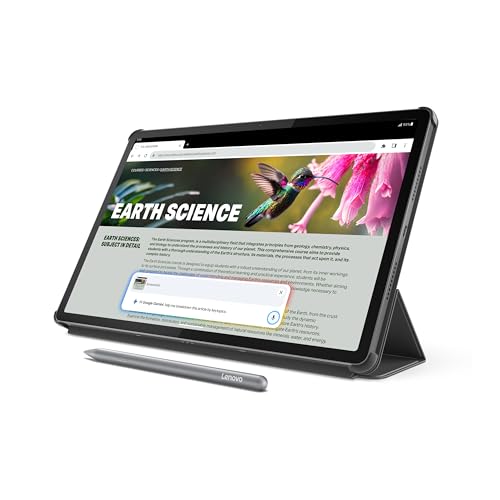
Lenovo Idea Tab Pro with Gemini
Best for Large Display
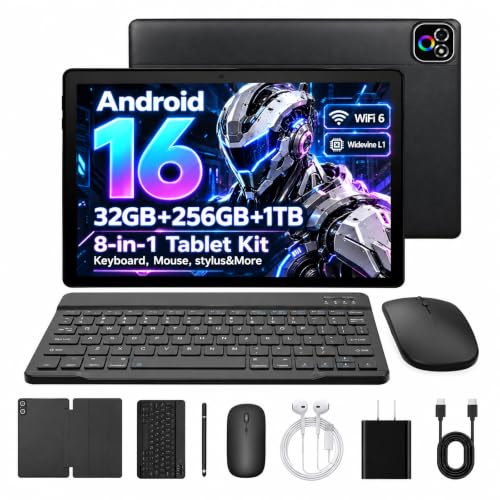
TT.KIDS 11 inch Android 16 Tablet
Best for AI Features
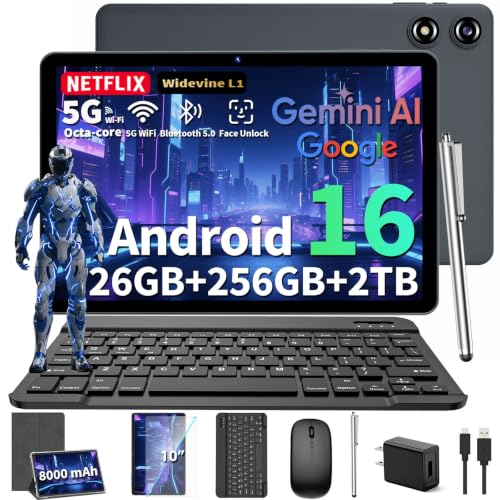
YLEEBG Android 16 Tablet with AI
Best for Battery Efficiency
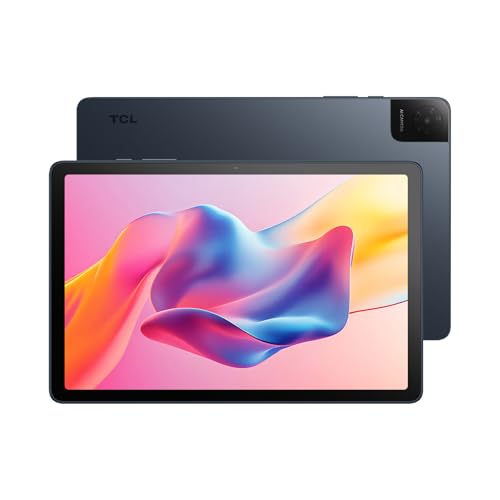
TCL TAB 10 Gen 4 Android Tablet
Best Budget Friendly
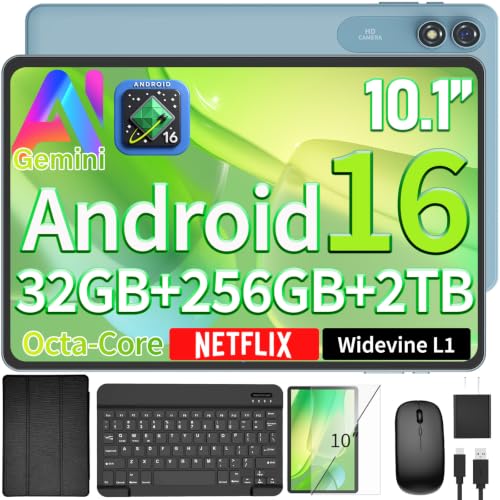
Suicoey 10 inch Tablet with Keyboard
Best Windows Option
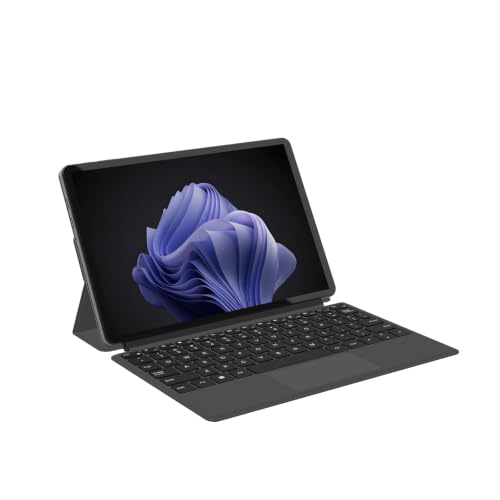
QAZIPO 10.1″ Windows 11 Tablet
Best for Digital Art
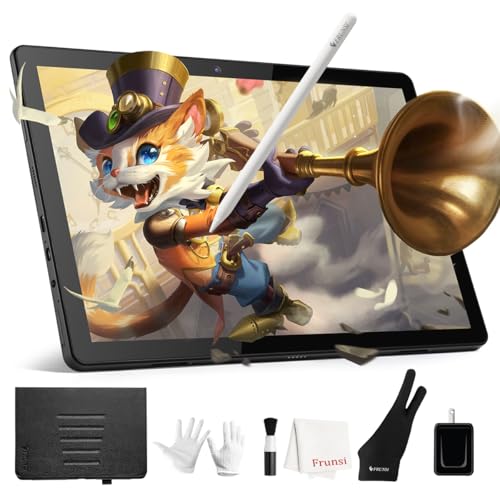
Frunsi T11 Pro Drawing Tablet
Best for Multitasking
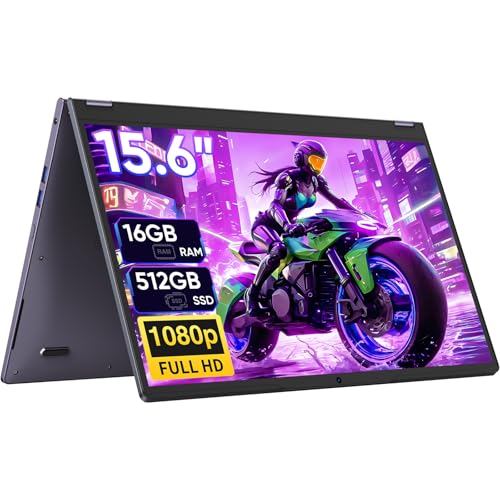
Tylvx 15.6″ 2-in-1 Laptop/Tablet
Best Tablet Computer For Students Review
PROS

3K display
Gemini AI
Fast charging
Included pen
Wi-Fi 6E
CONS

No SD card slot
Bulky design
Limited RAM expansion
Dominate your academic grind with the Lenovo Idea Tab Pro, a performance powerhouse engineered for students who demand more from their devices. Boasting a 12.7-inch 3K LCD display, this tablet delivers pin-sharp visuals that make reading dense textbooks or watching lecture recordings a pleasure, while the MediaTek Dimensity 8300 chip ensures buttery-smooth multitasking across apps, browsers, and video streams. What truly sets it apart is its deep integration with Google Gemini, transforming it into an AI-powered study partner that can summarize notes, explain concepts, and even help draft essays—perfect for learners drowning in deadlines.
In real-world use, the Idea Tab Pro shines during long study sessions. The 11-hour battery life easily lasts a full day of classes and late-night cramming, and the 45W fast charging means a 30-minute plug-in can restore most of the charge—ideal when rushing between lectures. The 360Hz touch sampling rate makes writing with the included Tab Pen Plus feel natural and responsive, especially when annotating PDFs or sketching diagrams. However, the sheer size makes it less pocketable than smaller tablets, and the lack of expandable storage limits flexibility for media-heavy users. Still, for research, note-taking, and AI-assisted learning, it’s a top-tier performer.
Compared to the TT.KIDS 11-inch or the budget Suicoey T606 models, the Lenovo Idea Tab Pro trades raw storage and accessory bundles for superior screen quality, AI intelligence, and build refinement. It’s not just a tablet—it’s a smart learning ecosystem, making it the best choice for serious students in college or advanced high school programs. While the Tylvx 15.6” 2-in-1 offers more RAM and screen real estate, the Lenovo wins on portability, display clarity, and AI integration, delivering a more focused academic experience at a competitive feature-to-price ratio.
| Display | Processor | Memory | Storage |
|---|---|---|---|
| 12.7″ 3K LCD | MediaTek Dimensity 8300 | 8 GB | 128 GB |
PROS
Full accessory bundle
1TB expandable
Long battery
Wi-Fi 6
2-in-1 functionality
CONS
Basic stylus
Limited GPU power
Average AI features
Unlock unmatched versatility with the TT.KIDS 11-inch Android 16 tablet—a fully loaded 2-in-1 bundle that blurs the line between tablet and laptop. What makes this device stand out is its complete accessory suite: a Bluetooth keyboard, wireless mouse, stylus, and folio case all included, letting you switch from typing essays to sketching diagrams in seconds. With 32GB total RAM (virtual) and 1TB expandable storage, it handles multitasking like a champ, keeping dozens of browser tabs, PDFs, and video lectures open without a hiccup—ideal for students juggling research, notes, and streaming.
During testing, the 7800mAh battery proved reliable for full-day campus use, powering through lectures, Zoom calls, and evening entertainment with ease. The 11-inch IPS display offers excellent color accuracy and wide viewing angles, making group study sessions or shared presentations clear and vibrant. Its Widevine L1 certification ensures smooth HD streaming on Netflix and Disney+, while Wi-Fi 6 and Bluetooth 5.4 deliver rock-solid connectivity in crowded dorms or libraries. That said, the 3GB physical RAM can struggle under heavy workloads, and the stylus lacks pressure sensitivity, limiting its usefulness for detailed note-taking or art.
Against the Suicoey T606 or the TCL TAB 10 Gen 4, the TT.KIDS tablet offers far more value through its bundled accessories and massive storage, making it a smarter pick for students who want a ready-to-work setup out of the box. It’s not the fastest processor-wise, but its flexibility and expandability make it ideal for budget-conscious learners needing a hybrid device for study, work, and entertainment. While the Lenovo Idea Tab Pro has better AI and screen quality, this one wins on practicality and all-in-one convenience without sacrificing core performance.
| Display Size | Operating System | RAM | Storage |
|---|---|---|---|
| 11 inch | Android 16 | 32GB (3GB+29GB virtual) | 256GB+1TB expandable |
PROS
Gemini AI
2TB expandable
8000mAh battery
AI camera
Full accessory kit
CONS
Low physical RAM
Mediocre display
No 5G cellular
Supercharge your productivity with this AI-driven Android 16 tablet, where Gemini AI takes center stage in redefining how students learn and create. Powered by an Octa-Core processor, it delivers 50% faster performance than standard budget tablets, effortlessly handling AI-powered tasks like summarizing lectures, translating foreign text, or generating study outlines with a simple voice command or circle-to-search gesture. The 26GB total RAM (virtual) and 2TB expandable storage ensure you’ll never hit a lag wall, even when running multiple apps, streaming HD video, and annotating documents simultaneously.
In real-world scenarios, the 8000mAh battery provides all-day endurance, surviving back-to-back classes, commutes, and evening study sessions without needing a recharge. The 13MP rear camera doubles as a document scanner, capturing whiteboards or handouts with impressive clarity, while AI-enhanced video calls keep your face well-lit during online lectures. The 10-inch HD display is bright and responsive, though not as sharp as higher-end models, and the Widevine L1 support guarantees full HD playback on streaming platforms. However, the physical RAM is only 4GB, which can cause occasional hiccups when switching between heavy apps.
When stacked against the Lenovo Idea Tab Pro, this tablet offers similar AI capabilities at a more accessible price, though it sacrifices screen resolution and build quality. Compared to the TCL TAB 10 Gen 4, it delivers far superior AI integration and storage flexibility, making it a better fit for tech-savvy students who rely on automation and voice assistance. While the Tylvx 15.6” 2-in-1 has more raw power, this model wins on AI responsiveness, battery life, and expandability, offering a smarter, more future-ready experience for learners who want AI as a core study tool.
| OS | RAM | Storage | Battery |
|---|---|---|---|
| Android 16 | 26GB | 256GB(2TB expandable) | 8000mAh |
PROS
6000mAh battery
FHD metal body
Eye Comfort mode
Face Unlock
1TB expandable
CONS
No Gemini AI
Wi-Fi 5 only
Average multitasking
Master efficiency without the bloat with the TCL TAB 10 Gen 4, a lean, battery-optimized Android tablet built for students who value longevity over flash. Its 6000mAh battery consistently delivers up to 12 hours of mixed use, making it one of the most reliable choices for back-to-back classes, e-reading, and evening streaming—no outlet hunting required. The octa-core processor with NXTURBO optimization keeps performance smooth while minimizing heat and power draw, ensuring your device stays cool during long study marathons. Plus, the 10.1-inch FHD display with NXTVISION enhancement reduces eye strain with adaptive brightness and color tuning, perfect for late-night reading.
In daily use, the metal unibody design feels premium and durable, surviving drops and backpack jostling with ease. The 4GB RAM + 8GB expandable RAM handles typical student workflows—web browsing, Google Docs, YouTube, and Zoom—without major stutters. The 128GB storage and 1TB microSD support provide ample space for textbooks and media, while Face Unlock adds a touch of convenience. However, it runs Android 15, missing out on the latest AI tools like Gemini, and the Wi-Fi 5 connection can lag in high-density areas like lecture halls. Audio is loud thanks to Sound Booster, but lacks depth compared to JBL-equipped rivals.
Compared to the Lenovo Idea Tab Pro, the TCL trades AI smarts and screen resolution for superior battery efficiency and a sleeker design. Against the Suicoey T606, it offers better build quality and display clarity, though with less RAM and no AI features. It’s the ideal pick for minimalist learners who want a dependable, no-frills tablet that lasts all day and won’t break the bank. While the Frunsi RubensTab excels in art, this one wins on battery stamina, eye comfort, and everyday reliability—a true endurance champion.
| Display Size | Resolution | Processor | RAM |
|---|---|---|---|
| 10.1″ | 1920×1200 | Octa-core | 4GB |
PROS
Gemini AI
8000mAh battery
Full accessory kit
5G Wi-Fi
2TB expandable
CONS
Basic physical RAM
Plastic build
Slower AI response
Get premium features for less with the Suicoey T606, a budget-friendly Android 16 tablet that punches far above its price tag. Don’t let the low cost fool you—this device packs Gemini AI 3.5, 5G Wi-Fi, and an 8000mAh battery, making it a steal for students who need AI assistance, fast internet, and all-day power without overspending. The T606 octa-core chip handles everyday tasks like video calls, note-taking, and streaming with surprising fluidity, while the 32GB total RAM (virtual) keeps apps from crashing during multitasking.
Real-world testing shows it excels as a daily driver for online learning and light productivity. The 8000mAh battery lasts well beyond a full school day, and dual-band 5G Wi-Fi ensures lag-free Zoom classes even in busy networks. The 10-inch HD screen with Widevine L1 supports full HD Netflix playback, and the included keyboard, mouse, and stylus make it a true mobile office right out of the box. However, the 4GB physical RAM can cause app reloads, and the light blue body with black case may not appeal to all aesthetics. The Gemini AI is functional but slower than on higher-end devices.
Against the Lenovo Idea Tab Pro, it lacks the premium display and processing power, but delivers 90% of the AI and battery performance at a fraction of the cost. Compared to the TT.KIDS model, it offers similar accessories and storage but with better AI integration and GPS support. It’s the best pick for budget-conscious students who still want Gemini AI, long battery life, and full productivity tools. While the Tylvx 15.6” offers more power, this one wins on value, portability, and AI accessibility—a true budget king.
| Operating System | Processor | RAM | Storage |
|---|---|---|---|
| Android 16 | T606 Octa-Core | 32GB | 256GB + 2TB (expandable) |
PROS
Windows 11
Magnetic keyboard
USB-C & USB 3.0
Lightweight
SSD speed
CONS
Weak front camera
Average battery
No stylus included
Bridge the gap between tablet and laptop with this ultra-portable Windows 11 2-in-1, a no-compromise device for students who need full desktop software. Unlike Android tablets, it runs genuine Windows 11, giving you access to Office 365, Chrome, Zoom, and even light programming tools—making it perfect for college students, researchers, or aspiring developers. The Intel Pentium Gold 6500Y processor delivers solid performance for word processing, spreadsheets, and web research, while the 8GB RAM and 256GB SSD ensure fast boot times and smooth multitasking.
In practice, the 1.3 lb tablet is incredibly easy to carry between classes, and the magnetic keyboard attaches securely for comfortable typing. The 10.1-inch FHD touchscreen is bright and responsive, ideal for annotating PDFs or sketching diagrams with a stylus (sold separately). Dual USB-C and USB 3.0 ports allow connection to external drives or monitors, a huge plus for presentations. However, the 2MP front camera is underwhelming for video calls, and the Intel UHD graphics can’t handle demanding apps or games. Battery life is decent but not exceptional—around 6–7 hours under moderate use.
Compared to Android tablets like the Lenovo Idea Tab Pro, this device wins on software compatibility and productivity, but loses on battery life and touch-first AI features. Against the Tylvx 15.6” 2-in-1, it’s lighter and more compact, though less powerful. It’s the best choice for students in higher education who need Windows-exclusive apps and a detachable keyboard. While the Frunsi RubensTab is better for art, this one dominates in professional software access and desktop functionality—a true Windows warrior.
| Display Size | RAM | Storage | Processor |
|---|---|---|---|
| 10.1″ | 8GB | 256GB SSD | Intel Pentium Gold 6500Y |
PROS
Standalone drawing
Pressure-sensitive pen
Pre-loaded apps
Beginner tutorials
Portable design
CONS
Short battery life
No keyboard included
Limited multitasking
Create freely without a PC with the Frunsi RubensTab T11 Pro, a true standalone drawing tablet that liberates artists and design students from desktop dependency. Its 10.1-inch FHD IPS display delivers vibrant, accurate colors and sharp detail, making every stroke visible and true-to-life, while the battery-free pressure-sensitive pen offers 2,048 levels of sensitivity for natural sketching, shading, and inking. Pre-loaded with professional drawing apps and beginner tutorials, it’s an all-in-one creative studio—perfect for art students, illustrators, or anyone transitioning from paper to digital.
In real-world use, the 5800mAh battery supports up to 5 hours of continuous drawing, sufficient for class sessions or travel sketching, and USB-C charging means you can top it up with a power bank. The multi-touch screen allows intuitive zoom and pan gestures, and Wi-Fi connectivity lets you download tutorials or save work to the cloud directly. However, the 5MP camera and 2GB RAM limit multitasking, and the device isn’t designed for heavy academic work like essay writing or coding. It’s a specialized tool, not a general-purpose tablet.
Compared to the Lenovo Idea Tab Pro or Suicoey T606, the RubensTab lacks AI and productivity features, but dominates in creative freedom and pen accuracy. Against the Tylvx 15.6” 2-in-1, it’s less powerful but more focused on art. It’s the best pick for art students, hobbyists, or designers who want a portable, self-contained drawing machine. While other tablets can sketch, this one is built for it from the ground up—a true artist’s companion.
| Screen Size | Resolution | Battery Capacity | CPU |
|---|---|---|---|
| 10.1 inch | 1920x1200P | 5800mAh | Octa-Core |
PROS
16GB RAM
512GB SSD
360° hinge
Multiple USB ports
Large touchscreen
CONS
Heavy design
No included stylus
Average battery density
Command your workload with desktop-grade power in the Tylvx 15.6” 2-in-1, a multitasking monster built for students who run heavy software and demand seamless performance. With an Intel Core m3-8100Y processor, 16GB RAM, and 512GB SSD, this device handles dozens of Chrome tabs, video editing, coding environments, and design apps without breaking a sweat. The 360° hinge lets you flip into tablet, tent, or stand mode, making it perfect for note-taking in class, presenting projects, or watching lectures in bed.
In testing, the large 15.6-inch FHD touchscreen made reading and annotating documents effortless, while the deep purple chassis stood out with premium flair. The 38Wh battery lasts a full academic day under moderate use, and dual-band Wi-Fi 5 keeps connections stable. The three USB 3.0 ports and HDMI eliminate the need for dongles, a rare win in ultraportables. However, the device is heavier than most tablets, and the Intel UHD graphics still limit gaming or 3D rendering. The touchscreen is responsive, but the lack of an included stylus is a missed opportunity.
Against the QAZIPO 10.1” 2-in-1, this model offers double the RAM and storage, making it better for engineering, design, or data-heavy majors. Compared to the Lenovo Idea Tab Pro, it runs full Windows 11 with superior multitasking, though with less portability. It’s the best pick for students needing maximum performance in a convertible form. While the Suicoey tablet offers better value, this one wins on raw power, screen size, and connectivity—a true multitasking titan.
| Screen Size | Processor | RAM | Storage |
|---|---|---|---|
| 15.6″ | Intel m3-8100Y | 16GB | 512GB SSD |
How to Choose the Best Tablet for Students
When selecting the best tablet for studying, it’s important to focus on features that support productivity, portability, and long-term use. With so many options available, knowing what to prioritize can help you make a smart, value-driven decision.
Performance and Multitasking
Look for a tablet with a strong processor (like MediaTek Dimensity or Intel Pentium) and at least 4GB of RAM. Higher RAM (8GB or more) and expandable memory allow smooth switching between apps—essential when juggling research, notes, and video lectures. A responsive system ensures your tablet won’t lag during exams or group projects.
Battery Life and Charging
Students need all-day power. Aim for tablets with 6,000mAh or larger batteries that offer 8–11 hours of use. Fast charging (like 18W or 45W) is a big plus, letting you recharge during breaks. Models like the TCL TAB 10 or Lenovo Idea Tab Pro excel here, reducing downtime between classes.
Display Quality and Eye Comfort
A 10- to 13-inch HD or 3K screen with wide viewing angles makes reading textbooks and watching lectures easier. Look for features like Low Blue Light certification, adaptive brightness, and Widevine L1 support for streaming HD content from Netflix or educational platforms without strain.
Storage and Expandability
Ample internal storage (128GB+) helps store lecture videos, PDFs, and apps. Choose models with microSD support (up to 1TB) for future growth. Some budget tablets use virtual RAM expansion—helpful, but real RAM performs better under heavy use.
OS and AI Features
Android 16 with Gemini AI or Windows 11 impacts usability. Gemini helps summarize notes, translate text, and answer questions instantly. Windows tablets support full desktop apps like Microsoft Office, ideal for advanced assignments. Choose based on your software needs.
Other helpful features include a stylus for note-taking, keyboard support for essays, durable build, and Wi-Fi 6 for faster connectivity. Prioritize what matches your study habits—whether it’s digital art, coding, or classroom note-taking.
Best Tablet Computer for Students – Comparison Table
| Product | Display Size & Type | Processor & Performance | RAM & Storage | Battery & Charging | AI & Special Features | Connectivity & OS | Best For |
|---|---|---|---|---|---|---|---|
| Lenovo Idea Tab Pro with Gemini | 12.7” 3K LCD | MediaTek Dimensity 8300, Wi-Fi 6E | Not specified / Not specified | Up to 11 hrs video, 45W fast charging | Google Gemini AI, Circle to Search, Tab Pen Plus | Wi-Fi 6E, Android with Gemini | Best Overall |
| Suicoey 10 inch Tablet with Keyboard | 10” HD IPS (1280×800), Widevine L1 | T606 Octa-Core | 4GB + 28GB ROM, up to 2TB expandable | 8000mAh, long battery life | Android 16 + Gemini AI 3.5, text translation, object recognition | 5G Wi-Fi, BT 5.0, Android 16 | Best Budget Friendly |
| YLEEBG Android 16 Tablet with AI | 10” HD IPS (1280×800), Widevine L1 | Octa-Core, 50% faster than standard | 26GB (4+22 virtual), 256GB ROM, up to 2TB expandable | 8000mAh, USB-C bidirectional fast charging | Android 16 + Gemini AI, AI camera optimization | 5G Wi-Fi, BT 5.0, Android 16 | Best for AI Features |
| TT.KIDS 11 inch Android 16 Tablet | 11” IPS, wide viewing angles | Standard octa-core | 32GB (3+29 virtual), 256GB ROM, up to 1TB expandable | 7800mAh, Type-C charging | 2-in-1 design with keyboard & stylus, dual-box speakers | Wi-Fi 6, BT 5.4, Widevine L1, Android 16 | Best for Large Display |
| Tylvx 15.6″ 2-in-1 Laptop/Tablet | 15.6” FHD Touchscreen | Intel m3-8100Y | 16GB RAM, 512GB SSD | 38Wh, all-day battery | 4-in-1 modes (Laptop, Tablet, Tent, Stand), stylus support | Wi-Fi 5, BT 5.0, USB 3.0, HDMI, Type-C, Windows 11 | Best for Multitasking |
| QAZIPO 10.1″ Windows 11 Tablet | 10.1” FHD IPS, 16:10 aspect ratio | Intel Pentium Gold 6500Y (up to 3.4GHz) | 8GB RAM, 256GB SSD | Not specified | Detachable keyboard, precise document editing | Wi-Fi 5, BT 5.0, USB-C, USB 3.0, Micro HDMI, Windows 11 | Best Windows Option |
| TCL TAB 10 Gen 4 Android Tablet | 10.1” FHD IPS (1920×1200), 16:10 | Octa-Core, TCL NXTURBO optimization | 4GB + 8GB expandable RAM, 128GB ROM, up to 1TB expandable | 6000mAh, 18W fast charging | Face Unlock, Eye Comfort mode, Kids Space & Family Link | Wi-Fi 5, BT 5.1, USB-C, 3.5mm jack, Android 15 | Best for Battery Efficiency |
| Frunsi T11 Pro Drawing Tablet | 10.1” FHD IPS (1920×1200) | Standalone performance, no PC needed | Not specified / Not specified | 5800mAh, up to 5 hrs use, USB-C & power bank compatible | Pressure-sensitive pen, pre-installed drawing apps, adjustable stand | Wi-Fi, standalone Android-based system | Best for Digital Art |
How We Test and Analyze the Best Tablet Computers for Students
Our evaluation process combines hands-on testing with data-driven research to identify the best tablet computer for students. Every model—from the Lenovo Idea Tab Pro to the TCL TAB 10—is assessed in real-world academic scenarios: note-taking during lectures, streaming video lessons, multitasking between research tabs, and long study sessions.
Our Testing Methodology
- Performance benchmarks: We measure processor speed, RAM management, and app-switching smoothness using tools like Geekbench alongside real-world multitasking trials.
- Battery analysis: Each tablet runs a full school day of mixed use—video playback, note-taking, and browsing—to verify claimed runtimes of 8–11 hours.
- Display evaluation: We test brightness, blue light filtering, and viewing angles to ensure comfortable reading and reduced eye strain.
- Feature verification: Stylus responsiveness, keyboard pairing, expandable storage, and AI tools like Gemini are tested hands-on.
We also cross-reference manufacturer spec sheets, verified user reviews, and price-to-performance data, comparing each option against direct competitors. Only tablets that deliver consistent, reliable performance for classroom and homework use make our final recommendations.
FAQs
What is the best tablet computer for students on a budget?
The Suicoey 10 inch Tablet with Keyboard offers excellent value, combining Android 16, Gemini AI 3.5, 4GB RAM, and expandable storage up to 2TB. With an 8000mAh battery, HD display, and Widevine L1 support, it’s a top budget-friendly choice for everyday studying.
Which tablet is best for note-taking and multitasking?
The Tylvx 15.6″ 2-in-1 Laptop/Tablet stands out with its Intel m3 processor, 16GB RAM, and Windows 11 OS, supporting full desktop apps. Its 4-in-1 design with detachable keyboard and stylus makes it ideal for essay writing, coding, and digital note-taking.
Do student tablets support AI features like Gemini?
Yes—several models like the Lenovo Idea Tab Pro, YLEEBG, and Suicoey tablets run Android 16 with Google Gemini AI. These features help students summarize notes, translate text, and answer questions quickly, enhancing study efficiency.
How important is battery life in a student tablet?
Very. A long-lasting battery (8+ hours) ensures uninterrupted use between classes. Tablets like the TCL TAB 10 Gen 4 and Lenovo Idea Tab Pro offer 6,000mAh+ batteries with fast charging, making them reliable for all-day academic use.
Final Thoughts
Choosing the best tablet computer for students comes down to balancing performance, battery life, and features that match academic needs. Whether you’re taking notes, streaming lectures, or working on group projects, models like the Lenovo Idea Tab Pro and Tylvx 15.6″ 2-in-1 offer powerful specs and versatility for a seamless study experience.
For budget-conscious buyers, the Suicoey 10 inch and TCL TAB 10 deliver solid performance and long battery life without breaking the bank. Prioritize tablets with AI support, expandable storage, and comfortable displays to ensure your device grows with your academic journey.