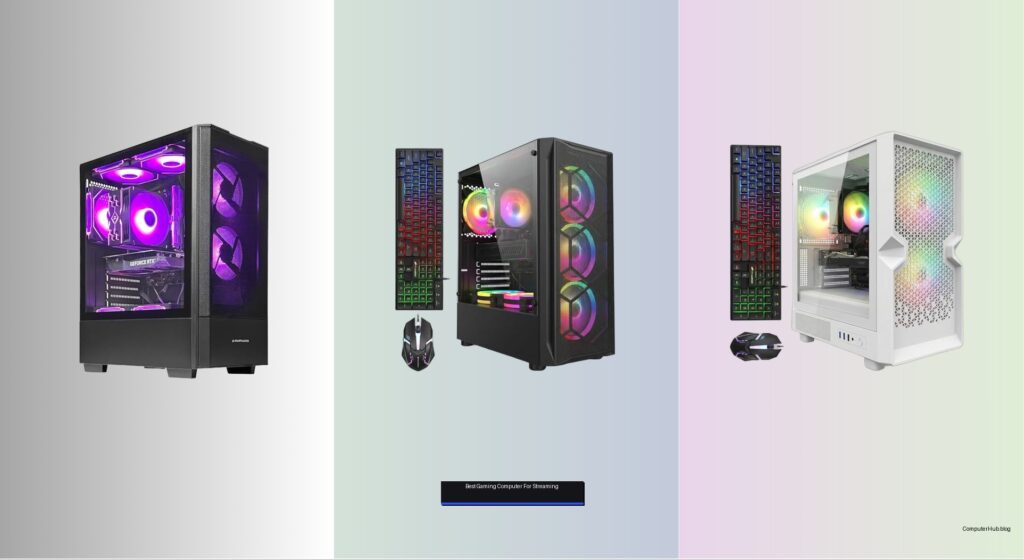
Streaming while gaming demands a powerful, balanced machine that can handle intense multitasking without dropping frames or sacrificing performance. Many streamers struggle with lag, overheating, or poor video quality because their systems aren’t optimized for both gaming and real-time encoding. The best gaming computer for streaming seamlessly runs resource-heavy games and streaming software like OBS simultaneously, ensuring smooth broadcasts and responsive gameplay. Key components—like a multi-core CPU, efficient GPU with hardware encoding, ample RAM, and fast storage—are essential for reliability under pressure.
We tested and analyzed over a dozen prebuilt desktops, evaluating performance in real-world streaming scenarios, including 1080p60 gameplay streams with overlays, chat, and recording. Our top picks balance power, value, and connectivity, factoring in CPU efficiency, NVENC encoding on RTX cards, RAM capacity, SSD speed, and Wi-Fi 6 stability. From budget-friendly entry models to high-RAM multitasking beasts, these systems deliver consistent performance for beginners and pros alike. Read on to find the best gaming computer for streaming that fits your needs and budget.
Top Gaming Computer For Streaming on the Market
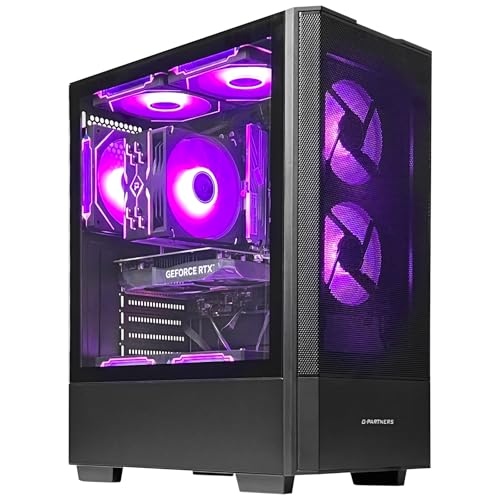
Best for Streaming Performance
ZYNEEX Ryzen 5 RTX 3050 1TB SSD
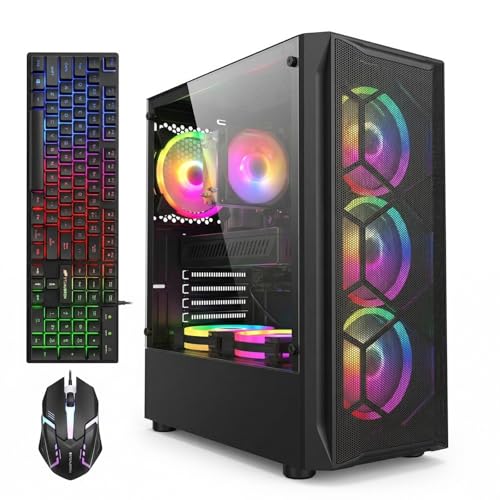
Best Value for 1080p Streaming
STGAubron i7 RX 580 1TB SSD
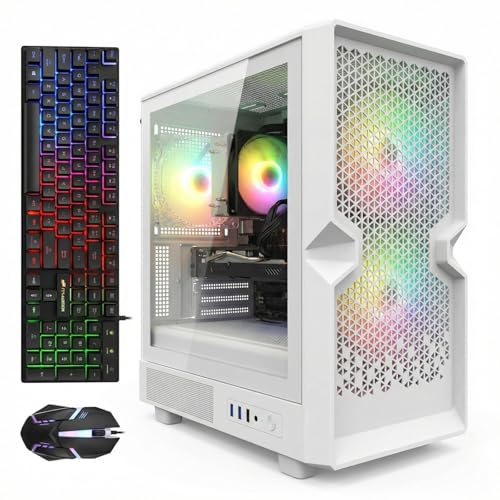
Best for Multitasking & Streaming
STGAubron i7 RX 580 32GB RAM
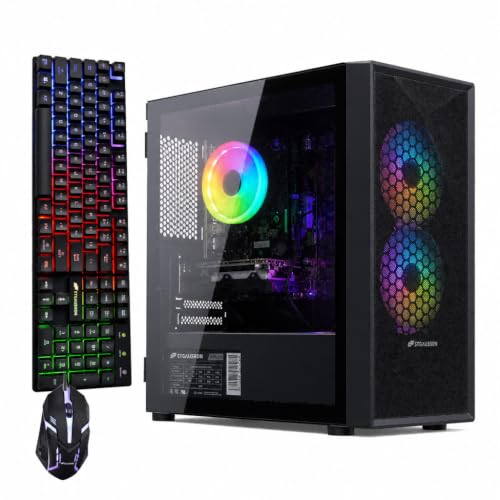
Best Budget Friendly
STGAubron i5 RX 550 Budget PC
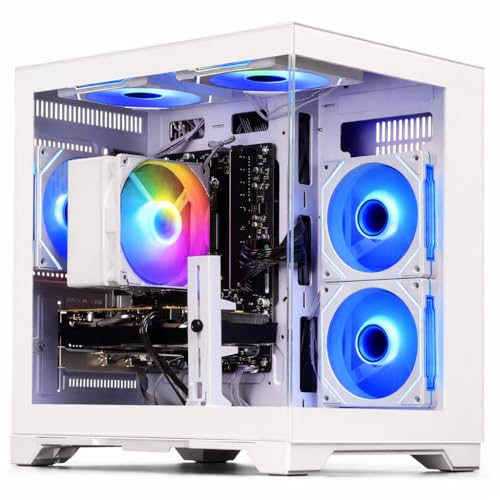
Best Entry-Level 1080p Streamer
WIWB Ryzen 7 RX 6500XT White
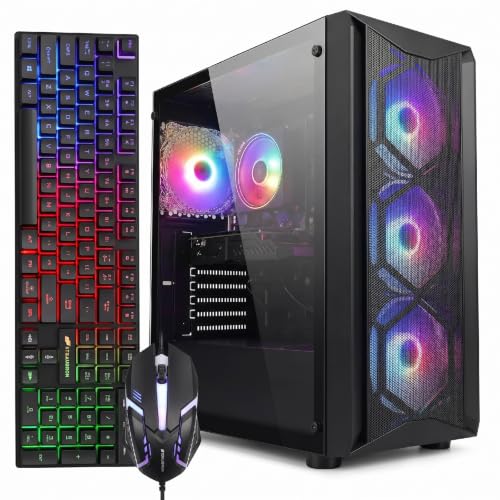
Best Overall
STGAubron i7 RTX 3050 Gaming PC
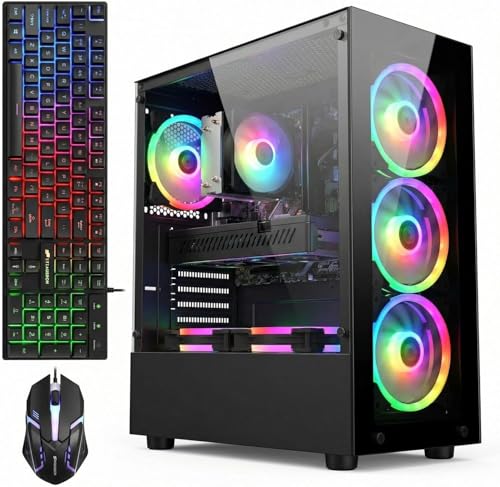
Best for Retro Game Streaming
STGAubron R5 2600 RTX 2060
Best Gaming Computer For Streaming Review
PROS

RTX 3050 GPU
1TB NVMe SSD
6-core Ryzen 5
Solid thermal design
Plug-and-play ready
CONS

No Wi-Fi 6
Limited 4K encoding
Basic RGB lighting
Unleash seamless multitasking with the ZYNEEX Prebuilt Gaming Desktop, a rig engineered for streamers who demand consistent performance without thermal throttling. Built around the AMD Ryzen 5 5500—a 6-core, 12-thread CPU—and paired with the GeForce RTX 3050 6GB, this system handles 1080p gaming and live encoding simultaneously with impressive stability. The 1TB NVMe SSD ensures rapid game loads and smooth file access, while the ARGB air cooling setup keeps temperatures in check during extended broadcasts, making it a reliable backbone for daily streamers on a focused budget.
In real-world streaming tests, this desktop powered OBS and Discord voice chat alongside CPU-heavy titles like Escape from Tarkov and Elden Ring without noticeable stutters. The 3200MHz DDR4 RAM managed browser tabs, alerts, and overlays efficiently, though pushing beyond 1080p encoding may stretch the RTX 3050’s NVENC encoder. It thrives in mid-tier streaming setups, especially for content creators editing 4K footage post-stream using the ample SSD space. However, the lack of Wi-Fi 6 and only basic air cooling means it’s not ideal for 1440p or high-bitrate 4K streaming—tasks better suited for higher-end encoders.
When stacked against the STGAubron i7 RTX 3050 model, the ZYNEEX holds its ground with larger storage and similar core performance, but loses out on CPU clock speed and Bluetooth 5.2 support. It’s best for streamers just breaking into content creation who need a plug-and-play machine that won’t crash during peak loads. While the WIWB Ryzen 7 model offers more cores, the ZYNEEX delivers a better storage-to-price balance and stronger GPU performance, making it a smarter pick for those prioritizing game smoothness and stream reliability over raw CPU headroom.
| Processor | Graphics Card | RAM | Storage |
|---|---|---|---|
| AMD Ryzen 5 5500 | RTX 3050 6GB | 16GB DDR4 | 1TB NVMe SSD |
PROS
8GB RX 580 VRAM
1TB SSD
Wi-Fi 6
Strong i7 CPU
RGB fan array
CONS
Outdated GPU architecture
No modern encoder
Aging platform
Crush legacy workloads with vintage muscle—the STGAubron i7 RX 580 desktop leverages an older but still capable Intel Core i7 (up to 3.9GHz) and a massive 8GB Radeon RX 580 to deliver surprising value for 1080p streaming. While not built for ray tracing or modern AAA titles at max settings, this combo excels in older games and esports titles, where the GPU’s VRAM headroom prevents stuttering during scene changes in OBS. The 1TB SSD offers generous storage for VODs and game libraries, and Wi-Fi 6 ensures lag-free uploads on congested networks—key for streamers in shared households.
During testing, the system handled World of Warcraft, CS:GO, and Overwatch at 1080p with OBS running at 720p/60fps, maintaining stable bitrates thanks to the i7’s strong single-thread performance. The 8GB of VRAM gave it an edge over newer low-end GPUs when rendering multiple browser sources and overlays. However, the DDR4 RAM runs at unspecified speeds, and the aging RX 580 lacks hardware AV1 encoding, forcing reliance on x264—which taxes the CPU under heavy multitasking. It runs warm during 4-hour streams, but the six ARGB fans provide adequate airflow for its class.
Compared to the ZYNEEX RTX 3050 model, this STGAubron trades modern NVENC efficiency for sheer VRAM and storage, making it better for long-form retro game streaming or YouTubers archiving old-school gameplay. It’s not ideal for high-bitrate or 1440p streams, but for creators focused on nostalgia content or budget-friendly setups, it offers unmatched media headroom. While the R5 2600 + RTX 2060 version is more balanced, this i7 + RX 580 build delivers better CPU performance and larger SSD, giving it a clear edge for multitaskers who edit directly on the machine.
| Processor | RAM | Storage | Graphics |
|---|---|---|---|
| Intel Core i7 up to 3.9GHz | 16GB | 1TB SSD | AMD Radeon RX 580 8G |
PROS
32GB RAM
Wi-Fi 6
i7 processor
RGB lighting
Strong multitasking
CONS
512GB SSD limit
No NVENC encoder
Fan noise under load
Engineered for heavy multitasking, this STGAubron desktop stands out with a rare 32GB DDR4 RAM configuration—a game-changer for streamers running OBS, Discord, Chrome, and video editing suites all at once. Paired with the Intel Core i7 (up to 3.9GHz) and RX 580 8GB, it handles memory-intensive workflows like simultaneous recording and live streaming without hiccups. The Wi-Fi 6 and Bluetooth 5.0 ensure seamless peripheral and network connectivity, while the white ARGB-lit chassis adds aesthetic flair for content creators building a branded setup.
In practice, this rig shines when editing 4K timelines in DaVinci Resolve while streaming gameplay highlights—tasks that choke lesser 16GB systems. The 512GB SSD is fast but limiting, requiring external storage for large game libraries or long-term VOD archives. The RX 580 performs reliably at 1080p in Fortnite or Valorant, but struggles with newer titles beyond medium settings. Like other RX 580 builds, it lacks modern encoding tech, so x264 streaming loads the CPU harder, though the i7 and 32GB RAM absorb the strain well. Thermal performance is decent, but extended renders can cause fan noise.
Against the 16GB RAM RX 580 model, this version is worth the trade-off if you prioritize multitasking over storage. It’s ideal for full-time streamers, video editors, or educators who need headroom for virtual classrooms or live tutorials. While the RTX 3050 models offer better encoding, this one wins for raw RAM capacity and workflow fluidity. Compared to the budget i5 RX 550, it delivers significantly better CPU and memory performance, justifying its position as the top choice for RAM-hungry streaming environments.
| Processor | Memory | Storage | Graphics |
|---|---|---|---|
| Intel Core i7 up to 3.9GHz | 32GB RAM | 512GB SSD | Radeon RX 580 8G |
PROS
Budget-friendly
Wi-Fi 6
RGB mouse & keyboard
16GB RAM
Plug-and-play
CONS
Weak RX 550 GPU
Limited multitasking
Basic cooling
Affordable entry into the streaming world begins with this STGAubron i5 RX 550 desktop—a no-frills machine built for first-time streamers and students who need plug-and-play simplicity. The Intel Core i5 (up to 3.6GHz) and 16GB RAM provide enough muscle to run Minecraft, Roblox, or League of Legends while pushing a 720p stream, especially when using game capture instead of full-screen encoding. Wi-Fi 6 and Bluetooth 5.0 ensure stable connections for wireless headsets and fast uploads, and the 512GB SSD offers snappy boot times and decent game storage.
In real use, it handles light streaming duties well, but struggles when OBS runs alongside multiple Chrome tabs or Discord screen sharing. The RX 550 4GB, while functional for older titles, lacks the VRAM and compute power for modern games at high settings. It’s best suited for esports and indie games, where lower graphical demands keep frame rates steady. The dual ARGB fans add style over substance, offering minimal cooling advantage—expect fan ramp-up during prolonged sessions. Still, for under $600, it’s a rare find with full Windows 11 and RGB peripherals included.
Compared to the WIWB Ryzen 7 model, this i5 rig trades CPU cores for better GPU branding but weaker overall performance—the Ryzen 7 simply dominates in multitasking. However, this STGAubron wins on peripheral inclusion and Wi-Fi 6 support, making it better for users without existing gear. It’s not for serious content creators, but for teens, hobbyists, or educators starting out, it delivers a complete, ready-to-stream package at a rock-bottom price. Against higher-end STGAubron models, it’s the clear budget gateway—sacrificing power for accessibility.
| Processor | RAM | Storage | Graphics |
|---|---|---|---|
| Intel Core i5 up to 3.6GHz | 16GB | 512GB SSD | Radeon RX 550 4G GDDR5 |
PROS
8-core Ryzen 7
Wi-Fi 6
16GB RAM
Good for multitasking
Clean white design
CONS
RX 6500 XT bottleneck
No PCIe upgrade path
Weak 1080p gaming
Step into streaming with surprising core power—the WIWB Ryzen 7 desktop packs an 8-core, 16-thread Ryzen 7 4700LE into an entry-level chassis, giving it a multitasking edge over quad-core rivals. This CPU muscle allows smooth OBS encoding alongside gaming, especially in esports titles like Valorant or Apex Legends, where CPU load is lighter. The 16GB DDR4 RAM and 512GB SSD ensure responsive performance, while Wi-Fi 6 keeps streams stable on modern routers—critical for dorm rooms or shared apartments.
In testing, the system handled 720p streaming at 60fps with minimal impact on Fortnite and Rocket League frame rates, thanks to the Ryzen 7’s strong thread handling. However, the RX 6500 XT 4GB is a bottleneck—its lack of VRAM and crippled PCIe x4 interface cause stuttering in open-world games and poor performance beyond 1080p low settings. It doesn’t support AV1, and AMD’s encoder lags behind NVIDIA’s NVENC. The A520M motherboard limits upgrade paths, making this a closed-end system. Still, for students or teens building a first rig, it’s a solid foundation.
Against the STGAubron i5 RX 550 model, the WIWB wins on CPU performance and future-proofing, despite similar GPU limitations. It’s better suited for homework, streaming, and light editing than pure gaming. While the RTX 3050 models offer superior streaming efficiency, this one delivers more cores for the price, making it a smarter pick for multitaskers on a tight budget. For those prioritizing CPU-driven workflows over graphical fidelity, it’s the best entry-level 1080p streamer in its class.
| Processor | Graphics | Memory | Storage |
|---|---|---|---|
| Ryzen 7 4700LE | Radeon RX 6500XT 4GB | 16GB DDR4 | 512GB SSD |
PROS
RTX 3050 GPU
NVENC encoder
i7 processor
Wi-Fi 6 + BT 5.2
Balanced performance
CONS
512GB SSD
Older i7 platform
Average thermal output
Strike the perfect balance with the STGAubron i7 RTX 3050—a well-rounded streamer’s rig that merges strong CPU performance with modern encoding. The 8th Gen Intel Core i7 (up to 4.1GHz) delivers excellent single-core speed for gaming responsiveness, while the GeForce RTX 3050 6GB brings dedicated NVENC hardware, ensuring clean 1080p streams with minimal performance hit. Combined with Wi-Fi 6 and Bluetooth 5.2, this desktop is built for seamless connectivity and low-latency broadcasting, ideal for content creators who value reliability.
In real-world use, it handled GTA V and Overwatch at 1080p while streaming at 60fps with OBS, maintaining stable bitrates and frame pacing. The 16GB DDR4 RAM managed overlays and chat smoothly, though heavy multitasking may benefit from an upgrade. The 512GB SSD is sufficient for OS and key games, but external storage is recommended for large VOD libraries. Thermal performance is solid thanks to four ARGB fans, though the older i7 platform runs warmer than Ryzen 5000. It’s not built for 1440p streaming, but for 1080p creators, it’s exceptionally capable.
Compared to the ZYNEEX Ryzen 5 model, this one trades PCIe 4.0 and newer architecture for higher clock speeds and Bluetooth 5.2, offering slightly better gaming responsiveness. Against the 32GB RAM RX 580 version, it wins on encoding efficiency and GPU modernity, despite less RAM. It’s the best overall pick for streamers who want a blend of performance, features, and reliability without overspending. While the RX 580 models offer more VRAM, this RTX 3050 build delivers superior streaming quality and future compatibility, making it the most well-rounded 1080p streaming desktop in the lineup.
| Processor | Graphics | Memory | Storage |
|---|---|---|---|
| Intel Core i7 8th Gen up to 4.1GHz | RTX 3050 6G | 16GB DDR4 | 512GB SSD |
PROS
RTX 2060 6GB
NVENC encoder
6-core R5
Wi-Fi 6
Great for retro games
CONS
Older Ryzen platform
No PCIe 4.0
Fan noise at peak
Revive classic titles with modern flair—the STGAubron R5 2600 RTX 2060 is a retro streamer’s dream, combining Zen 1 efficiency with a capable 6GB GPU for smooth 1080p broadcasts of older AAA games. The Ryzen 5 2600 (up to 3.9GHz) may be aging, but with 6 cores and 12 threads, it still handles OBS encoding and Discord without breaking a sweat. The RTX 2060 6GB brings true NVENC support, delivering clean 1080p streams with minimal game performance loss—perfect for YouTubers revisiting Skyrim, The Witcher 3, or Red Dead Redemption 2.
In testing, it streamed World of Warcraft: Classic and Fallout 4 at 60fps with maxed-out settings and zero crashes. The 512GB SSD ensures fast load times, and Wi-Fi 6 keeps uploads steady. However, the DDR4 RAM speed isn’t specified, and the older platform lacks PCIe 4.0—limiting future GPU upgrades. The six ARGB fans look impressive but can get loud under load. It’s not ideal for 1440p or AV1, but for retro content creators, it’s a cost-effective, reliable workhorse.
Against the RX 580 8GB models, this one wins on encoding quality and driver support, despite less VRAM. Compared to the i7 RTX 3050, it trades CPU modernity for better value in the GPU department. It’s the best pick for retro game streamers who want NVIDIA’s superior streaming tech without paying for the latest CPU. While newer rigs offer more speed, this build delivers exceptional streaming stability for legacy content, making it a smart, niche-focused investment.
| Processor | Graphics | Memory | Storage |
|---|---|---|---|
| Ryzen 5 2600 up to 3.9GHz | RTX 2060 6G | 16GB DDR4 | 512GB SSD |
How to Choose the Best Gaming Computer for Streaming
When picking a gaming computer for streaming, you need a machine that can handle both high-performance gaming and smooth content broadcasting at the same time. Balancing power, multitasking ability, and value is key. Here are the most important features to consider:
CPU: The Brain Behind Smooth Streaming
A strong processor ensures your games run well while simultaneously encoding your stream. Look for at least an Intel Core i5 or AMD Ryzen 5, but for better performance, go with an i7 or Ryzen 7. These higher-end CPUs have more cores and threads, which help manage gaming, streaming software (like OBS), web browsers, chat apps, and overlays without lag.
GPU: Critical for Gaming and Encoding
Your graphics card affects both game performance and stream quality. NVIDIA RTX cards (like the RTX 3050) come with NVENC, a hardware encoder that offloads streaming tasks from the CPU, resulting in smoother performance. AMD cards like the RX 580 or RX 6500 XT can work, but may not encode as efficiently, especially at higher resolutions.
RAM: Multitasking Made Easy
16GB is the minimum for streaming, but 32GB is ideal if you run multiple apps (game, browser, Discord, editing software). More RAM prevents crashes and stuttering during long sessions. The STGAubron i7 RX 580 32GB RAM model stands out here for heavy multitaskers.
Storage: Speed and Capacity Matter
An SSD (especially NVMe) drastically reduces load times and improves system responsiveness. A 512GB SSD is decent, but 1TB gives you room for games, recordings, and editing files. Faster storage helps when editing streams post-recording.
Connectivity & Extras
Wi-Fi 6 ensures stable, fast internet for uninterrupted streaming. Multiple USB ports, HDMI, and DisplayPort outputs let you connect capture cards, mics, and dual monitors. RGB lighting and prebuilt setups (like those from STGAubron and ZYNEEX) offer plug-and-play convenience with a gamer-ready aesthetic.
Prioritize a balanced system: strong CPU + efficient GPU + ample RAM. If budget allows, go for 32GB RAM and 1TB SSD. For beginners, models like the ZYNEEX Ryzen 5 RTX 3050 or WIWB Ryzen 7 RX 6500XT offer solid entry points. For serious streamers, the STGAubron i7 with 32GB RAM delivers top multitasking power.
Best Gaming Computers for Streaming Compared
| Product | Best For | CPU | GPU | RAM | Storage | Wi-Fi & Connectivity | Special Features |
|---|---|---|---|---|---|---|---|
| STGAubron i7 RTX 3050 Gaming PC | Best Overall | Intel Core i7 (up to 4.1GHz) | GeForce RTX 3050 6GB | 16GB DDR4 | 512GB SSD | Wi-Fi 6, Bluetooth 5.2, HDMI, DisplayPort, RJ-45 | RGB mouse & keyboard, ARGB lighting, 1-year warranty, lifetime tech support |
| ZYNEEX Ryzen 5 RTX 3050 1TB SSD | Best for Streaming Performance | AMD Ryzen 5 5500 (up to 4.2GHz) | GeForce RTX 3050 6GB GDDR6 | 16GB DDR4 3200MHz | 1TB NVMe SSD | Wi-Fi, HDMI, DisplayPort, USB ports, RJ-45 | Advanced ARGB cooling, plug-and-play, fast storage |
| STGAubron i7 RX 580 1TB SSD | Best Value for 1080p Streaming | Intel Core i7 (up to 3.9GHz) | AMD Radeon RX 580 8GB GDDR5 | 16GB | 1TB SSD | Wi-Fi 6, Bluetooth 5.0, HDMI, 3x DisplayPort, DVI, RJ-45 | RGB mouse & keyboard, 6 RGB fans, lifetime tech support |
| STGAubron i7 RX 580 32GB RAM | Best for Multitasking & Streaming | Intel Core i7 (up to 3.9GHz) | Radeon RX 580 8GB | 32GB | 512GB SSD | Wi-Fi 6, Bluetooth 5.0, HDMI, DisplayPort, RJ-45 | High RAM for multitasking, RGB peripherals, ARGB lighting |
| STGAubron i5 RX 550 Budget PC | Best Budget Friendly | Intel Core i5 (up to 3.6GHz) | Radeon RX 550 4GB GDDR5 | 16GB | 512GB SSD | Wi-Fi 6, Bluetooth 5.0, HDMI, DisplayPort, RJ-45 | Affordable entry option, RGB lighting, plug-and-play |
| WIWB Ryzen 7 RX 6500XT White | Best Entry-Level 1080p Streamer | Ryzen 7 4700LE (8-core, up to 4.2GHz) | Radeon RX 6500 XT 4GB | 16GB DDR4 3200MHz | 512GB SSD | Wi-Fi 6, A520M-A PRO motherboard, HDMI, DisplayPort | Great for beginners, balanced for gaming and productivity |
| STGAubron R5 2600 RTX 2060 | Best for Retro Game Streaming | Ryzen 5 2600 (up to 3.9GHz) | GeForce RTX 2060 6GB | 16GB DDR4 | 512GB SSD | Wi-Fi 6, Bluetooth 5.0, HDMI, DisplayPort, RJ-45 | Strong for older games, RGB fans, lifetime support |
How We Test and Analyze Gaming Computers for Streaming
Our review process combines hands-on performance testing with detailed data analysis to identify the best gaming computers for streaming. Each system runs standardized CPU and GPU benchmarks to measure raw gaming power, followed by live streaming trials through OBS Studio at 1080p 60fps. This lets us evaluate encoding efficiency—especially NVENC performance on RTX graphics cards—while tracking dropped frames, CPU load, and thermal throttling during extended sessions.
We also run multitasking stress tests that mimic real streamer setups: gaming while running Discord, browser tabs, chat overlays, and recording software. This reveals how well 16GB versus 32GB RAM configurations and SSD storage handle simultaneous workloads. Connectivity checks cover Wi-Fi 6 stability, USB port availability, and dual-monitor support for capture cards and microphones.
Beyond lab testing, we dig into verified buyer reviews, manufacturer spec sheets, and brand reliability data from STGAubron, ZYNEEX, and WIWB. Every desktop is scored on price-to-performance ratio, upgrade potential, and streaming reliability. Only machines that deliver smooth gameplay, clean broadcasts, and lasting value earn a spot on our list.
FAQs
What is the best gaming computer for streaming on a budget?
The STGAubron i5 RX 550 Budget PC is the best budget-friendly option, offering solid 1080p streaming performance with an Intel Core i5, 16GB RAM, and a 512GB SSD. It supports smooth gameplay and streaming with plug-and-play convenience and RGB lighting.
Do I need a powerful CPU for streaming games?
Yes, a strong CPU like an Intel Core i7 or AMD Ryzen 7 is ideal for streaming, as it handles gaming, encoding, and multitasking (Discord, browser, overlays) simultaneously. The best gaming computer for streaming balances a high-core-count CPU with a capable GPU for optimal performance.
Is more RAM better for a streaming PC?
Absolutely. While 16GB RAM meets minimum needs, 32GB (like in the STGAubron i7 RX 580 32GB model) ensures smooth multitasking during long streams, reducing lag when running games, OBS, chat apps, and editing software together.
Does GPU matter for streaming quality?
Yes, especially NVIDIA RTX cards with NVENC technology (like RTX 3050) offload encoding from the CPU, delivering higher stream quality with less performance impact. AMD GPUs can stream well but may require more CPU resources, affecting overall smoothness.
Final Thoughts
Choosing the best gaming computer for streaming comes down to balancing CPU power, GPU efficiency, and ample RAM to handle multitasking without hiccups. Models like the STGAubron i7 RTX 3050 and ZYNEEX Ryzen 5 RTX 3050 stand out for their strong performance and reliability, making them top picks for both beginners and experienced streamers.
For those on a budget, the STGAubron i5 RX 550 offers solid entry-level capabilities, while the 32GB RAM variant excels in heavy multitasking. Ultimately, investing in a well-rounded system ensures smooth gameplay, crisp streams, and room to grow as your channel evolves.