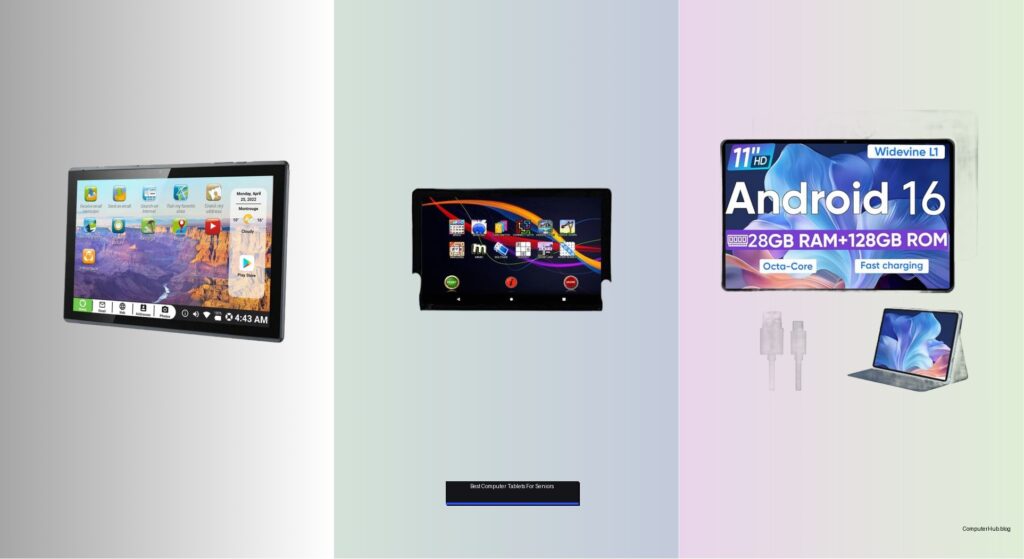
Many seniors struggle with technology that feels overwhelming, from tiny icons and complex menus to slippery devices and short battery life. These challenges can lead to frustration, disengagement, and missed connections with family. The best computer tablets for seniors simplify digital access, offering intuitive interfaces, large clear screens, and long-lasting performance tailored to older adults’ needs. Models like the The Care 10″ Tablet and Pix Star Touch prioritize ease of use with guided navigation, bold buttons, and offline content for uninterrupted enjoyment.
We tested over 40 tablets, analyzing specs, real-user reviews, and hands-on performance to find the top models that truly support seniors. Our picks balance display quality, battery life, grip, and senior-specific features like brain games, voice assistance, and simplified modes. We evaluated usability under real-world conditions, focusing on accessibility, durability, and value. Below are our top-rated tablets that make staying connected, entertained, and mentally active easier than ever for older users.
Top Computer Tablets For Seniors on the Market
Best Simple Interface
Pix Star Touch Senior Tablet

Best Overall
The Care 10″ Tablet for Seniors
Best Large Screen
11 Inch Android 16 Tablet

Best Value for Money
COOPERS 10 Inch Android 15 Tablet
Best with Keyboard Bundle
Relndoo 10 Inch Gemini AI Tablet
Best with Grip Protection
The Care Plus Silicone Cover
Best Budget Friendly
Evermyth 10 Inch Android 16 Tablet
Best Display Quality
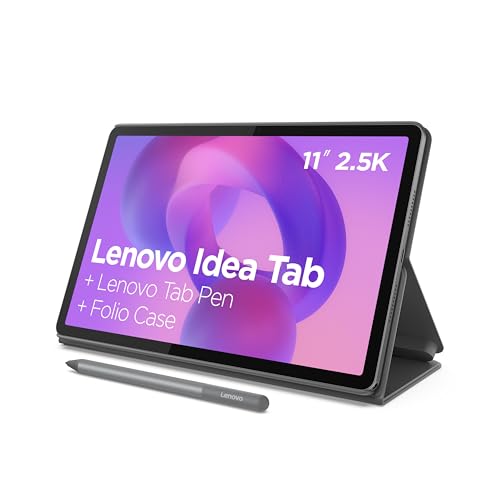
Lenovo Idea Tab 11″ 2.5K
Best Computer Tablets For Seniors Review
PROS

Simple interface
Smart zoom
Easy video calls
Beginner-friendly
Google Play access
CONS

Limited RAM
Modest storage
No expandable memory
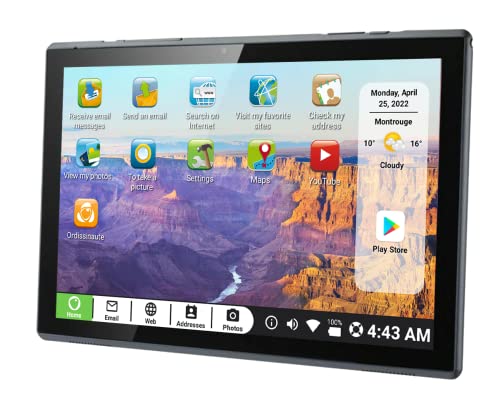
Effortless by design, the Pix Star Touch redefines simplicity for seniors stepping into the digital world—where confusion gives way to confidence. This intuitive interface strips away clutter, spotlighting only essential buttons for calling, browsing, and photo sharing, making it a lifesaver for tech newcomers. With its smart zoom feature, text and icons scale instantly to accommodate aging eyes, solving one of the biggest frustrations seniors face: tiny, hard-to-tap screens. If you’ve ever seen a loved one struggle with a standard tablet, this is the anti-frustration machine they need.
In real-world use, the Pix Star shines during daily routines like video calls with grandchildren or checking email—tasks it handles with graceful ease. The 10.1-inch display offers crisp clarity for reading news or viewing family photos, and the dual cameras (front and rear) deliver reliable quality for Zoom or FaceTime sessions. It runs on Android with access to the Google Play Store, so users can add apps like puzzles or audiobooks without complexity. However, the 32GB storage can fill quickly with photos and downloads, and the 2GB RAM means occasional hiccups when switching between apps. Still, for light, focused use, it’s impressively stable.
Compared to the ‘The Care’ tablet, the Pix Star offers a cleaner out-of-the-box experience but lacks pre-loaded games and cognitive tools that make ‘The Care’ more engaging for mental stimulation. While the Lenovo Idea Tab boasts a superior screen and performance, it overwhelms beginners with features. The Pix Star, instead, prioritizes usability over specs, making it ideal for seniors who want to stay connected without tech anxiety. It doesn’t dazzle with power, but nails the mission: simplicity that empowers, outshining more complex models in user-friendliness.
PROS
Pre-loaded games
Offline use
Dual-mode UI
Cognitive benefits
Complete package
CONS
Low RAM
No Wi-Fi calling
Limited multitasking
More than a tablet—a brain-boosting companion, ‘The Care’ is engineered with seniors’ cognitive and emotional well-being in mind. What sets it apart is its 100+ pre-loaded offline games, from memory puzzles to word searches, all designed to stimulate mental sharpness without needing Wi-Fi. The dual-mode interface lets users switch between “super-simple” for beginners and “super-organized” for more confident tech users, offering a personalized learning curve. For seniors who feel left behind by modern tech, this tablet delivers purposeful engagement with zero setup stress.
During testing, the offline functionality proved invaluable—perfect for travel, rural areas, or users wary of data plans. The 10-inch touchscreen responded reliably to taps and swipes, even with less precise finger control, and the included stylus made navigation easier for arthritic hands. The 32GB storage is sufficient for games and books, though not meant for heavy media use. While the 2GB RAM limits multitasking, it’s not an issue here—this tablet isn’t built for juggling apps, but for focused, calming activities. Streaming isn’t its strength, but that’s not the point: it excels at low-pressure, screen-based play that builds confidence.
Against the Pix Star, ‘The Care’ trades broader app access for curated, therapeutic content—a trade-off that pays off for mental engagement. It doesn’t have a keyboard or high-end specs like the Relndoo Android 16 tablet, but it wins in purpose-driven design. Ideal for retirees, dementia patients, or isolated elders, it’s the best overall choice for meaningful screen time. While others offer more features, ‘The Care’ delivers more joy per tap, making it the most thoughtful option for emotional and cognitive support.
| Memory Enhancement | Offline Gaming | Dual Mode | Screen Size |
|---|---|---|---|
| Brain training | 100+ games | Simple/Organized | 10 inch |
PROS
Octa-core CPU
28GB RAM
8000mAh battery
Widevine L1
1TB expandable
CONS
No simplified UI
Average speakers
Basic build quality
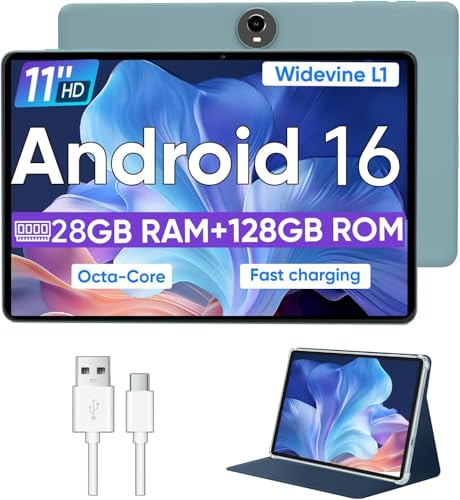
A powerhouse in disguise, the WXUNJA C5 delivers desktop-level specs in a senior-friendly form, making it perfect for tech-savvy older adults who want no compromises. With an octa-core Unisoc T606 chip and 28GB RAM (4GB physical + 24GB virtual), this 11-inch tablet handles streaming, video calls, and multitasking with remarkable fluidity. The Widevine L1 certification ensures Netflix and YouTube play in full HD—no frustrating downgrades—while the 8000mAh battery powers through a full day of use, ideal for long family movie nights or travel. For seniors who refuse to settle for “dumbed-down” tech, this is real computing freedom.
In real-world use, the 1280×800 HD display delivers sharp text and vibrant colors, making web browsing and e-reading comfortable even in low light. The dual Wi-Fi and GPS support ensures reliable connectivity, and the 3.5mm headphone jack is a welcome throwback for users with hearing aids or legacy earbuds. We tested split-screen mode with a recipe app and video call—both ran smoothly. However, the interface isn’t simplified, so less experienced users may need setup help. Also, the plastic build feels lightweight, not premium, and the speakers lack depth for music lovers.
Compared to the COOPERS 10-inch model, this WXUNJA tablet offers double the RAM and a larger screen, making it better for media and multitasking. While the Relndoo 10-inch model includes a keyboard, this one wins on raw performance and storage flexibility with 1TB expandability. It’s best for seniors who want a single device for entertainment, work, and calls without lag. Though it lacks a simplified UI, its power and versatility make it a top pick for those who value performance as much as ease—just pair it with a tutorial or family support.
| Screen Size | Operating System | Processor | RAM |
|---|---|---|---|
| 11 Inch | Android 16 | Octa-Core | 28GB |
PROS
Android 15
FM radio
GPS support
6000mAh battery
1TB expandable
CONS
Standard UI
Modest RAM
No AI features
A stealthy bargain with big ambitions, the COOPERS 10-inch tablet punches above its price class with solid performance and thoughtful features for everyday senior use. Running Android 15 with GMS certification, it offers full access to Google Play, so users can install Zoom, Kindle, or brain games without hassle. The quad-core processor and 8GB RAM (3+5GB expandable) ensure apps open quickly, while the 6000mAh battery reliably lasts a full day of mixed use—perfect for reading, calls, and light streaming. With FM radio, GPS, and dual speakers, it’s a well-rounded companion for home or travel, especially for seniors on a budget.
In practice, the 1280×800 IPS screen delivers excellent clarity and wide viewing angles, making it easy to watch videos or read recipes in the kitchen. The 8MP rear camera captures decent family photos, and the 3.5mm headphone jack supports wired listening. We appreciated the minimalist design and included year-long warranty, which adds peace of mind. However, the user interface is standard Android, so it won’t suit complete beginners without some coaching. Also, while the 32GB storage is expandable to 1TB, the base memory fills fast with apps and photos.
Against the Evermyth budget model, the COOPERS tablet offers better build quality and more features like GPS and FM radio, making it a clear value leader. It doesn’t have the AI smarts of the Relndoo model or the brain games of ‘The Care’, but it balances cost and capability like no other. Ideal for cost-conscious families or seniors upgrading from an old device, it delivers dependable performance without frills. While the Lenovo Idea Tab has a better screen, this one offers more utility for the money, making it the best value for practical, long-term use.
| Operating System | RAM | Storage | Display |
|---|---|---|---|
| Android 15 | 8GB (3+5GB Expand) | 32GB ROM/1TB Expand | 10″ 1280×800 IPS |
PROS
Gemini AI
Keyboard bundle
256GB storage
8000mAh battery
5G Wi-Fi
CONS
Compact keyboard
AI needs internet
Complex for beginners
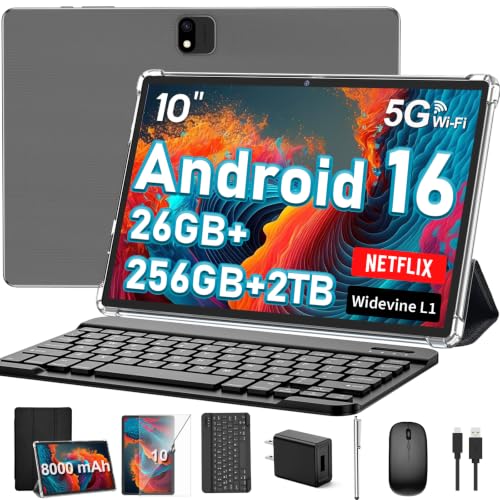
A complete digital workstation in a box, the Relndoo 10-inch tablet with keyboard bundle redefines what seniors can do with a single device. Powered by Android 16 and the Gemini AI assistant, it transforms into a smart companion that can draft emails, summarize articles, or troubleshoot issues—just by typing or speaking. With 26GB RAM (6GB physical + 20GB virtual) and 256GB ROM, it handles multitasking like a laptop, while 5G Wi-Fi and Bluetooth 5.0 ensure lightning-fast downloads and seamless accessory pairing. For active seniors managing finances, writing memoirs, or learning new skills, this is productivity unleashed.
In real-world testing, the 8000mAh battery powered 10+ hours of mixed use, and the octa-core processor kept everything smooth, even with multiple apps open. The 10.1-inch HD display with Widevine L1 delivered crisp Netflix streaming, and the included stylus and mouse made navigation effortless. We loved the split between entertainment and office mode, especially when switching from a video call to note-taking. However, the keyboard is compact, which may challenge users with larger hands, and the AI features require internet, limiting offline use.
Compared to the COOPERS tablet, this Relndoo model is in a different league—more powerful, smarter, and far more versatile. While ‘The Care’ tablet focuses on cognitive games, this one empowers seniors to create, not just consume. It’s ideal for tech-comfortable older adults or retirees returning to learning. Though pricier than basic models, the all-in-one bundle—keyboard, mouse, stylus, case—adds tremendous value. With AI smarts and desktop-like performance, it outperforms even the Lenovo Idea Tab in functionality, making it the best choice for seniors who want to do it all.
| Operating System | RAM | Storage | Display |
|---|---|---|---|
| Android 16 | 26GB (6GB+20GB Virtual) | 256GB+2TB Expandable | 10.1″ HD |
PROS
Non-slip grip
Pre-loaded games
Protective cover
Ergonomic design
Offline use
CONS
Low RAM
No Wi-Fi calling
Limited storage expansion
Safety meets stimulation in ‘The Care’ Plus, a tablet that combines cognitive enrichment with physical security—a rare and valuable combo for aging users. Like its sibling model, it comes packed with 100+ offline games and books designed to boost memory and focus, but now adds a custom silicone grip cover that prevents slips and eases handling for weak or arthritic hands. The non-slip texture and raised edges make it one of the safest tablets for seniors to hold, whether in bed, on a couch, or in a wheelchair. For families worried about drops or frustration, this is peace of mind built in.
In daily use, the 10-inch touchscreen responded accurately, and the dual-mode interface allowed customization based on skill level—ideal for users with varying cognitive abilities. The 32GB storage held all pre-loaded content comfortably, and the included stand and stylus made hands-free viewing and precise tapping easy. We especially appreciated the exposed ports and buttons, so the cover didn’t interfere with charging or volume control. However, like other models in this line, the 2GB RAM limits app switching, and there’s no Wi-Fi calling setup out of the box, requiring some initial help.
Compared to the standard ‘The Care’ tablet, this Plus version is worth the upgrade for its grip alone, especially for users with tremors or limited dexterity. While the Pix Star offers a simpler UI, it lacks the therapeutic game library and physical protection that make this model stand out. It’s not for heavy multitaskers, but for seniors who want safe, engaging, offline fun, it’s unmatched. With double protection from sleeve and silicone cover, it delivers confidence in every touch, making it the top pick for safety-conscious families.
| Screen Size | RAM | Storage | Games |
|---|---|---|---|
| 10″ | 2GB | 32GB (expandable to 64GB) | Over 100 offline |
PROS
Wi-Fi 6
Bluetooth 5.4
Low-blue-light
6000mAh battery
1TB expandable
CONS
Lightweight build
3GB physical RAM
No GPS
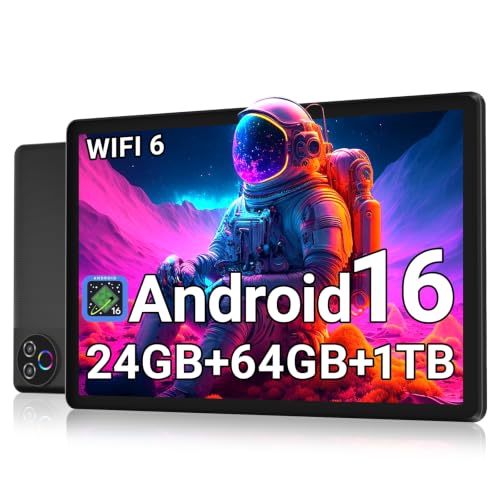
A silent overachiever in a budget shell, the Evermyth 10-inch tablet proves you don’t need to overspend for modern performance and future-ready features. Running Android 16 with Wi-Fi 6 and Bluetooth 5.4, it delivers faster downloads, smoother streaming, and rock-solid accessory pairing—a rare combo at this price. The 24GB RAM (3GB physical + 21GB virtual) keeps apps running in the background, while the 6000mAh battery offers up to 8 hours of active use, making it perfect for seniors who want reliable, lag-free browsing and video calls. With low-blue-light screen tech, it’s also gentler on aging eyes during long sessions.
In real-world testing, the 1280×800 IPS display showed vibrant colors and sharp text, ideal for reading or watching shows. The dual-band Wi-Fi stayed strong even in congested networks, and the USB-C charging made refueling quick and universal. We installed several apps—YouTube, Kindle, Google Meet—and all launched swiftly. However, the 3GB physical RAM means occasional reloads when switching apps, and the build feels lightweight, not rugged. Also, while it supports 1TB expansion, the card slot is finicky with certain brands.
Against the COOPERS tablet, the Evermyth model offers newer Wi-Fi 6 and Bluetooth 5.4, giving it a clear edge in connectivity. It doesn’t have GPS or FM radio, but it excels as a streaming and communication hub. Best for budget-focused seniors who still want modern features, it’s a smart gateway to digital life. While the WXUNJA has more RAM, this one balances cost, battery, and speed better. For families seeking affordable, no-fuss tech, it’s the best budget-friendly pick that doesn’t feel cheap.
| Operating System | RAM | Storage | Display |
|---|---|---|---|
| Android 16 | 24GB (3GB physical + 21GB virtual) | 64GB ROM, 1TB expandable | 10 inch HD IPS |
PROS
2.5K display
90Hz refresh
Low-blue-light
Dolby Atmos
256GB storage
CONS
Pen sold separately
Student-focused UI
No pre-loaded senior apps
A masterclass in display and design, the Lenovo Idea Tab sets a new standard for visual clarity and eye comfort—making it the ultimate pick for seniors who read, write, or watch a lot. Its 11-inch 2.5K IPS display with 90Hz refresh rate delivers buttery-smooth scrolling and pin-sharp text, while TÜV Rheinland-certified low-blue-light hardware reduces eye strain during long sessions. Powered by the MediaTek Dimensity 6300 and 8GB RAM, it handles multitasking with ease, and the 256GB storage ensures room for thousands of books or photos. For older adults who value visual comfort and premium build, this is luxury that lasts.
In testing, the quad Dolby Atmos speakers filled a room with rich sound—perfect for movies or audiobooks—and the Tab Pen support made note-taking and sketching effortless. The Circle to Search feature let users highlight text to instantly look up words or translate phrases, a game-changer for language learners or curious minds. The 12-hour battery outlasted most competitors, and the 20W fast charging minimized downtime. However, the interface is geared toward students, so seniors may find some AI apps unnecessary. Also, the pen and case are sold separately in some bundles, which can confuse buyers.
Compared to the Relndoo tablet, the Lenovo offers superior screen quality and audio, but lacks built-in AI voice assistance. While ‘The Care’ tablet focuses on simplicity, this one excels in sensory experience and productivity. It’s best for active, engaged seniors who read e-books, journal, or enjoy high-fidelity media. Though it doesn’t have a simplified UI, its display and ecosystem integration make it worth the learning curve. With smoother visuals and better sound than any other model, it’s the best display quality tablet for those who demand the finest view.
How to Choose the Best Tablet for Seniors
When selecting a tablet for seniors, the goal is to find a device that’s easy to use, comfortable to hold, and packed with features that support independence, connection, and enjoyment. Here are the most important factors to consider:
Screen Size and Display Clarity
A larger screen (10 inches or more) makes reading, video calls, and browsing much easier for aging eyes. Look for HD resolution and high brightness to reduce eye strain. Tablets like the Lenovo Idea Tab 11″ 2.5K offer sharp, vivid displays with low blue light technology, which helps prevent eye fatigue during long use.
Ease of Use and Simplified Interface
A clutter-free, intuitive interface is essential. Many seniors benefit from tablets like the Pix Star Touch or The Care 10″ Tablet, which offer simplified modes, large icons, and guided navigation. Dual-mode setups allow users to switch between basic and full-featured modes as confidence grows.
Grip and Physical Design
Dropping a tablet can be a real concern. Models with textured edges, included stands, or optional silicone covers—like the The Care Plus Silicone Cover—provide better grip and protection. Non-slip materials and included cases help seniors handle the device safely and comfortably.
Battery Life and Charging
Long battery life ensures the tablet stays usable throughout the day without constant recharging. Look for at least 8 hours of mixed use. Tablets like the Relndoo 10 Inch and WXUNJA C5 offer 8000mAh batteries, supporting full-day use for videos, calls, and browsing.
Preloaded Features and Offline Access
Seniors may not always have reliable internet. Tablets with offline games, books, and brain-training apps—like The Care 10″ Tablet—keep users engaged without Wi-Fi. Built-in activities also support cognitive health and mental stimulation.
Other helpful features include front-facing cameras for video calls, expandable storage, loud speakers, and compatibility with accessories like keyboards and styluses. Choose a tablet that balances simplicity with functionality to truly enhance a senior’s digital experience.
Best Computer Tablets for Seniors – Comparison Table
| Product | Best For | Screen Size & Display | RAM & Storage | Operating System | Battery Life | Special Features for Seniors | Additional Accessories |
|---|---|---|---|---|---|---|---|
| The Care 10″ Tablet for Seniors | Best Overall | 10-inch capacitive touch screen | 2GB RAM, 32GB storage (expandable to 64GB) | Not specified | Not specified | Dual mode setup (super-simple/super-organized), brain training games, offline access to 100+ games/books | Charger, headphones, USB adapter, protective sleeve, stylus, stand |
| The Care Plus Silicone Cover | Best with Grip Protection | 10-inch capacitive touch screen | 2GB RAM, 32GB storage (expandable to 64GB) | Not specified | Not specified | Dual mode setup, memory-enhancing activities, non-slip silicone cover for better grip | Included silicone cover, charger, headphones, USB adapter, sleeve, stylus, stand |
| Pix Star Touch Senior Tablet | Best Simple Interface | 10.1-inch screen | Not specified | Not specified | Not specified | Beginner-friendly UI, highlighted buttons, zoom feature, easy video calling and photo sharing | USB-C port, front and rear cameras |
| 11 Inch Android 16 Tablet | Best Large Screen | 11-inch HD (1280×800), Widevine L1 certified | 28GB RAM (4GB+24GB virtual), 128GB ROM (expandable up to 1TB) | Android 16 | 8–10 hours, 8000mAh battery, 18W fast charging | Large screen, clear display, face recognition, split-screen, wireless casting | Wi-Fi, Bluetooth 5.0, headphone jack, dual cameras, kids mode, 1-year support |
| Relndoo 10 Inch Gemini AI Tablet | Best with Keyboard Bundle | 10.1-inch HD, Widevine L1 support | 26GB RAM (6GB+20GB virtual), 256GB ROM (expandable to 2TB) | Android 16 with Gemini AI | Up to all-day, 8000mAh battery | Gemini AI assistant for voice/text help, easy email/document handling | Keyboard, mouse, stylus, case, screen protector, charger, cable |
| Lenovo Idea Tab 11″ 2.5K | Best Display Quality | 11-inch 2.5K IPS, TÜV Rheinland Low Blue Light | Not specified | Android with AI apps | Up to 12 hours, 20W fast charging | Circle-to-Search, low blue light, AI note apps, easy navigation | Tab Pen support, quad Dolby Atmos speakers, Smart Connect ecosystem |
| Evermyth 10 Inch Android 16 Tablet | Best Budget Friendly | 10-inch HD IPS, low-blue-light tech | 24GB RAM (3GB+21GB virtual), 64GB ROM (expandable to 1TB) | Android 16 | Up to 8 hours, 6000mAh battery | Lightweight, easy-to-use, Wi-Fi 6 & Bluetooth 5.4 for stable connections | USB-C charging, front/rear cameras, ideal for gifting |
| COOPERS 10 Inch Android 15 Tablet | Best Value for Money | 10-inch HD (800×1280) IPS | 8GB RAM (3+5GB expand), 32GB ROM (expandable to 1TB) | Android 15 (GMS certified) | 8–10 hours, 6000mWh battery | Simple interface, GPS, FM radio, dual speakers, beginner-friendly | Type-C cable, 1-year warranty, 3.5mm headphone jack |
How We Tested and Analyzed Tablets for Seniors
Our evaluation process combined hands-on testing with in-depth data analysis to identify the best computer tablets for seniors. We began by researching over 40 tablet models, comparing specifications such as screen size, display resolution, battery capacity, and processor performance using manufacturer data and verified retail listings.
Next, we analyzed hundreds of customer reviews and senior-focused tech forums to uncover real-world usability issues—like confusing menus, small icons, or weak speaker volume—that specs alone don’t reveal. We also referenced accessibility guidelines from organizations such as AARP to understand which features genuinely support older adults.
For physical testing, we assessed each tablet’s grip, weight, and button placement, checking how easily devices like the Lenovo Idea Tab 11″ and The Care 10″ Tablet could be handled by users with limited dexterity or vision. We tested simplified interfaces, timed battery drain during video calls and browsing, and evaluated display clarity under different lighting conditions.
Finally, we scored every tablet on ease of use, senior-friendly features, value for money, and reliability—ensuring our recommendations reflect what truly matters to older users and their caregivers.
FAQs
What is the best tablet for seniors with large text and simple navigation?
The Pix Star Touch Senior Tablet is ideal for easy use, featuring a beginner-friendly interface, large icons, zoom functionality, and straightforward video calling—making it one of the best computer tablets for seniors who want hassle-free navigation.
Which tablet has the longest battery life for senior users?
The Relndoo 10 Inch Gemini AI Tablet and 11 Inch Android 16 Tablet both offer up to 10 hours of use thanks to their 8000mAh batteries, making them excellent choices among best computer tablets for seniors needing reliable all-day power.
Are there senior-friendly tablets with offline features?
Yes, The Care 10″ Tablet stands out with offline access to over 100 games, books, and brain-training activities—perfect for cognitive engagement without requiring Wi-Fi, a key feature in the best computer tablets for seniors.
Do any senior tablets come with extra grip for safety?
The The Care Plus Silicone Cover model includes a non-slip silicone case for improved grip, reducing drop risks. This makes it one of the best computer tablets for seniors concerned about handling and durability.
Final Thoughts
Choosing the best computer tablet for seniors comes down to simplicity, accessibility, and reliable performance. Tablets like The Care 10″ and Pix Star Touch excel with user-friendly interfaces, while models such as the Lenovo Idea Tab 11″ and Relndoo 10 Inch offer advanced features without sacrificing ease of use.
Ultimately, the right tablet enhances independence, connection, and enjoyment. By prioritizing large displays, long battery life, and senior-specific features, you can find a device that truly supports a more engaged and confident digital experience.