You’ve just bought an electric guitar—or are about to—and you’re eager to start playing and recording. But instead of investing in a bulky amplifier, you’re wondering: Can I just plug my guitar into my computer and get great sound? The short answer is yes, but not directly into most standard sound cards if you want clean, professional-quality tone.
The best way to plug a guitar into a computer involves using an audio interface and guitar amp simulator software. While it’s technically possible to connect your guitar straight into a line-in jack, doing so often results in weak signal, high noise, and poor tone. This guide will walk you through why that happens, how to do it right, and what gear you actually need—without risking damage or wasting money.
Why Your Guitar Sounds Weak When Plugged into Line-In
Guitar Output vs. PC Input: A Signal Mismatch
Electric guitars produce a high-impedance, low-level signal—much weaker than what your computer’s line-in port expects. Even if your sound card has a 6.3mm (1/4 inch) jack like the Asus Essence STX, it’s typically designed for line-level signals, not instrument-level ones.
Plugging a passive guitar directly leads to:
– Extremely low volume
– Thin, lifeless tone
– High noise when boosting input gain
– Poor dynamic response
This isn’t a flaw in your gear—it’s a fundamental mismatch between signal types.
Passive vs. Active Guitars: Does It Make a Difference?
- Passive guitars (most beginner models) rely solely on magnetic pickups and deliver a weak signal.
- Active guitars use a 9V-powered preamp to boost output and lower impedance, giving a stronger, cleaner signal.
Even with an active guitar, you still face impedance mismatch, which degrades tone and increases noise. You won’t break anything, but you won’t get usable sound without proper gear.
Can You Safely Plug a Guitar into a PC?
No Risk of Damage—Just Poor Sound Quality
You won’t damage your computer or sound card by plugging in a guitar. The signal is too weak to cause electrical harm. However, you’ll likely hear only a faint, tinny sound—even after cranking the input gain.
Your DAW may struggle to detect the signal, and background noise becomes overwhelming when you amplify it. This isn’t your guitar’s fault—it’s the lack of proper signal conditioning.
What You’ll Experience Without an Interface
If you plug in now:
– Very low input level in your DAW
– Harsh digital clipping when boosting gain
– No usable tone for recording or practice
– Latency and monitoring issues
The solution isn’t more gain—it’s the right hardware.
Best Setup: Use an Audio Interface with Hi-Z Input
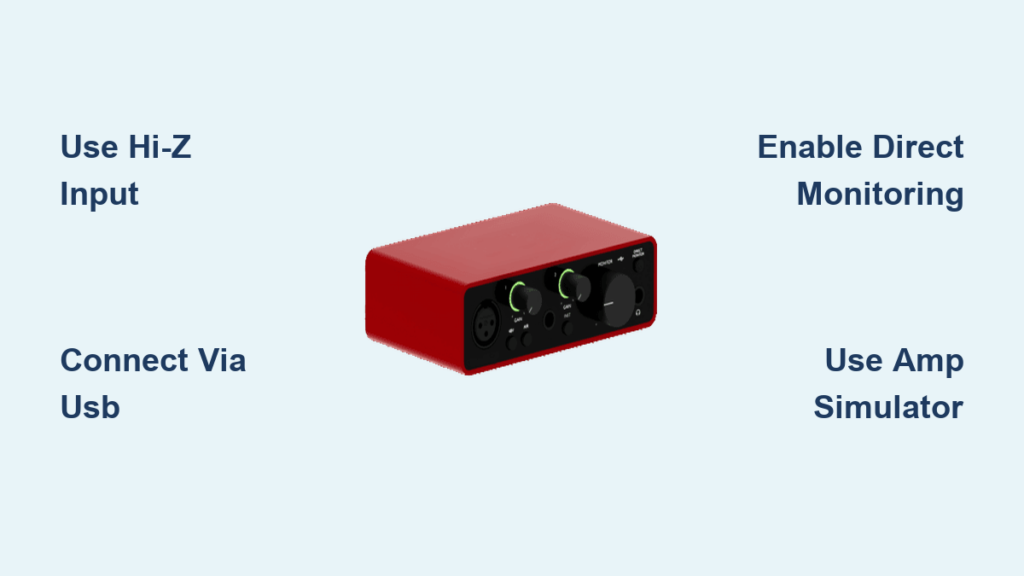
Why an Audio Interface Is Essential
An audio interface is the best way to plug a guitar into a computer because it provides:
– Hi-Z (high-impedance) instrument input designed specifically for guitars
– Clean preamp to boost weak signals without noise
– Accurate analog-to-digital conversion for high-quality recording
– Direct monitoring to eliminate latency
Without one, you’re skipping critical steps in the signal chain.
Top Audio Interfaces for Guitarists
| Model | Key Features | Price Range |
|---|---|---|
| Focusrite Scarlett 2i2 | 1 Hi-Z input, excellent preamps, plug-and-play | $100–$130 |
| PreSonus AudioBox USB 96 | Budget-friendly, durable, low-latency drivers | $80–$100 |
| Universal Audio Volt 2 | Built-in analog compression, premium tone shaping | $150–$180 |
All connect via USB, work with Windows and Mac, and support major DAWs.
How to Connect Your Guitar to a Computer: Step-by-Step
What You Need
• Electric guitar
• 1/4″ instrument cable
• Audio interface with Hi-Z input
• USB cable (usually included)
• Computer with DAW software
Step-by-Step Connection Guide
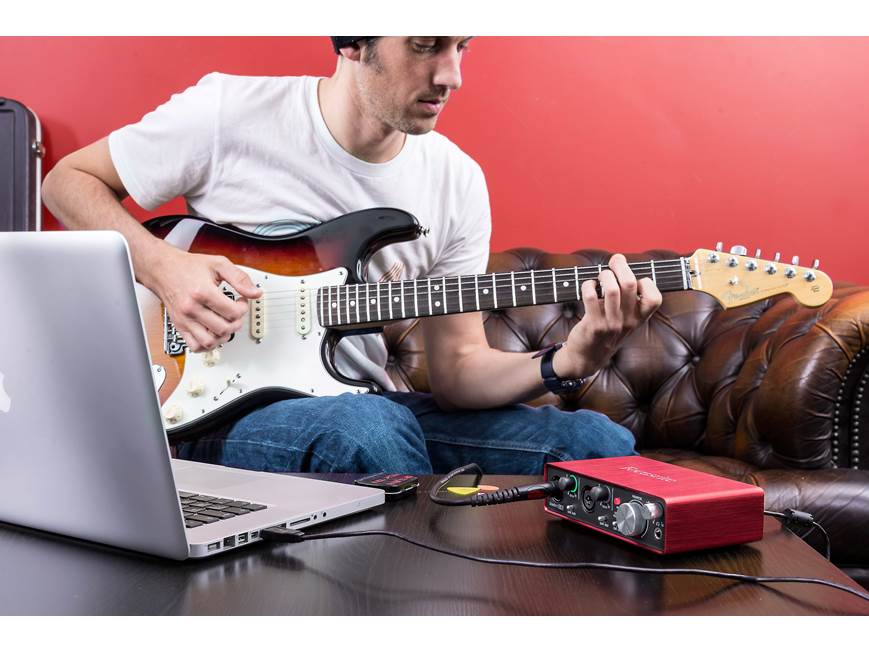
- Connect the audio interface to your computer via USB and install drivers if needed.
- Do not enable phantom power—+48V is for microphones only and can damage inputs.
- Switch the input to “Inst” or “Hi-Z” on your interface (e.g., Focusrite’s INST switch).
- Plug your guitar into the 1/4″ input on the interface.
- Open your DAW (GarageBand, Reaper, Pro Tools, etc.).
- Create a new audio track, enable input monitoring, and select your interface as the input source.
- Play and check levels—adjust gain so peaks hit around -6dB to avoid clipping.
✅ Pro Tip: Strum hard during setup to test for clipping. Adjust gain until loud playing stays in the green/yellow.
Improve Tone with Guitar Amp Simulator Software
Why Raw Guitar Sounds Flat
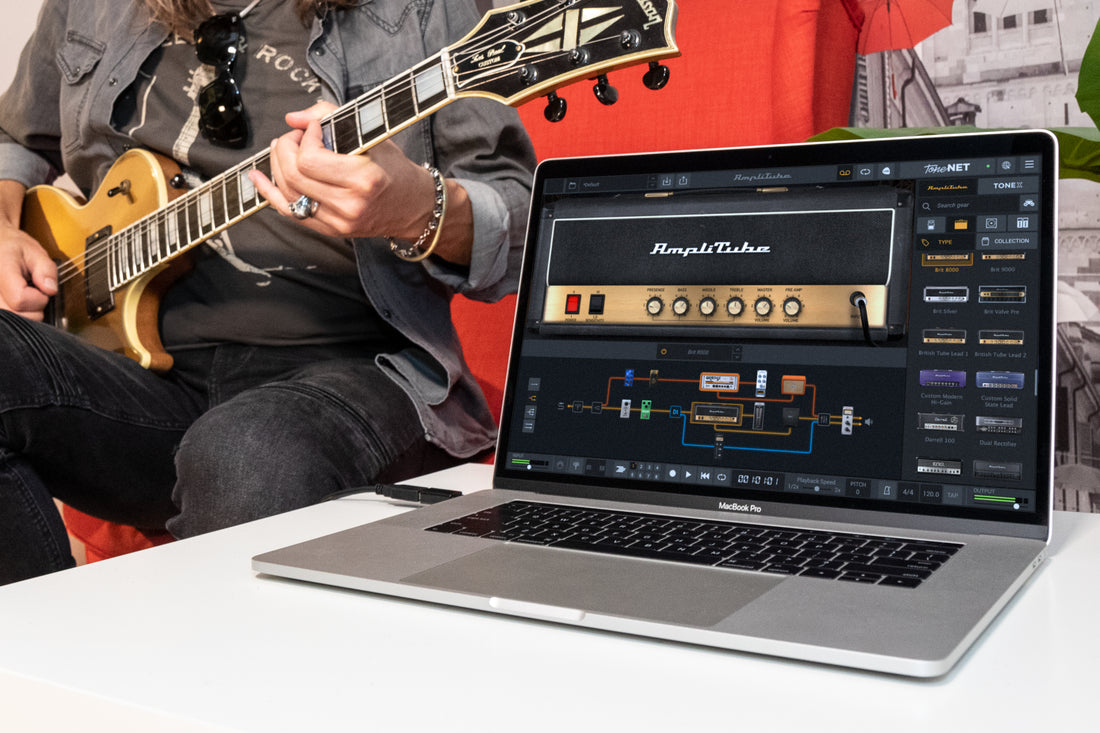
A direct guitar signal lacks warmth, distortion, and speaker resonance. Amp simulator software models real tube amps, cabinets, and effects to deliver rich, dynamic tones.
These plugins turn your clean input into anything from jazz clean to heavy metal distortion.
Best Amp Simulators for Realistic Tone
1. Amplitube (IK Multimedia)
- Free version available
- Realistic Fender, Marshall, and Orange amp models
- Works as VST plugin or standalone app
2. Guitar Rig 6 (Native Instruments)
- Huge library of amps, cabs, and effects
- Great for experimental and ambient tones
- Free Player version with essential presets
3. Bias FX 2 (Positive Grid)
- Extremely responsive to playing dynamics
- Mobile/desktop sync for practice anywhere
- Ideal for recording and live use
4. LePou, ReValver, or Helix Native
- Free or pro-grade options for advanced users
- Studio-quality amp modeling
✅ Pro Tip: Always use headphones or studio monitors—laptop speakers can’t reproduce guitar frequencies accurately.
Workarounds: Can You Skip the Audio Interface?
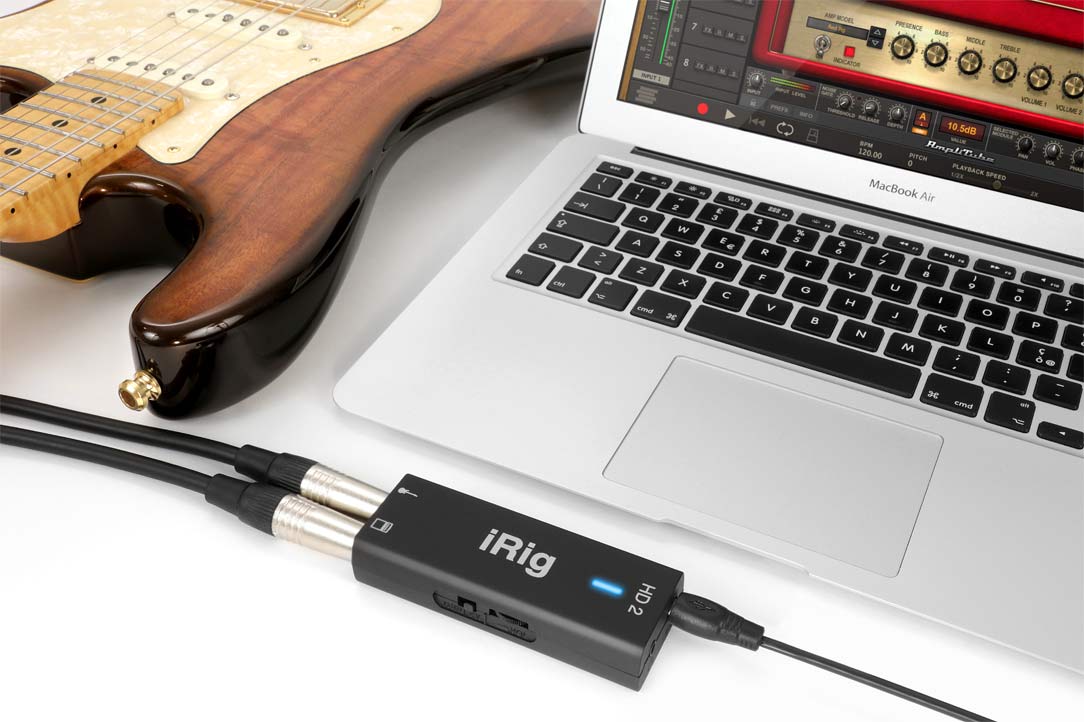
Option 1: USB Guitar Interfaces (All-in-One Solution)
Devices like the iRig HD 2 or POD Go Mobile let you plug guitar → USB → computer or phone.
- Compact and travel-friendly
- Built-in amp sims and effects
- Companion apps (e.g., Amplitube, GarageBand) for instant tone
Perfect for mobile practice or quick recording.
Option 2: Multi-FX Pedals with USB Output
Units like Line 6 Helix, Boss GT-1000, or Zoom G3X have USB audio interfaces built in.
- Record directly from pedal
- Use high-quality amp models
- Great for stage-to-studio workflows
Ideal if you already own one or want hardware control.
Common Mistakes to Avoid
❌ Using a 1/4″ to 3.5mm Adapter Without Hi-Z Support
Just because the plug fits doesn’t mean it works. Most adapters don’t solve impedance mismatch and often degrade tone further.
❌ Turning On Phantom Power for Guitar
Phantom power (+48V) is for condenser mics. Applying it to a guitar input can cause loud pops or damage some interfaces. Always keep it off for instruments.
❌ Ignoring Latency in Your DAW
High buffer settings cause delay between playing and hearing. Fix it by:
– Lowering buffer size to 128 or 256 samples
– Using direct monitoring on your interface
❌ Judging Tone Through Laptop Speakers
They lack bass and midrange. Always use closed-back headphones or studio monitors when dialing in your sound.
Optimize Your Software Settings for Better Results
1. Set the Correct Audio Device in Your DAW
Ensure your DAW is using your audio interface, not the built-in mic or sound card. Check audio preferences in GarageBand, Reaper, or Pro Tools.
2. Enable Direct Monitoring When Available
Flip the “Direct Monitor” switch on your interface or use its control panel. This lets you hear your guitar in real time—no delay.
3. Add a Noise Gate If You Hear Hum
If there’s background buzz:
– Insert a noise gate plugin
– Set threshold just above the noise floor
– Eliminates hum during silent passages
Key Takeaways for Plugging Guitar into Computer
The best way to plug a guitar into a computer is:
1. Guitar → Audio interface with Hi-Z input → USB → Computer
2. Use amp simulator software (like Amplitube or Guitar Rig)
3. Monitor through headphones or studio monitors
This setup delivers:
– Strong, noise-free signal
– Professional-quality tone
– Low-latency monitoring
– Safe, reliable connection
You can record songs, practice silently, or experiment with effects—all without an amp.
✅ Pro Tip: Start with a Focusrite Scarlett 2i2 and Amplitube CS (free) for a full-featured, budget-friendly setup.
Frequently Asked Questions About Plugging Guitar into Computer
Can I plug my guitar directly into my PC’s line-in?
Yes, you can plug in safely, but the sound will be weak, thin, and noisy. Your PC lacks the proper input for guitar-level signals. Use an audio interface for usable tone.
Do I need an audio interface to record guitar on a computer?
Yes, for professional results. An audio interface provides Hi-Z input, clean preamps, and low-latency monitoring—essential for recording and practice.
What is a Hi-Z input and why do I need it?
Hi-Z (high-impedance) input matches your guitar’s output for optimal signal transfer. It prevents tone loss and ensures a strong, clear signal.
Can I use a USB guitar cable like iRig?
Yes. Devices like iRig HD 2 are all-in-one solutions that connect guitar to computer via USB. They include amp sims and work with mobile and desktop apps.
Why does my guitar sound bad when plugged into the computer?
Likely causes: impedance mismatch, low signal, high noise, or lack of amp simulation. Fix it with an audio interface and amp sim software.
Is it safe to plug a guitar into a microphone or line-in jack?
Yes, it’s safe. Guitar signals are too weak to damage inputs. However, sound quality will be poor without proper impedance matching and preamp support.