You don’t need a $5,000 rig to become an effective penetration tester or ethical hacker—but knowing what does matter can save you time, money, and frustration. Whether you’re grinding through Hack The Box machines, simulating enterprise networks, or practicing red team operations, your computer setup directly impacts performance, workflow, and realism. Based on real-world builds from experienced hackers and security researchers, this guide breaks down the best hacker computer setup—from budget-friendly minimalist rigs to high-end desktops—so you can build smart, scale efficiently, and avoid common pitfalls.
Forget flashy RGB and gaming benchmarks. The real power in hacking comes from RAM capacity, virtualization stability, monitor real estate, and software compatibility. We’ll show you exactly what components matter most, which VM tools deliver, and how to future-proof your lab without overspending.
Prioritize RAM Over Raw CPU Power

Why 16GB Is the Minimum for Serious Hacking
If you’re running multiple virtual machines (VMs), RAM is your most critical resource. A fast CPU won’t help if your system is swapping memory to disk. Most effective hacker setups start at 16GB, with serious labs using 32GB to 128GB.
- 8GB systems (e.g., shroudri’s i7 3770) can run basic VMs but struggle with multitasking.
- 16GB laptops (e.g., offsecin’s Ryzen 5 4600H) handle Kali Linux and a Windows 10 VM simultaneously.
- 128GB desktops (e.g., k4wld’s Ryzen 5 3600 or TazWake’s i9) support full Active Directory labs with domain controllers, workstations, and attack boxes.
💡 Pro Tip: Allocate VMs conservatively. A lightweight Kali VM may only need 2–4GB RAM. Reserve 8–16GB for Windows Server or forensic analysis VMs.
Match VM Load to Available Physical RAM
Over-allocating RAM to VMs causes host instability. Under-allocating leads to poor performance. Use this rule of thumb:
| Host RAM | Max Usable for VMs | Recommended VM Count |
|---|---|---|
| 16GB | 10–12GB | 2–3 light VMs |
| 32GB | 24GB | 3–4 mid-weight VMs |
| 128GB | 96GB+ | 5+ heavy VMs |
Always leave 4–8GB for the host OS and background tools like Wireshark, Burp Suite, or PRTG.
Choose the Right CPU for Virtualization Stability

AMD Ryzen vs Intel i7/i9: Which Performs Better?
For most penetration testing tasks, both AMD and Intel perform well, but virtualization support and core count matter more than brand.
- AMD Ryzen 5 3600 (6-core, 12-thread): Excellent balance of price and performance for mid-range labs.
- Intel i7 3770 (4-core, 8-thread): Still functional but aging; struggles with modern VM loads.
- Intel i9 (e.g., TazWake’s build): Overkill for most, but ideal for parallel forensic analysis or password cracking with GPU offload.
⚠️ Avoid hyper-threaded CPUs for sensitive VM isolation if doing advanced malware analysis—some researchers prefer disabling SMT for security.
Minimalist Builds Can Still Be Effective
You don’t need new hardware. One user (50m30n3) runs a full penetration testing lab on an old media server with:
– 2-core AMD CPU (from 2000s)
– 8GB RAM
– Ancient NVIDIA GPU
It hosts vulnerable VMs and runs Pentester’s Framework on Ubuntu—proving that functionality trumps specs when configured correctly.
Storage Setup: NVMe SSD + HDD Combo Wins
Why Speed and Capacity Both Matter
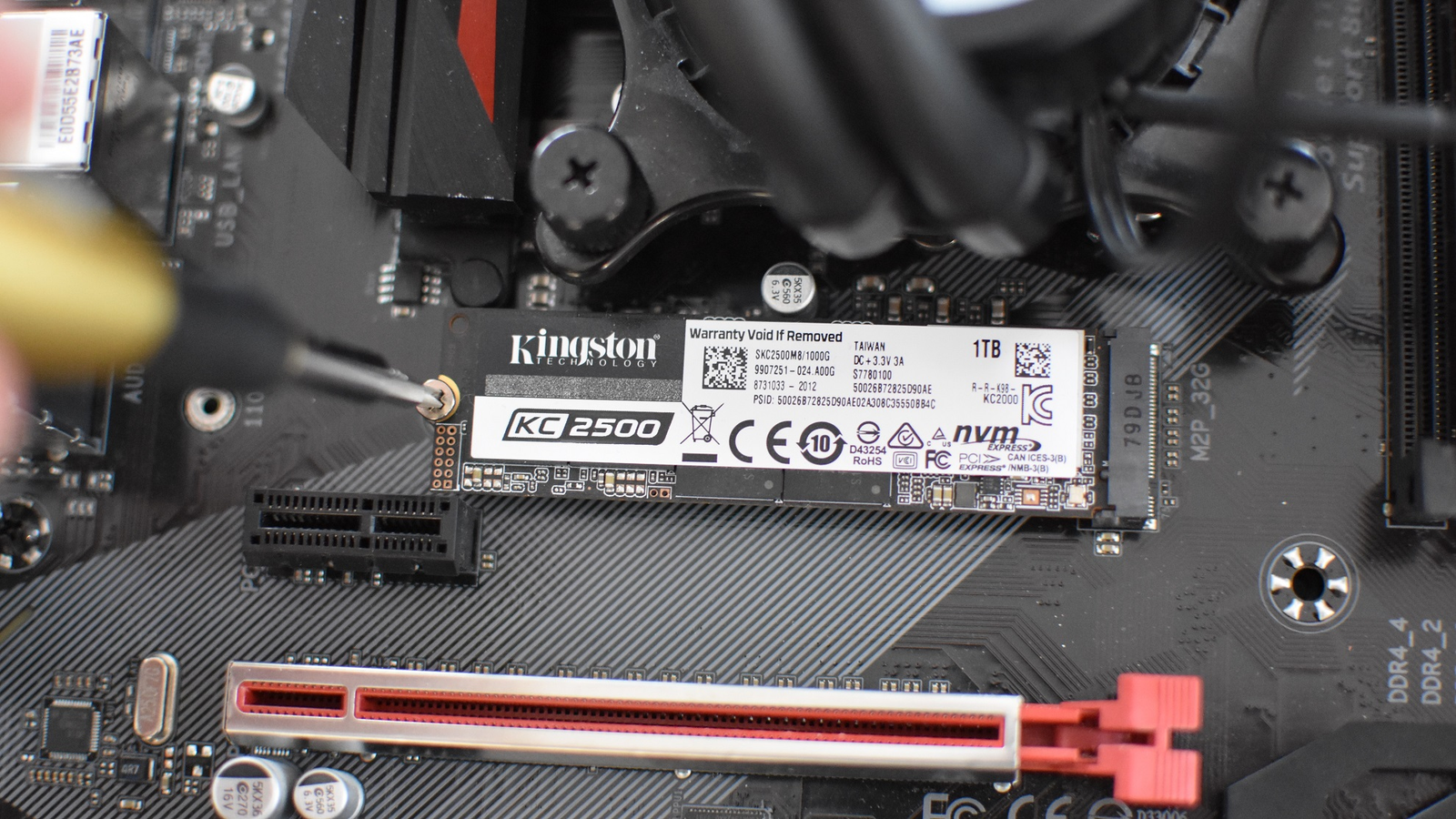
Your storage setup should balance speed and capacity:
- NVMe M.2 SSD (500GB–2TB): For OS, VMs, and active projects
- SATA SSD or HDD (2TB+): For backups, ISO archives, and logs
k4wld’s build uses:
– 2TB NVMe SSD (primary VM storage)
– 4TB HDD (long-term data)
This allows quick VM boot times while storing large forensic images or packet captures.
✅ Best Practice: Keep VM disk files on the NVMe drive. Use symbolic links to store backups on HDD.
When You Actually Need a Dedicated GPU
GPU Use Cases in Ethical Hacking
Most hacking tasks—network scanning, web app testing, privilege escalation—don’t require GPU power. But exceptions exist:
- Forensic analysis tools (e.g., Elcomsoft, Passware) use GPU acceleration
- Password cracking with Hashcat benefits from CUDA/OpenCL
- WiFi pentesting with Alfa adapters works better with GPU passthrough
TazWake uses two 11GB NVIDIA cards—one repurposed from an old machine—for forensic work, not gaming.
❌ Don’t overspend on GPU unless you’re doing GPU-accelerated tasks.
VMware Workstation Pro: The Virtualization Standard
Why VMware Beats VirtualBox for Real-World Labs
While VirtualBox is free, VMware Workstation Pro dominates in real-world hacking environments.
| Feature | VirtualBox | VMware Workstation |
|---|---|---|
| TPM Support | ❌ No | ✅ Yes |
| USB Passthrough | ❌ Poor (e.g., Alfa adapters fail) | ✅ Reliable |
| Snapshot Management | Basic | Advanced |
| Networking Control | Limited | Custom adapters, NAT, bridged |
| Cost | Free | ~€200 |
How to Fix Windows 11 VM Boot Failures
Many users (k4wld) hit a wall installing Windows 11 in VMs:
- VM meets CPU, RAM, and disk requirements
- Installer fails with “requirements not met”
Root Cause: Missing TPM 2.0 emulation.
Solution: Use VMware Workstation 16+ and enable virtual TPM:
1. Right-click VM > Settings > Security
2. Click “Add” > Trusted Platform Module
3. Save and boot
✅ Result: Windows 11 installs successfully.
Fix No Network in Windows 11 VM
Even after booting, k4wld faced no network connection:
– VM shows “network interface doesn’t exist”
– No adapters listed in Device Manager
TazWake’s Fix: Use custom network adapter in VMware:
1. Edit VM settings
2. Change network adapter to VMXNET3 or E1000E
3. Reboot
Avoid NAT issues by using bridged mode for lab consistency.
MacBook Pros Are Viable for macOS Users
grayyy’s 2019 MacBook Pro Setup
- CPU: i7 6-core
- RAM: 16GB
- VM Software: VMware Fusion Pro
- VMs Running:
- Kali Linux (8GB RAM)
- Windows 10 Debugging (4GB RAM)
Performance: Smooth, no lag.
Limitation: No dual-monitor support if offloading VMs to ESXi.
💡 Mac Users: VMware Fusion Pro supports TPM and USB passthrough—ideal for HTB and OSCP prep.
Monitors: Invest in Screen Real Estate, Not Just Specs
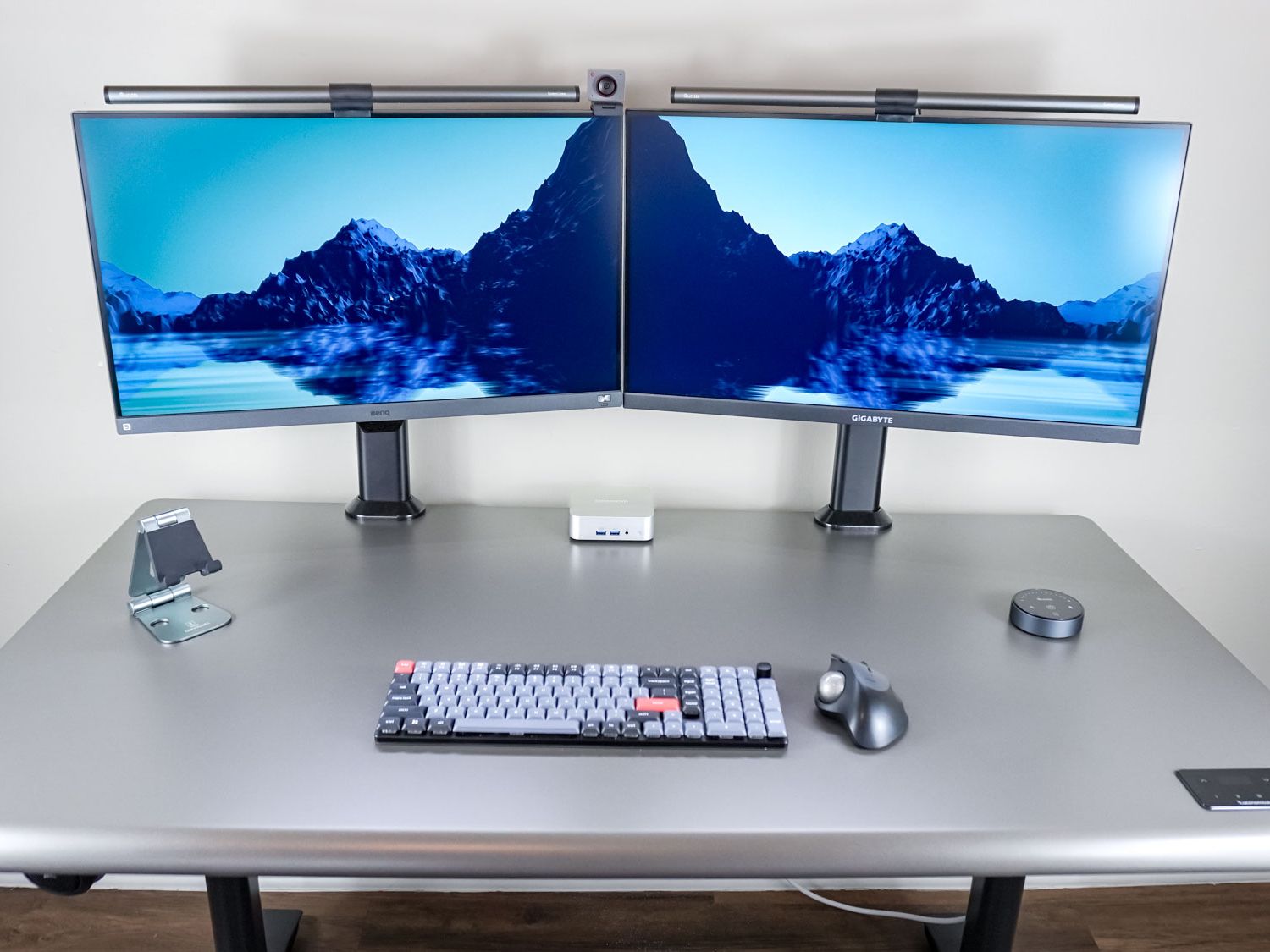
Hilbert’s Key Insight: “Screen Real Estate Beats CPU Speed”
More monitors mean:
– One screen for attack tools (Metasploit, Burp)
– One for VM consoles
– One for documentation or write-ups
Recommended:
– 27″ curved monitor (e.g., k4wld’s Lenovo setup)
– Dual 24″ IPS panels
– Or ultrawide 34″
✅ Long-term value: Monitors, cases, and PSUs can be reused across builds.
Peripherals: Linux Compatibility Is Non-Negotiable

Avoid Gaming Keyboards with Poor Linux Support
k4wld tried the Razer Huntsman Elite but abandoned it due to:
– Need for unofficial kernel modules
– Poor Ubuntu 20.04 support
Chosen Instead: Logitech K835 TKL (wired USB) — plug-and-play on Linux.
Mouse: Wired Beats Wireless for VM Stability
G403 Gaming Mouse (wired) used for consistent USB passthrough in VMs.
🔧 Rule: Test peripherals on Linux before committing. Avoid RGB-heavy devices with proprietary software.
Build a Realistic Enterprise Lab Environment
k4wld’s Full AD Lab Vision
Simulate enterprise networks with:
Windows VMs
- 2 × Windows Server 2019
- Standard (core)
- Datacenter (core)
- 2 × Windows 10
- Admin client
- Normal user workstation
- All joined to a domain
Linux VMs
- Kali Linux (primary attack box)
- CommandoVM (Windows-based HTB alternative)
Network Monitoring
- PRTG Network Monitor (trial):
- Tracks Pi-hole
- Monitors pivpn
- Logs router and IoT device activity
🛠️ Tip: Use PRTG to simulate real enterprise visibility—great for blue team training too.
Budget Hacks: Build Smart, Not Expensive
Source High-End Builds Affordably
TazWake got a 128GB RAM i9 desktop from pcspecialist.co.uk at a fraction of retail.
Strategies:
– Buy pre-built workstations with ECC RAM
– Repurpose old GPUs for passthrough
– Use old laptops or servers as secondary lab machines
Start Minimal, Upgrade When Bottlenecked
50m30n3’s approach:
– Use old media server as lab host
– Run Kali + vulnerable VMs
– Upgrade only when bottlenecked
🔄 Scalability: Add RAM first, then SSD, then CPU.
Software Costs: Spend Where It Matters
| Tool | Cost | Value |
|---|---|---|
| VMware Workstation Pro | ~€200 | High (TPM, USB, stability) |
| VirtualBox | Free | Low (limited features) |
| PRTG Network Monitor | Free trial | Medium (great for lab monitoring) |
| CommandoVM | Free | High (pre-built red team VM) |
💰 Worth the investment: VMware license pays off in time saved troubleshooting.
Ergonomics: Design for Long Hacking Sessions
k4wld’s Final Lab Vision
- Flight Simulator-style wraparound display
- RGB ambient lighting (aesthetic + focus)
- Ergonomic chair (critical for 8+ hour labs)
🪑 Pro Tip: Invest in posture. Back pain kills productivity.
PURE RAT v4: Advanced Remote Access (Ethical Use Only)
What Is PURE RAT v4?
⚠️ Legal Note: For educational and authorized use only. Unauthorized access is illegal.
Type: HVNC (High-Value Remote Access Tool)
Key Features
- Private Crypter: Unique stubs per build, evades AV/EDR
- Spoof Call & SMS: Fake caller ID, bypass 2FA, social engineering
- Modular Plugins: Extend functionality as needed
- Low Detection Rate: Proven in real engagements
Why It Stands Out
- Constant updates
- Community goals and rewards
- Minimal footprint, high reliability
🛡️ Ethical Reminder: Tools like PURE RAT are powerful—use only in controlled, legal environments.
Best Hacker Setup: Tiered Recommendations
Entry-Level (Under $300)
- Use an old PC or laptop
- Install Ubuntu + VirtualBox
- Run Kali + one Windows VM
- Upgrade RAM to 16GB when possible
Mid-Range ($600–$1,200)
- CPU: Ryzen 5 3600 or i7 10th gen
- RAM: 32–64GB
- Storage: 1TB NVMe + 2TB HDD
- OS: Ubuntu 20.04 or Kali
- Virtualization: VMware Workstation Pro
High-End ($1,500+)
- CPU: i9 or Ryzen 9
- RAM: 128GB
- GPU: 1–2 NVIDIA cards (for forensics)
- Storage: 2TB NVMe + 4TB HDD
- Lab: Full AD environment, PRTG monitoring
Frequently Asked Questions About Best Hacker Computer Setup
What is the minimum RAM needed for a hacking lab?
You need at least 16GB of RAM to run Kali Linux and a Windows VM simultaneously. 8GB setups work for basic tasks but struggle with multitasking and larger labs.
Is VMware better than VirtualBox for penetration testing?
Yes. VMware Workstation Pro supports TPM 2.0, reliable USB passthrough, and advanced networking—critical for modern VMs like Windows 11 and Alfa adapter use. VirtualBox lacks these features.
Can I use a MacBook for ethical hacking?
Yes. A 2019 MacBook Pro with 16GB RAM running VMware Fusion Pro can smoothly host Kali and Windows 10 VMs. Just avoid relying on ESXi for dual-monitor setups.
Do I need a gaming GPU for hacking?
No. Most hacking tasks don’t require GPU power. Only invest in a dedicated NVIDIA GPU if you’re doing password cracking with Hashcat or forensic analysis using GPU-accelerated tools.
How important are multiple monitors for a hacker setup?
Extremely. More screen real estate improves workflow by letting you dedicate one monitor to attack tools, one to VMs, and one to documentation. Monitors last across builds—invest early.
Can I build a hacker lab on a tight budget?
Absolutely. One user runs a full lab on a 2000s-era media server with 8GB RAM and a 2-core CPU. Start minimal, use free tools like VirtualBox and CommandoVM, and upgrade RAM first.
Key Takeaways for Building the Best Hacker Computer Setup
- RAM is king: 16GB is the minimum; 32–128GB enables enterprise-level labs.
- Monitors last: Buy once, reuse across builds—screen real estate boosts productivity.
- VMware > VirtualBox: The €200 license pays off in stability, TPM support, and USB passthrough.
- Start small, scale smart: Use old hardware, validate your workflow, then upgrade.
- Linux compatibility matters: Avoid peripherals that need kernel mods or proprietary drivers.
🎯 Final Thought: The best hacker computer setup isn’t about specs—it’s about reliability, scalability, and minimizing distractions. Focus on RAM, virtualization, and ergonomics, and you’ll build a lab that grows with your skills.