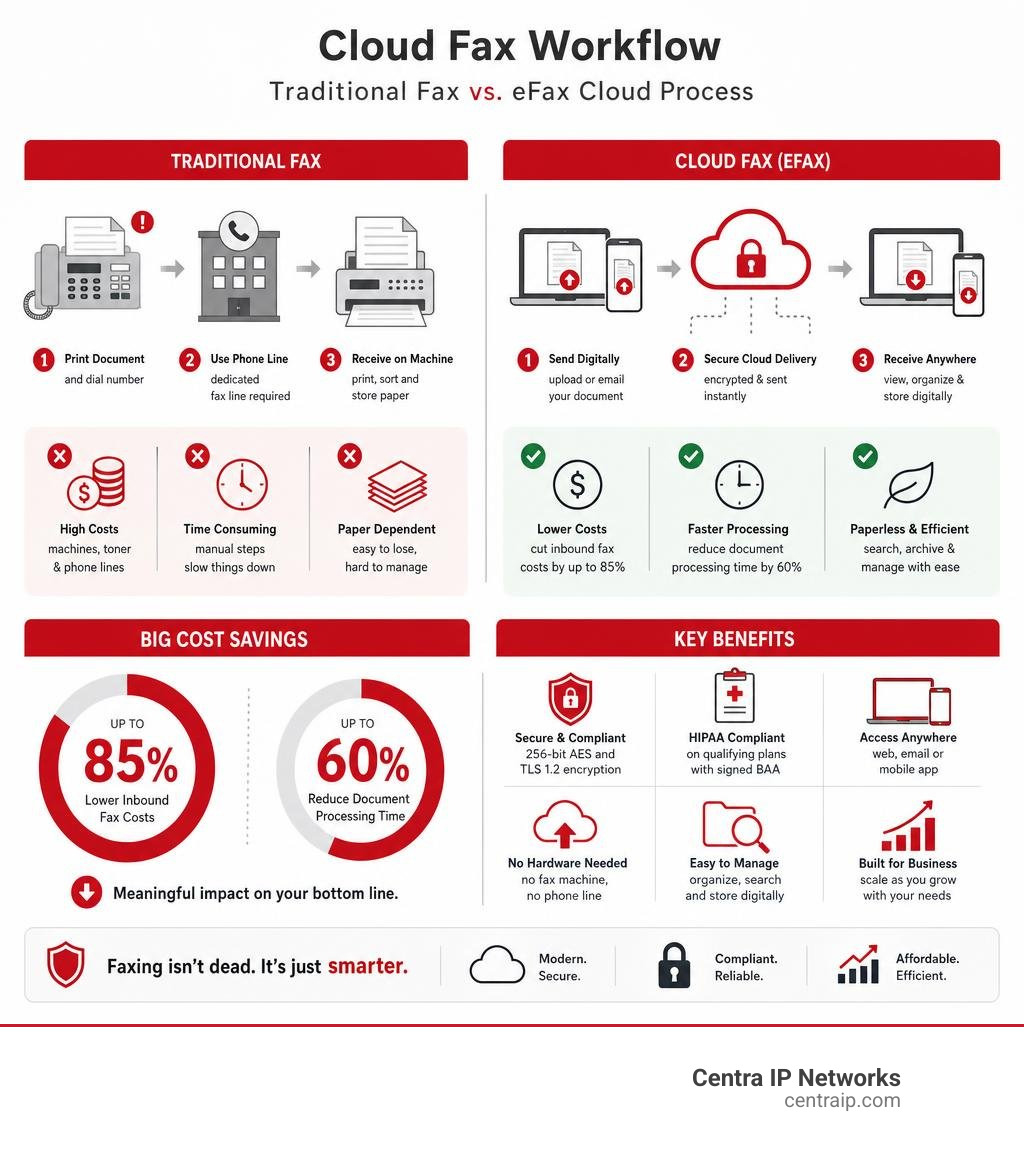
Sending a fax no longer means dealing with paper jams, toner refills, or a dedicated phone line. The best way to fax from a computer is through online fax services that let you send and receive faxes digitally—anytime, anywhere, from your laptop or desktop. Whether you’re submitting tax documents, signing a lease, or sending medical records, digital faxing offers speed, security, and seamless integration with tools like Gmail, Google Drive, and Slack.
Online faxing works by uploading a document—like a PDF or Word file—entering the recipient’s fax number, and hitting send. The document travels securely over the internet and arrives at the recipient’s fax machine or email inbox as a PDF. You’ll get a delivery confirmation, just like an email read receipt. Some services even let you keep your existing fax number, sign documents electronically, or automate sending via API. This guide breaks down the top methods, best free and paid services, and key factors like security, quality, and ease of use so you can choose the right solution for one-time sends or business workflows.
Choose the Right Online Fax Method
Web-Based Faxing: Send Faxes from Any Browser
Log into your account through a web browser, upload your document, enter the recipient’s fax number, and send. No downloads or installations required. This method works on any computer with internet access and is ideal for occasional users who want simplicity and flexibility.
Best for: Quick, one-off faxes from shared or public computers
Top services: eFax, Fax.Plus, Dropbox Fax
Email-to-Fax: Fax Without Leaving Your Inbox
Compose an email, attach your document, and send it to a special address like 1234567890@faxservice.com. The service converts it into a fax and delivers it. Incoming faxes arrive as PDF attachments in your email.
Best for: Professionals who want to fax directly from Gmail or Outlook
Top services: Fax.Plus, eFax, CocoFax
Print-to-Fax: Send Faxes from Any App
Select “Print” in any program—Word, Chrome, Adobe—and choose your fax service as the printer. The document is converted and sent automatically. This mimics traditional printing but sends the file digitally.
Best for: Frequent users who want to fax without switching apps
Top services: Fax.Plus, eFax
Mobile App Faxing: Fax On the Go
Use a dedicated app on your phone or tablet to send, receive, and manage faxes. Most apps support camera scanning, cloud storage, and e-signatures, making them perfect for remote work.
Best for: Mobile professionals who need full fax control on smartphones
Top services: Fax.Plus, eFax, FaxBurner
Fax API: Automate High-Volume Workflows
Developers can integrate faxing directly into business systems using APIs. Automate invoice sending, patient forms, or legal documents without manual uploads.
Best for: Businesses with recurring document needs or enterprise workflows
Top services: Fax.Plus, Dropbox Fax
Top Free Fax Services: Which One Should You Use?

eFax: Best Full-Featured Free Trial
eFax offers a 7-day free trial with full access to its premium features—send and receive faxes from web, Android, or iPhone apps. No long-term commitment needed.
Why it stands out:
• Crisp fax quality with sharp text and graphics
• Receive faxes during the trial
• Easy online cancellation
Limitations:
• Requires credit card (cancel before billing)
• Free trial not HIPAA compliant
• Limited availability of US fax numbers
Ideal for: Users who want to test a premium service before paying
CocoFax: Best No-Credit-Card Option
Get 10 free pages with just an email—no credit card required. Offers strong security with 256-bit AES encryption and claims HIPAA compliance even on the free tier.
Why it stands out:
• No payment info needed
• High-quality output
• GDPR and PCI-DSS compliant
Limitations:
• Cover page can’t be disabled and counts toward page limit
• Cannot receive faxes without a paid plan
Ideal for: Secure, one-time sends without financial risk
GotFreeFax: Fastest No-Signup Fax Service
Send 2 free faxes per day (3 pages each) with no account creation—just verify your email. Transmits in under a minute.
Why it stands out:
• No sign-up, no card, no app
• Fast delivery with email confirmation
• Supports US and Canada only
Limitations:
• Lots of ads, even in confirmation emails
• Only 5 file formats supported
• No encryption or HIPAA compliance
Ideal for: Quick, non-sensitive faxes
FaxBurner: Best for Receiving Free Faxes
Send 5 pages total (one-time), but receive up to 25 pages per month forever. Comes with a free app and email-to-fax support.
Why it stands out:
• Free incoming faxes indefinitely
• No credit card ever required
• Includes e-signatures and cloud integration
Limitations:
• Outgoing faxes capped at 5 pages for life
• Branded cover pages with large logo
• Not HIPAA compliant
Ideal for: Users who need to receive occasional faxes
FaxZero: Most Free Sends Per Day
Send 5 faxes per day (3 pages each)—more than any other free service. Also includes tools to fax your congressperson or senator.
Why it stands out:
• Highest daily limit
• Political advocacy features
• No personal info required
Limitations:
• Slower transmission (about 3 minutes)
• No incoming faxes
• Not HIPAA compliant
Ideal for: High-volume, non-confidential sends
Fax.Plus: Most Modern Interface
Offers 10 free pages (one-time or monthly, varies by account). Requires a cell number to unlock.
Why it stands out:
• Clean, modern UI across web and mobile
• Excellent fax quality
• No payment info needed
Limitations:
• Must provide phone number
• No free incoming faxes
• Free tier not HIPAA compliant
Ideal for: Users who value design and usability
Dropbox Fax: Best for Editing and Signing
Get 5 free pages (up to 20 more by completing tasks). Integrates with Dropbox, Google Drive, and Box.
Why it stands out:
• Free editing and e-signature tools
• No payment info required
• High-quality text transmission
Limitations:
• No mobile app
• Cannot receive faxes on free plan
• Image quality is subpar
Ideal for: Users who need to edit or sign documents before faxing
Best Paid Fax Services for Reliability and Security

Fax.Plus: Best Overall Paid Service
Starting at $6.99/month, Fax.Plus is trusted by over 5 million users for its security, global reach, and powerful features.
Key features:
• HD faxing with sharp text and visuals
• Local fax numbers in 48 countries
• Email-to-fax, print-to-fax, mobile app
• Integrations with Gmail, Microsoft 365, Slack, and Zapier
• HIPAA, SOC 2, GDPR, and ISO 27001 compliant
• AI-powered text extraction and data structuring
Why it wins:
• Best-in-class security and compliance
• Real-time fax streaming for enterprises
• Scheduled faxing and broadcasting to 500 recipients
Best for: Small businesses, healthcare, legal, and enterprise users
Dropbox Fax: Best for Dropbox Users
$2.50 for first month (300 pages), then scales with usage.
Key features:
• Seamless integration with Dropbox, Google Drive, Box
• Edit and sign documents before sending
• Fax number porting (US and Canada)
• Developer API and SDKs
Why it wins:
• Wirecutter’s top pick for years
• Trusted by 700M+ Dropbox users
• Simple, reliable interface
Limitations:
• No mobile app
• Poor customer support (1-star Trustpilot reviews)
• No HIPAA compliance
Best for: Individuals and teams already using Dropbox
eFax: Best for Full-Service Trial
Paid plans start at $16.95/month.
Key features:
• Industry leader since the 1990s
• HIPAA-compliant plans available
• Send and receive faxes via web, email, or app
• High-quality transmission
Why it wins:
• Strong brand reputation
• Reliable delivery and support
• iPhone app rated 4.7/5 from 28,000+ reviews
Best for: Users who want a proven, established provider
Security and HIPAA Compliance: What You Need to Know
Can You Fax Securely for Free?
Most free services lack encryption and compliance. GotFreeFax, FaxZero, and PamFax offer no HIPAA compliance. FaxBurner doesn’t even claim to encrypt transmissions.
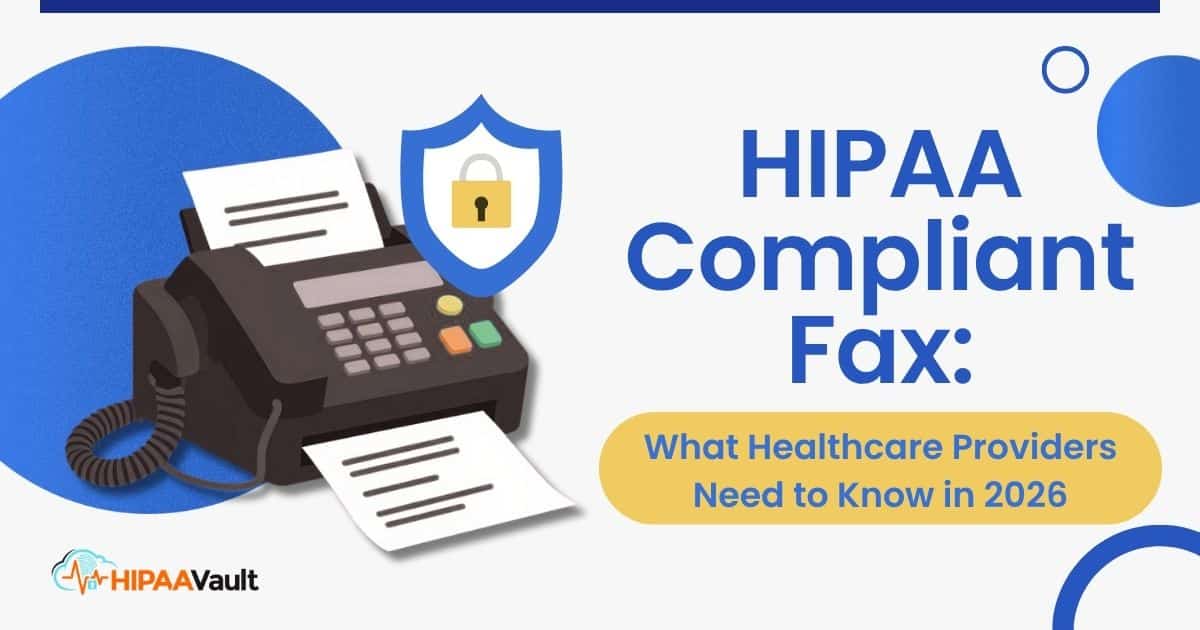
Only CocoFax claims free HIPAA compliance for sending, but without a signed BAA (Business Associate Agreement), you’re not legally protected.
Paid Services with HIPAA Compliance
For healthcare or legal use, always use a paid plan with a BAA.
• Fax.Plus: HIPAA, SOC 2, GDPR, ISO 27001 compliant
• eFax: HIPAA available on paid plans
• CocoFax: Claims HIPAA compliance (confirm BAA on paid plan)
Bottom line: Never use free services for medical records, tax documents, or legal contracts.
Fax Quality and File Format Support
Which Service Sends the Clearest Faxes?
• eFax: Best quality—sharp graphics and fine detail
• Fax.Plus: Excellent, nearly as clear as eFax
• CocoFax: Very good
• Dropbox Fax: Great for text, poor for images
• PamFax: Barely readable—avoid
Supported File Types
Most services accept:
• PDF
• DOCX
• JPG, PNG
• TXT
GotFreeFax supports only 5 formats—may require conversion.
FaxZero supports over 10—best for flexibility.
International Faxing: Where Can You Send?
• Fax.Plus: 180+ countries
• eFax: Wide global coverage (extra fees apply)
• CocoFax: International
• GotFreeFax, FaxBurner, FaxZero: US and Canada only
• PamFax: “Zone 1” only (limited countries)
For global reach, Fax.Plus is the clear winner.
Best Practices for Faxing from Computer
1. Use a Paid Service for Sensitive Documents
Free services are ad-supported and lack encryption. For taxes, medical records, or legal forms, pay for security.
2. Confirm Delivery with Receipts
Always check for delivery confirmation emails. Some services generate printable proof of delivery.
3. Edit Before Sending
Use tools like Dropbox Fax or Fax.Plus to add signatures, text, or cover pages before faxing.
4. Avoid Free Services for Receiving
Most free plans either don’t allow incoming faxes or use temporary numbers. For reliability, get a paid number.
5. Cancel Free Trials Promptly
eFax and others require a card. Set a calendar reminder to cancel before the trial ends.
Who Should Use What?
Individuals Needing One-Time Fax
• GotFreeFax for quick, no-signup sends
• eFax trial for full-featured testing
Small Businesses
• Fax.Plus for security, integrations, and team management
• Dropbox Fax for editing and cloud integration
Healthcare Providers
• Fax.Plus or eFax with HIPAA-compliant plans and BAA
Enterprises
• Fax.Plus Enterprise with API, real-time streaming, and admin controls
Frequently Asked Questions About Faxing from Computer
Can I fax from my computer for free?
Yes, several services offer free tiers or trials. GotFreeFax lets you send 2 faxes per day (3 pages each) with no sign-up. CocoFax offers 10 free pages with email verification. However, free services often lack encryption, HIPAA compliance, and incoming fax support.
Is online faxing secure?
Paid services like Fax.Plus and eFax use 256-bit AES encryption, TLS 1.2+ data transfer, and compliance certifications (HIPAA, SOC 2, GDPR). Free services typically lack these protections—avoid them for sensitive documents.
Can I receive faxes on my computer?
Yes, but only with a paid plan that includes a dedicated fax number. Services like Fax.Plus and eFax deliver incoming faxes as PDFs to your email or app inbox.
Do I need a printer to fax from my computer?
No. Online faxing uses digital documents. You can upload a PDF, Word file, or image directly. Some services even let you scan documents using your phone’s camera.
Can I use my existing fax number?
Yes, services like Fax.Plus and Dropbox Fax support number porting in the US and Canada. You can keep your current number and receive faxes digitally.
Which service is best for healthcare faxing?
Fax.Plus is the top choice for healthcare due to HIPAA compliance, a signed BAA, and secure data residency. eFax also offers HIPAA plans but at a higher cost.
Key Takeaways for Choosing the Best Way to Fax from Computer
The best overall way to fax from a computer is Fax.Plus—it combines modern design, top-tier security, global reach, and powerful features like email-to-fax, print-to-fax, and AI-powered data extraction.
For free options:
• eFax trial for full access
• CocoFax for no-card security
• GotFreeFax for no-signup speed
For Dropbox users, Dropbox Fax offers excellent editing tools and seamless cloud integration—just accept the lack of a mobile app and spotty support.
Avoid PamFax and low-quality services for anything important.
Whether you’re faxing a job application or a patient form, digital faxing is faster, greener, and smarter than ever. Choose the right service, and you’ll never need a paper fax machine again.