Learning computer programming doesn’t require a genius IQ or years of study before writing your first line of code. The best way to learn computer programming is by combining core concepts with hands-on building and real-time feedback. Too many beginners stay stuck in “tutorial hell”—watching videos, copying code, and never gaining confidence. The real breakthrough happens when you shift from passive learning to active creation. This guide reveals the proven path used by successful developers: start simple, build early, and grow through doing. You’ll discover why Python is the ideal first language, how to avoid common beginner traps, and how to use AI and communities to accelerate progress. Whether you’re aiming for a tech career or just want to understand how software works, this approach delivers fast, lasting results.
Start with Python for Faster Progress
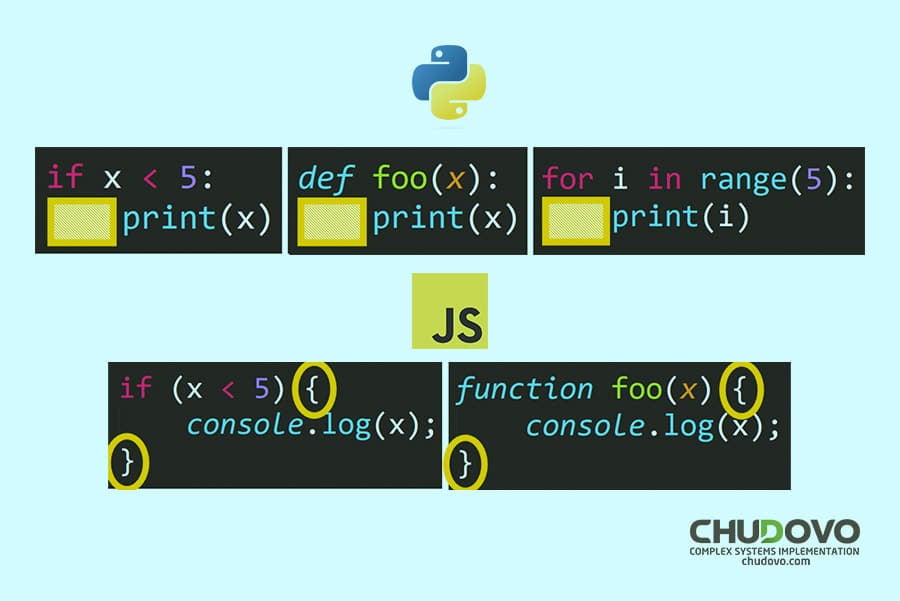
Python is the top choice for beginners because it emphasizes readability and problem-solving over complex syntax. Unlike lower-level languages that demand precise formatting just to run, Python lets you focus on logic from day one. Its clean, English-like structure means print("Hello, World!") makes sense even if you’ve never coded before. This early success builds momentum and keeps motivation high. Python also opens doors to high-demand fields like data science, AI, and automation, so your skills stay relevant. While JavaScript powers websites and C teaches system control, they come with quirks that can frustrate new learners. Python strikes the perfect balance: powerful enough for real tasks, simple enough to learn quickly.
Why Python Outperforms Other Languages
| Language | Best For | Drawbacks for Beginners |
|---|---|---|
| Python | General programming, AI, automation | Slightly slower performance |
| JavaScript | Web development | Inconsistent behavior, confusing quirks |
| Java | Enterprise apps, Android | Verbose, rigid structure |
| C/Assembly | Systems programming | Steep learning curve, memory management |
Beginners should skip C and Assembly—they’re like learning to drive a manual race car before knowing how to steer. JavaScript offers fast visual feedback but introduces confusing edge cases too early. Java enforces discipline but overwhelms with boilerplate code. Python, by contrast, is the “modern sedan” of programming: reliable, easy to operate, and ready for real tasks.
When to Use Scratch Before Python
If you’re completely new to logic and structure, Scratch can be a helpful starting point—like driving a go-kart before moving to a full car. It teaches loops, conditionals, and events through visual blocks. But don’t stay there. Limit Scratch to 1–2 weeks max, then transition to Python. Staying too long in block-based coding delays exposure to real syntax and problem-solving.
Keep Intro Courses Under 3 Weeks
Harvard’s free CS50 course is excellent for context and motivation, but don’t treat it as a prerequisite. Spend no more than 2–3 weeks on any introductory course. After that, switch to active building. Long-term passive learning creates cognitive overload—your brain fills with disconnected facts but lacks practical understanding.
Apply the 70/30 Rule to Avoid Tutorial Hell
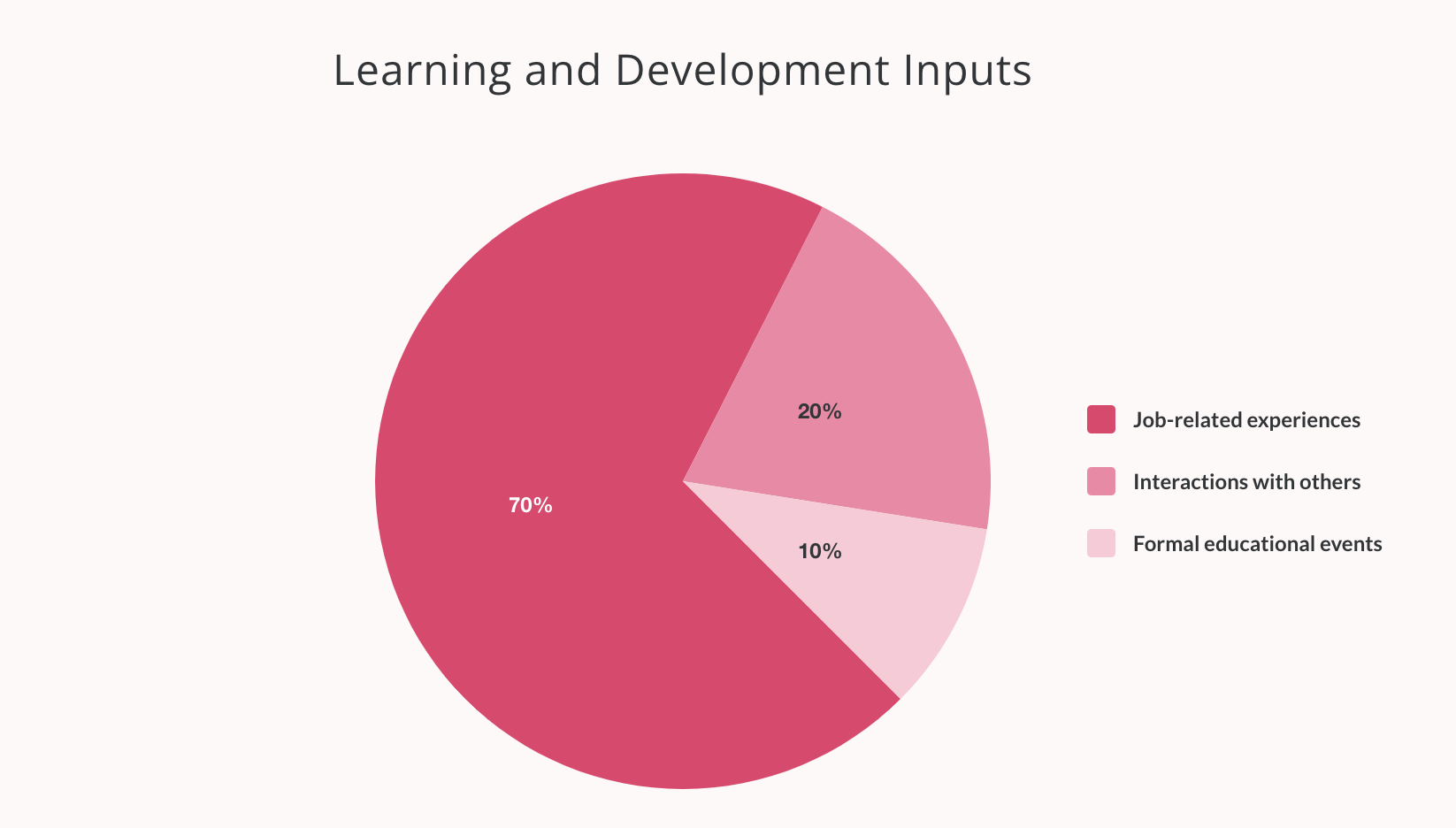
The biggest mistake beginners make is spending 100% of their time watching tutorials and 0% building. This trap, known as tutorial hell, leads to frustration and stalled progress. The solution? The 70/30 rule: spend 70% of your time building, and only 30% learning. This forces you to apply knowledge immediately, which cements understanding far better than passive consumption.
How the 70/30 Rule Works in Practice
• 30% learning: Watch short videos, read documentation, take bite-sized lessons
• 70% building: Code your own projects, debug errors, experiment with features
This isn’t about rushing—it’s about prioritizing action. When you build, you encounter real problems. Solving them teaches deeper understanding than any tutorial ever could.
Why Building Anchors Knowledge
Watching someone else code is like watching a cooking show—you might understand the steps, but you won’t learn to cook until you’re in the kitchen. Building projects forces you to:
• Make decisions
• Handle errors
• Think like a developer
Each bug you fix strengthens your problem-solving muscles. Each feature you add boosts confidence. Over time, you stop seeing code as magic and start seeing it as a tool you control.
Use Codecademy to Balance Learning and Building
Codecademy is one of the most effective platforms for beginners because it enforces the 70/30 balance. Its courses include:
• Interactive coding exercises
• Mini-projects after each module
• AI-powered feedback that acts like a personal tutor
You code directly in the browser—no setup required. This removes friction and keeps you focused on learning. The platform’s “Learn How to Code” course has helped over 568,000 learners gain foundational skills, with a 4.44/5 rating from nearly 10,000 reviews.
Build Real Projects to Gain Confidence Fast
Building real-world projects is the fastest way to become a confident programmer. You don’t need to create the next Facebook—start small. The goal isn’t perfection; it’s progress. Every project teaches you how to think, plan, and solve problems like a developer.
First Project: Build a Personal Expense Tracker
One of the best first projects is a personal expense tracker. It’s simple but covers core programming concepts:
• Input handling: User enters expenses
• Data storage: Save to a list or file
• Loops and conditionals: Categorize spending, calculate totals
• User interaction: Display balance, add new items
Even a basic version teaches more than a dozen tutorials.
Find Project Ideas on GitHub
The Build Your Own X GitHub repository is a goldmine of beginner-friendly project ideas. It includes step-by-step guides for building:
• A weather app using an API
• A to-do list with data persistence
• A simple blog engine
• A calculator with a GUI
These aren’t theoretical exercises—they’re real applications you can use and showcase.
Choose Projects That Solve Your Problems
Pick projects that matter to you. Want to track workouts? Build a fitness log. Tired of checking movie times? Make a scraper that alerts you when tickets go on sale. When your project has personal value, you’ll stay motivated through challenges.
Join Coding Communities for Support and Growth
Your environment shapes your habits. If your friends binge Netflix, you’ll likely do the same. If you surround yourself with coders, you’ll start building. Community is a growth multiplier—it provides accountability, feedback, and real-time support.
Join Active Discord Coding Servers
Platforms like freeCodeCamp and The Odin Project host active Discord communities where beginners and experts collaborate. You can:
• Ask questions when stuck
• Share your projects
• Join co-working sessions
• Participate in weekly challenges
These spaces normalize struggle—everyone gets stuck. Seeing others overcome obstacles keeps you going.
Set Public Coding Goals
Tell a friend: “We’ll build a chat app in 3 weeks.” Public commitment makes you 3x more likely to follow through. Shared goals create friendly pressure and make learning social.
Learn Faster with Real Feedback
The author once had to learn React in weeks for an internship. Surrounded by senior engineers, they progressed rapidly because they:
• Built in real time
• Asked questions freely
• Got instant feedback
You don’t need a job to get this benefit—online communities provide the same support.
Master the Core Programming Fundamentals
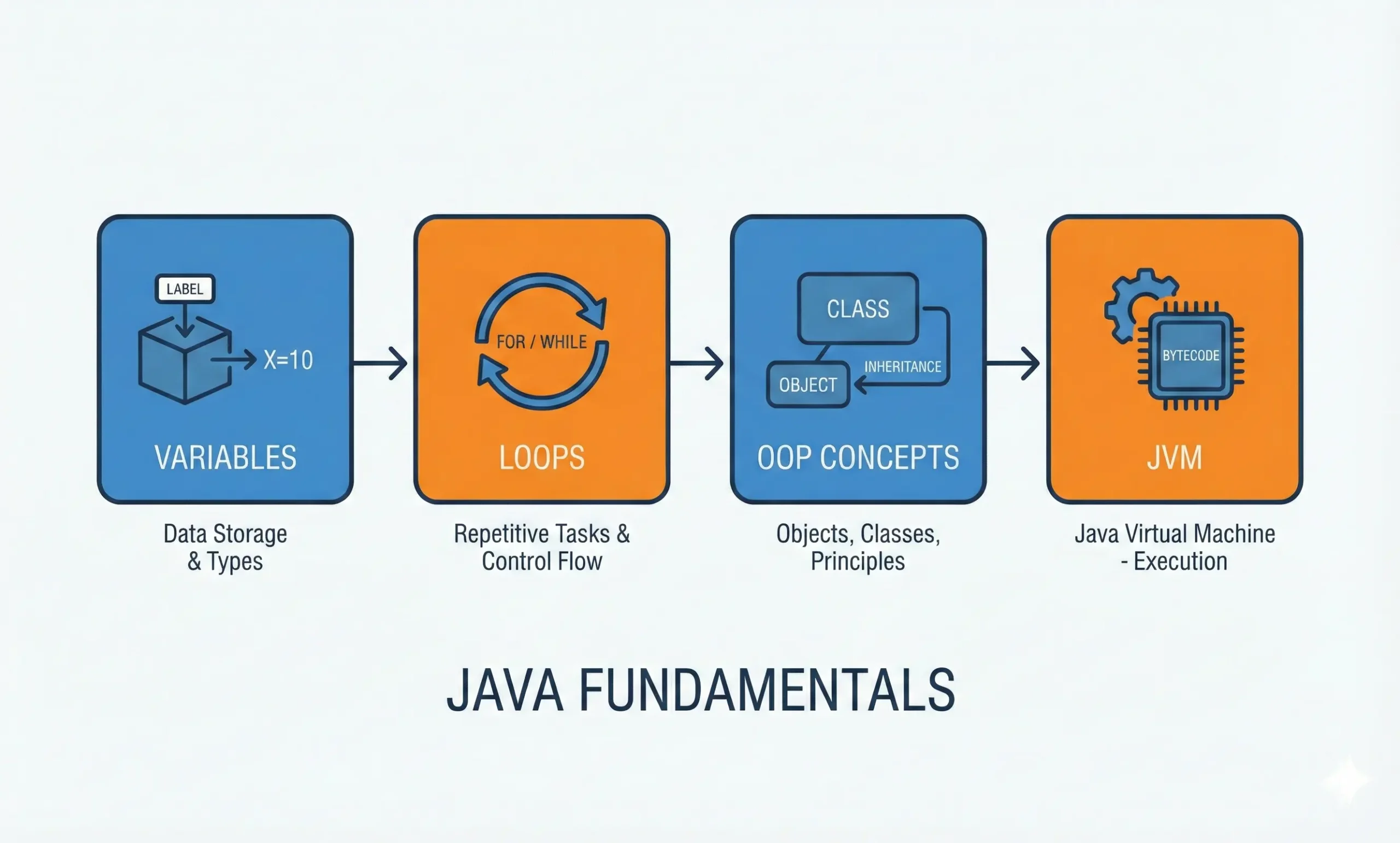
Skipping fundamentals is the #1 reason beginners fail. You might learn to copy code, but when something breaks, you won’t know how to fix it. As Anders Hejlsberg (creator of C# and TypeScript) says:
“Not spending enough time learning the core principles. What is a variable? What is an array? What does ‘iteration’ really mean?”
These aren’t just terms—they’re the foundation of all programming.
Essential Concepts Every Beginner Must Know
• Variables: Containers for storing data
• Arrays (lists): Ordered collections of values
• Iteration: Repeating actions with loops
• Functions: Reusable blocks of code
• Control flow: Using if, else, and while to direct logic
Syntax changes between languages, but these concepts stay the same. Master them, and you can learn any language.
Why Fundamentals Beat AI-Generated Code
AI can now write code for you—but it can’t explain why it’s wrong. When AI “hallucinates” and generates broken code, you need to know what’s under the hood. Without fundamentals, you’re just guessing.
Think Like a Developer: Solve Problems Step by Step

The best coders aren’t those who memorize syntax—they’re the ones who understand problems and communicate clearly. You don’t need to be a genius. You need to break problems down and explain them simply.
The 3-Step Problem-Solving Method
-
Explain in plain English
“We’re given a list of numbers. We need to add them all and return the total.”
-
Write pseudocode
“Set total = 0. For each number in the list, add it to total. Return total.”
-
Write real code
python

   def sum_numbers(numbers):

       total = 0

       for num in numbers:

           total += num

       return total
This process builds deep understanding and makes your code readable—for others and future you.
Benefits of Clear Problem-Solving
• Easier debugging
• Better collaboration
• Stronger interview performance
• Cleaner, more maintainable code
You don’t need to be a writer. You just need to explain problems step by step.
Use Structured Courses Without Overdoing It
While building is key, structured courses provide a clear path and prevent overwhelm. The “Learn How to Code” course on Codecademy is a top choice because it teaches language-agnostic fundamentals—not just Python or JavaScript, but the logic behind all programming.
What You’ll Learn in the Course
• Variables and data types
• Operators and expressions
• Functions and control flow
• Lists and loops
The course is divided into 7 lessons and 7 quizzes, designed to be completed in a few weeks with consistent effort.
AI Tools That Accelerate Learning
The course includes advanced features:
• AI Learning Assistant: Gives instant feedback on your code
• Job-Readiness Checker: Shows skill gaps for your dream role
• Interview Simulator: Practices technical questions with real-time feedback
• Assessments: Identify weak areas and get practice recommendations
These tools personalize your learning and keep you on track.
Earn a Resume-Ready Certificate
With a Plus or Pro subscription, you can earn a certificate of completion—a valuable addition to your resume or LinkedIn profile. Over 50 million learners use Codecademy, and graduates work at companies like Google, Meta, and Apple.
Avoid These Two Critical Beginner Mistakes
Even with the right resources, beginners fail by making preventable errors. Avoid these two major pitfalls:
Mistake #1: Skipping the Fundamentals
Jumping into frameworks like React or Django without understanding variables and loops is like building a house on sand. You’ll hit a wall when things break. Master the basics first—they’re the engine under the hood.
Mistake #2: Ignoring Communication Skills
Coding isn’t just writing instructions—it’s solving problems with others. If you can’t explain your bug clearly, you’ll struggle to get help. Practice describing issues in plain language before diving into code.
Follow This Proven Step-by-Step Learning Path
Here’s the complete roadmap to learning programming effectively:
- Choose Python as your first language
- Spend 2–3 weeks max on intro courses like CS50
- Switch to 70% building, 30% learning
- Build simple projects (expense tracker, to-do list)
- Join a coding community (Discord, meetups)
- Master fundamentals: variables, loops, functions
- Practice problem-solving: plain English → pseudocode → code
- Use AI tools wisely—don’t let them replace understanding
This path has helped hundreds of thousands of learners go from zero to job-ready.
Frequently Asked Questions About Learning Programming
What is the best first programming language?
Python is the best first language because it’s readable, versatile, and beginner-friendly. It’s used in web development, data science, AI, and automation, making it highly relevant.
How much time should I spend building vs. learning?
Follow the 70/30 rule: spend 70% of your time building real projects and 30% learning through tutorials or courses. This balance prevents tutorial hell and builds real skills.
Can I learn to code without a computer science degree?
Yes. Most self-taught developers never earned a CS degree. With structured learning, project building, and community support, you can gain job-ready skills independently.
Do I need to understand math to code?
No. Basic arithmetic is enough for most programming. Advanced math is only needed in specific fields like data science or game development.
How do I stay motivated when learning to code?
Build projects that solve your own problems, join coding communities, and set public goals. Personal relevance and accountability keep you engaged.
Is AI replacing the need to learn programming?
No. AI can generate code, but it can’t debug or explain errors. You still need to understand fundamentals to fix broken AI-generated code and build reliable software.
Key Takeaways for Mastering Programming Fast
The best way to learn computer programming is by doing. Start with Python, build early, master the basics, and engage with others. Avoid tutorial hell by following the 70/30 rule. Use structured courses like Codecademy’s “Learn How to Code” to guide your journey, but never let learning replace building. With this approach, you’ll gain real skills fast—and be ready for whatever comes next. Start today: write a simple program, join a Discord server, and commit to building one project this week.