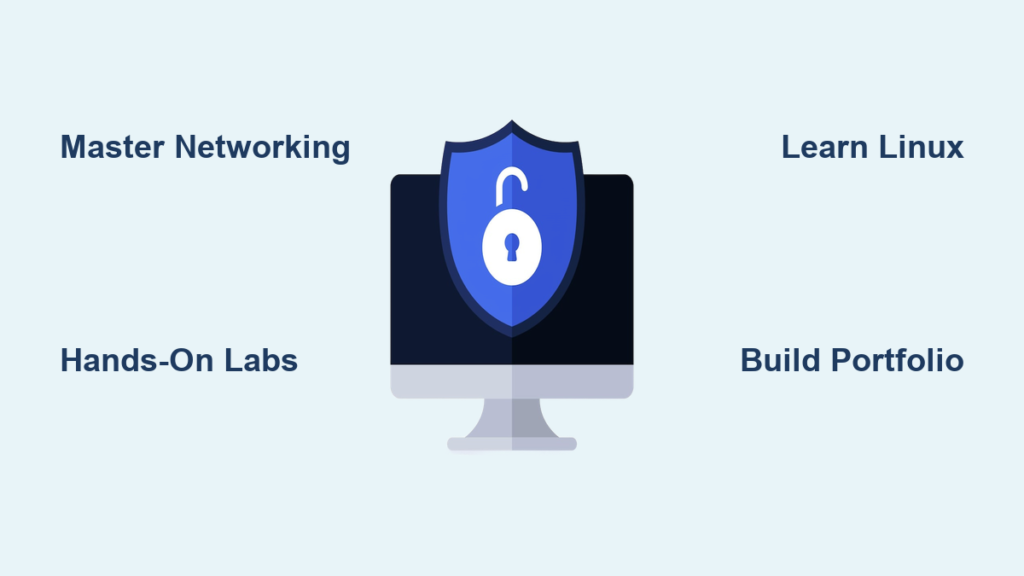
You want to learn computer security—but where do you start? With so many topics, tools, and paths, it’s easy to feel overwhelmed. The best way to learn computer security isn’t about memorizing every tool or certification. It’s about building a structured, hands-on learning path that combines foundational knowledge with real-world practice. Whether you’re aiming for a career in ethical hacking, network defense, or cybersecurity analysis, this guide gives you a proven roadmap. You’ll learn how to avoid common pitfalls, gain practical skills fast, and stay motivated through real projects and challenges.
Forget passive watching. The fastest path to mastery is doing—configuring firewalls, analyzing malware samples, solving CTF challenges, and breaking into (legal) systems. This article breaks down the exact steps top professionals use to build expertise, from beginner to advanced, using free and low-cost resources.
Master Networking and Operating System Fundamentals

Before jumping into hacking tools, you need to understand how systems communicate and operate. Without core technical knowledge, advanced techniques will make no sense.
Understand How Networks Work at the Packet Level
Security threats exploit network weaknesses. To defend or test systems, you must know:
– IP addressing, subnets, and DNS resolution
– The differences between TCP (reliable) and UDP (fast, connectionless)
– How routers, switches, and firewalls control traffic flow
– Common protocols like HTTP, HTTPS, SSH, FTP, and SMTP
Pro Tip: Install Wireshark and capture traffic while browsing. Watch how HTTP requests form, how DNS queries resolve, and how TLS handshakes secure connections.
This knowledge helps you recognize suspicious activity and understand attacks like man-in-the-middle or DNS spoofing.
Gain Hands-On Linux and Windows Experience
Most attacks happen at the OS level. You need comfort with both environments.
Focus on Linux First:
- Learn essential Kali or Ubuntu command-line tools (
ls,grep,chmod,ssh) - Practice managing users, permissions, and services
- Explore system logs in
/var/log/to detect anomalies
Set up a free virtual machine using VirtualBox and use it daily.
Don’t Ignore Windows:
- Study registry settings, Group Policy, and Event Viewer
- Understand how Active Directory manages user access
- Learn where Windows stores logs and security policies
These skills are critical for roles in penetration testing and SOC operations.
Learn Core Security Principles That Guide Real Systems
Theory becomes practice when you understand the frameworks behind secure design.
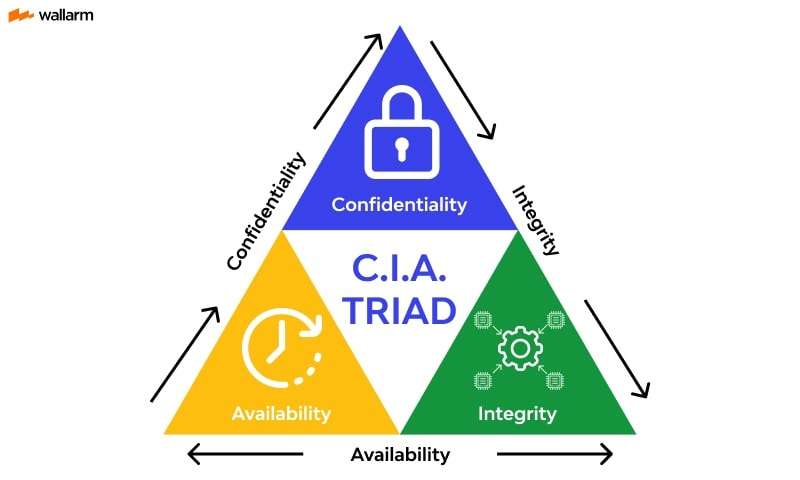
Know the CIA Triad and Zero Trust Model
These models shape how organizations protect data:
– Confidentiality: Only authorized users access data
– Integrity: Data isn’t altered without permission
– Availability: Systems remain accessible during attacks
Apply Least Privilege—users get only the access they need. Combine this with Defense in Depth, using multiple layers like firewalls, antivirus, and MFA.
Modern environments follow Zero Trust: no user or device is trusted by default. Always verify identity and device health.
Why it matters: A breach at a company often happens because someone had too much access. These principles prevent that.
Choose a Cybersecurity Path and Focus Your Learning

Trying to learn everything leads to knowing nothing well. The best way to learn computer security is to specialize early.
Compare Entry-Level Cybersecurity Roles
| Path | Key Skills Needed | Ideal For |
|---|---|---|
| Penetration Testing | Exploitation, scanning, reporting | Problem solvers who love challenges |
| SOC Analyst | Monitoring, log analysis, incident response | Detail-oriented, fast learners |
| Network Security | Firewall config, traffic analysis | Logical thinkers |
| Digital Forensics | Data recovery, timeline analysis | Patient, meticulous learners |
Start with penetration testing if you want immediate feedback and exciting challenges. It has the most beginner-friendly labs and communities.
Practice Daily on Free, Realistic Learning Platforms

Reading won’t make you skilled. You must practice in safe, legal environments.
Use TryHackMe and Hack The Box for Structured Learning
Both platforms offer gamified, real-world labs.
TryHackMe:
- Best for absolute beginners
- Follow paths like “Pre-Security” and “Complete Beginner”
- Learn networking, Linux, and web vulnerabilities step-by-step
Hack The Box:
- More realistic, CTF-style machines
- Start with Starting Point tier (free)
- Practice with nmap, Metasploit, and privilege escalation
Case Study: A student spent one hour daily on TryHackMe for three months. After completing 50 rooms, they landed a cybersecurity internship.
Follow a 12-Week Hands-On Learning Plan
Random learning wastes time. Use a proven roadmap to go from beginner to job-ready.
Weekly Breakdown: From Zero to Practical Skills
| Week | Focus | Key Tasks |
|---|---|---|
| 1–2 | Networking & Linux | Set up VMs, learn CLI, study TCP/IP |
| 3–4 | Security Basics | Complete TryHackMe “Pre-Security” path |
| 5–6 | Web App Security | Learn OWASP Top 10, use DVWA |
| 7–8 | Pen Testing Tools | Run nmap, gobuster, Burp Suite |
| 9–10 | Active Directory | Attack HTB machines, learn Kerberos |
| 11–12 | Build Portfolio | Write 3 lab reports, create GitHub repo |
This plan ensures steady progress. By week 12, you’ll have real skills and proof of them.
Build a Home Lab to Break and Fix Systems Safely
The best way to learn computer security is by doing what hackers do—legally.
Set Up Your Own Practice Environment
Use:
– VirtualBox (free) or VMware Workstation Player
– Kali Linux for attacking
– Metasploitable or WebGoat as vulnerable targets
Visual Cue: When Metasploitable boots, you’ll see a warning screen—this system is meant to be hacked.
Practice:
– Scanning with nmap -sV <target>
– Exploiting with Metasploit Framework
– Intercepting web traffic with Burp Suite Community Edition
Each action teaches you how attacks work—and how to stop them.
Study the OWASP Top 10 to Master Web Security
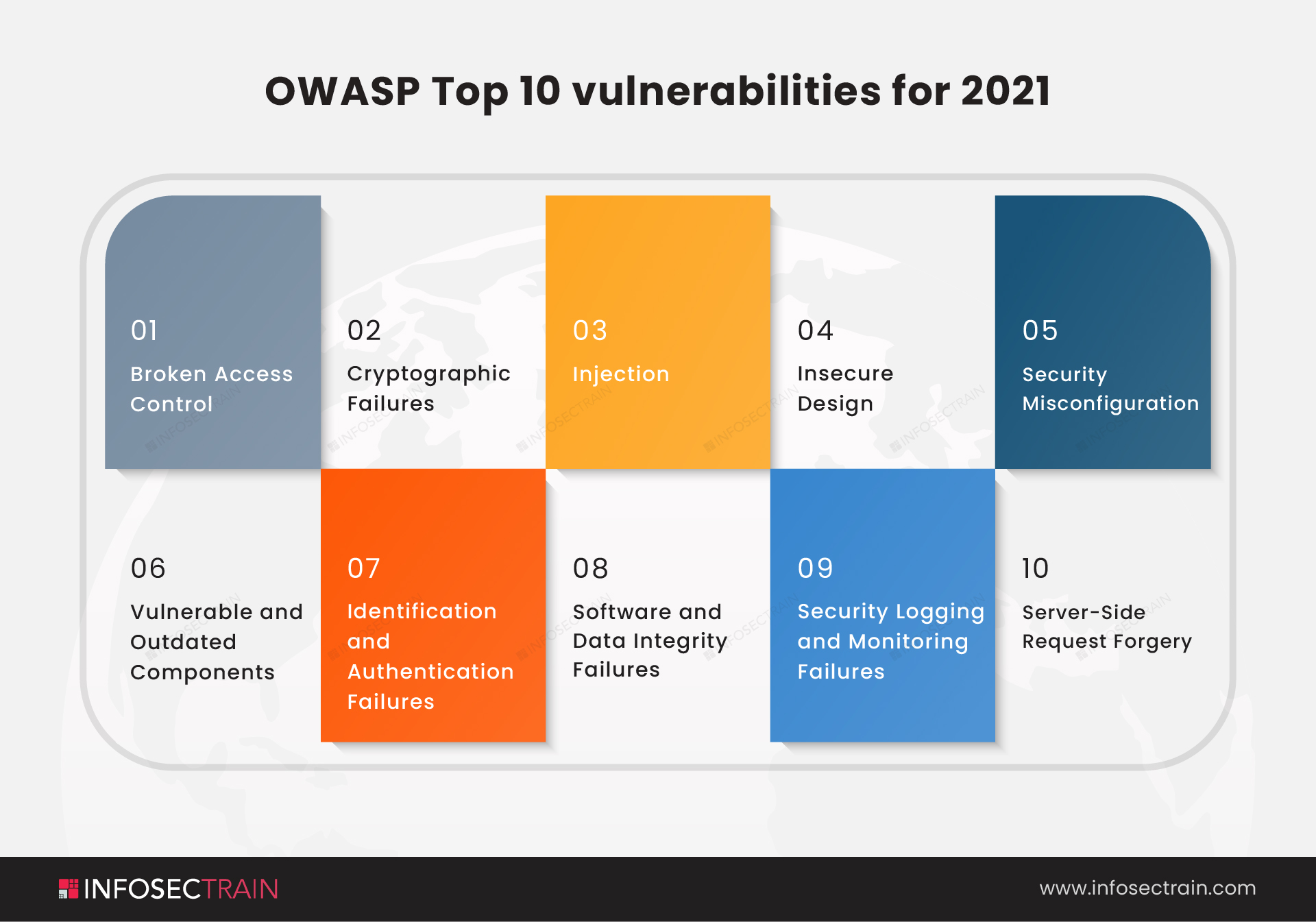
Most cyberattacks target web applications. Know the top risks.
Focus on the Most Common Vulnerabilities
Broken Access Control
- Users access others’ data
- Fix: Enforce role-based access controls (RBAC)
Cryptographic Failures
- Weak passwords, unencrypted data
- Fix: Use bcrypt for hashing, TLS 1.3 for encryption
Injection Attacks (e.g., SQLi)
- Malicious input runs code on servers
- Fix: Use parameterized queries, input validation
Case Study: A developer fixed a SQL injection flaw by switching to prepared statements—closing a major security hole.
Use PortSwigger Web Security Academy for free, hands-on labs on each vulnerability.
Create a Public Portfolio to Prove Your Skills
No one hires based on claims. Show what you can do.
Start a Cybersecurity Blog or GitHub Page
Post:
– Walkthroughs of HTB or Vulnhub machines
– CTF write-ups with screenshots and code snippets
– Tool guides like “How to Use Wireshark to Detect Suspicious Traffic”
Pro Tip: Use Markdown and host your site for free on GitHub Pages.
Employers value candidates who can explain their work clearly.
Showcase Real Projects
Include:
– A vulnerability report from a lab machine
– A network security policy you designed
– A Python script that analyzes logs or automates scans
Even small projects show initiative, technical ability, and communication skills.
Earn the Right Certifications at the Right Time
Certifications open doors—but only if you’ve already learned the material.
Start with Practical, Hands-On Certs
| Certification | Focus | Why It Matters |
|---|---|---|
| CompTIA Security+ | Foundational security concepts | Widely accepted, HR-friendly |
| eJPT | Real penetration testing tasks | Proves you can hack legally |
| Google Cybersecurity Certificate | SOC tools and workflows | Beginner-friendly, Coursera-based |
Warning: Don’t study for exams before practicing. You’ll forget everything and fail technical interviews.
Learn first. Then certify.
Avoid Overhyped or Premature Certs
- CEH: Expensive, outdated, too theoretical
- CISSP: Requires 5 years of experience—save it for later
Instead, aim for PNPT or eWPT, which test real-world skills.
Join the Cybersecurity Community to Accelerate Learning
Learning alone slows progress. Engage with others to grow faster.
Compete in Capture The Flag (CTF) Events
- Find events at CTFtime.org
- Join team-based challenges in forensics, crypto, and web exploitation
- Solve puzzles that mimic real attacks
Real Impact: Top CTF players are often recruited by elite firms like Mandiant and CrowdStrike.
Follow Experts and Join Active Communities
Learn from:
– The Cyber Mentor (YouTube) – Practical pentesting guides
– John Hammond – Malware analysis and CTF walkthroughs
– Hak5 – Real tool demos and network attacks
Join Discord servers like:
– The Cyber Mentor Community
– Hack The Box Official
Ask questions, share wins, and learn from others’ mistakes.
Avoid These Common Learning Mistakes
Many beginners waste months due to poor habits.
Don’t Use Advanced Tools Without Understanding Them
Avoid:
– Running Metasploit exploits blindly
– Using Burp Suite without knowing HTTP headers
Consequence: You’ll copy commands but won’t understand how attacks work.
Instead, learn the why behind each step. Study how buffer overflows or XSS payloads execute.
Don’t Just Watch Videos—Do the Work
YouTube is helpful, but passive watching leads to forgetting.
Replace it with:
– Taking notes in your own words
– Recreating every demo in your lab
– Writing summaries after each video
This boosts retention from 10% to over 70%.
Don’t Neglect Communication Skills
Security pros must:
– Write clear incident reports
– Explain risks to non-technical leaders
– Stay calm during breaches
Practice by:
– Recording yourself explaining a hack
– Writing a mock breach report
– Presenting findings to a friend
Key Takeaways for Mastering Computer Security
The best way to learn computer security is not through courses alone—but through structured practice, real labs, and public documentation. Start with networking and Linux, pick a specialization, and practice daily on platforms like TryHackMe and Hack The Box. Follow a 12-week plan, build a home lab, and document everything in a portfolio.
Certifications help, but only after you’ve gained real skills. Join the community, compete in CTFs, and avoid common traps like passive learning or jumping into advanced tools too soon.
Your next step: Set up a VirtualBox VM today. Install Kali Linux and Metasploitable. Run your first nmap scan. That’s how real learning begins—not with a video, but with your first command.
Frequently Asked Questions About Learning Computer Security
What is the fastest way to start learning cybersecurity?
Begin with TryHackMe’s Pre-Security path to learn networking, Linux, and basic security concepts. Spend one hour daily on hands-on labs. This builds real skills quickly using free resources.
Do I need a degree to get into cybersecurity?
No. Many professionals enter the field with self-taught skills, labs, and certifications like Security+ or eJPT. A portfolio of projects and CTF experience often matters more than a degree.
Can I learn cybersecurity for free?
Yes. Use free platforms like TryHackMe, Hack The Box, PortSwigger Academy, and OverTheWire. Set up a home lab with VirtualBox and Kali Linux—both free. Focus on doing, not buying courses.
How long does it take to become job-ready?
With consistent practice (1–2 hours/day), you can be job-ready in 6 months. Follow a structured plan, complete 30+ labs, earn one certification, and build a portfolio.
Is coding required to learn computer security?
Basic scripting helps, but isn’t mandatory at first. Learn Python or Bash to automate tasks later. For web security, understand JavaScript and PHP basics to spot vulnerabilities.
Which certification should I get first?
Start with CompTIA Security+ for general roles or eJPT for hands-on penetration testing. Both are respected, practical, and achievable within 3–6 months of study.