Shipping a computer monitor can be nerve-wracking—especially when one jolt during transit could mean a cracked screen or dead pixels. The best way to ship a computer monitor combines proper disassembly, professional-grade packing, and a reliable carrier to ensure it arrives undamaged. Whether you’re selling, relocating, or sending it for repair, skipping even one step can lead to costly mistakes. This guide covers everything from removing the stand to choosing insured overnight delivery, so you can protect your investment from start to finish.
You’ll learn how to pack like a pro using bubble wrap and double-walled boxes, when to use FedEx Office’s expert packing service, and how to avoid common pitfalls like laying the box flat or skipping insurance. With clear steps, visual cues, and time-saving tips, you’ll ship your monitor confidently—no matter its size or value.
Remove All Monitor Components Before Packing
Taking apart your monitor properly is the first line of defense against damage during shipping. Loose parts can shift and press against the screen, so detach everything before you begin packing.
Unplug Cables and Store Them Safely
Disconnect the power cord, HDMI, DisplayPort, USB, and any other connected cables. Place them in a labeled ziplock bag and tape it to the outside of the monitor box or pack it separately. Never leave cables inside the box—they can move around and damage the screen under pressure.
Detach the Stand and VESA Mount
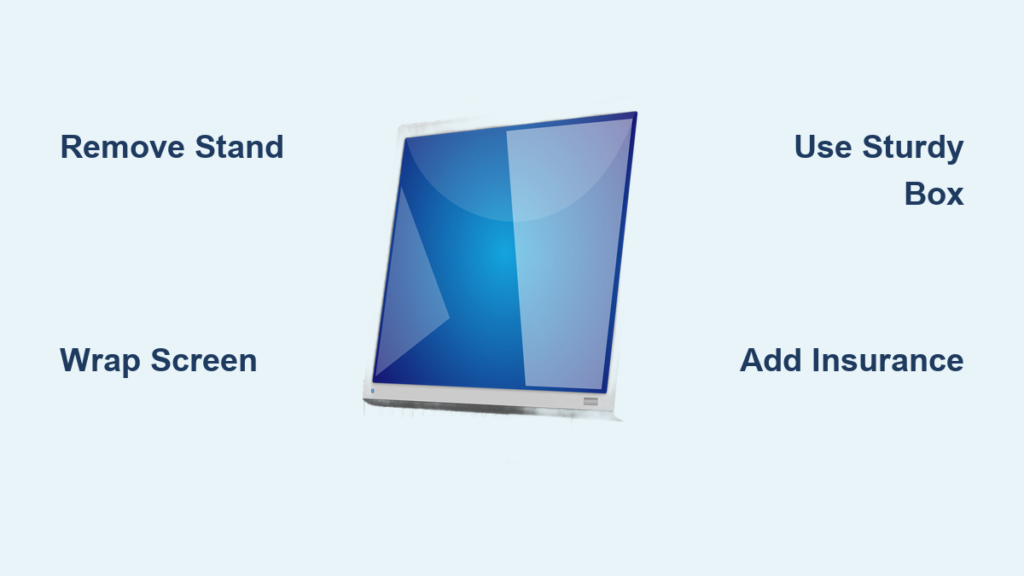
Most monitors have a removable stand. Follow the manufacturer’s instructions to unclick or unscrew it. If you use a VESA mount, remove that too. Keep all screws in a small bag and attach it to the back of the monitor or include it with your accessories. Shipping with the stand attached increases imbalance and puts stress on the display.
Choose Between Professional Packing and DIY

You have two safe options: let experts handle it or pack it yourself. Your decision depends on the monitor’s value, your experience, and how much time you want to spend.
Use FedEx Office Packing Service for Maximum Protection
For peace of mind, visit a FedEx Office location and use their professional packing service. Technicians will:
• Select a box sized perfectly for your monitor
• Use high-quality cushioning materials
• Wrap and secure the monitor with precision
• Seal and label the package correctly
This service is backed by the FedEx Office Packing Pledge, which means FedEx covers repair or replacement costs if damage occurs due to inadequate packing—only if you used their service.
Best for: Curved, 4K, OLED, or gaming monitors worth $500+, or if you’ve never shipped fragile electronics before.
Gather Essential DIY Packing Supplies
If you’re packing it yourself, use these materials:
• Double-walled shipping box (slightly larger than the monitor)
• Bubble wrap (at least 2 inches thick) or air-cellular cushioning
• Packing peanuts or foam inserts for void fill
• Corrugated cardboard sheets (to shield front and back)
• Strong packing tape (water-activated tape offers the best seal)
Avoid reusing the original box unless it’s in perfect condition—no dents, tears, or worn edges. Otherwise, buy a new flat-screen shipping box from FedEx or an office supply store.
Pack the Monitor to Survive Transit
Proper packing prevents movement, absorbs shocks, and protects the most vulnerable parts—especially the screen and corners.
Wrap the Screen and Body in Layers
Start by placing a soft, lint-free cloth over the screen to prevent scratches. Then wrap the entire monitor in two layers of bubble wrap, sealing each layer with tape. Never apply tape directly to the screen or bezel.
Cut two pieces of cardboard to fit the front and back of the monitor and tape them in place over the bubble wrap. This adds rigidity and prevents punctures.
Pro Tip: Reinforce the corners with extra bubble wrap or cardboard edge protectors—they absorb the most impact during drops.
Prepare the Box With Cushioning
Choose a box that allows 2–3 inches of padding on all sides. Place a 2-inch layer of packing peanuts, air pillows, or crumpled kraft paper at the bottom. Make sure the material doesn’t compress easily under light pressure.
Center the Monitor and Fill All Gaps
Place the wrapped monitor in the center of the box. It should not touch any side or tilt. Fill all remaining space—especially around the edges and corners—with more cushioning.
Visual Cue: Gently shake the box. If you hear or feel movement, add more packing material until the monitor is fully immobilized.
Seal and Label the Box Correctly
Close the flaps and seal all seams with strong packing tape in an H-pattern—both top and bottom. This reinforces the box and prevents it from bursting open.
Label the box clearly with:
• “Fragile – Handle With Care”
• “This Side Up” (on two adjacent sides)
• Your return address and the recipient’s full address
Attach labels to flat cardboard surfaces—never directly on tape or bubble wrap.
Choose the Right Shipping Method
Once packed, decide how to get your monitor to its destination safely and on time.
Drop Off at a FedEx or Partner Location
You can drop off your package at:
• FedEx Office
• FedEx Drop Box (for smaller packages)
• Walgreens
• Office Depot/OfficeMax
• Select Dollar General and grocery stores
Note: Custom or clinical shipping boxes are only available at FedEx Office locations, so visit one if you need specialized packaging.
Schedule a Home or Office Pickup
Avoid leaving the house—schedule a one-time pickup online through FedEx. A courier will come to your:
• Home
• Office
• Apartment building
A small fee applies, but it’s ideal for heavy or bulky monitors. You can schedule the pickup for the same day or up to two weeks in advance.
Create Your Shipment Online in Minutes
You don’t need a FedEx account to ship. Use the guest checkout option by providing:
• Recipient’s full address
• Your contact and payment information
• Package dimensions and weight
• Delivery speed (e.g., FedEx Ground, FedEx 2Day)
After payment, you’ll get a shipping label via email. Print it and attach it securely to the top of the box.
Pro Tip: Enable delivery alerts to track the package in real time and share updates with the recipient.
Avoid These Common Shipping Mistakes

Even small errors can lead to shattered screens. Steer clear of these frequent missteps.
Using the Wrong Box Size
Too small? The monitor gets compressed. Too large? It shifts and absorbs impact. Always use a box that allows 2–3 inches of cushioning on every side.
Skipping Corner and Edge Protection
Corners take the brunt of most impacts. Reinforce them with cardboard edge guards or extra layers of bubble wrap.
Forgetting to Add Insurance
Standard shipping doesn’t cover full replacement costs. For monitors over $300, purchase additional insurance at checkout. It’s a small price to pay compared to replacing a damaged display.
Shipping the Box Laid Flat
Always ship the monitor upright, just like it sits on your desk. Apply “This Side Up” labels to two adjacent sides so handlers can see them from any angle.
Protect High-Value or Curved Monitors With Extra Care

Premium displays need advanced protection to survive long or rough transit.
Use Double-Boxing for Maximum Shock Absorption
Place the sealed monitor box inside a larger outer box with another 2 inches of cushioning on all sides. This double layer protects against crushing and extreme impacts.
Best for: OLED, 4K, curved, or gaming monitors valued at $500 or more.
Choose Insured Overnight or 2Day Shipping
For expensive or urgent deliveries, select FedEx Overnight or FedEx 2Day with full declared value protection. Faster delivery means less time in sorting hubs and fewer handling risks.
Final Checks Before You Ship Your Monitor
Run through this quick checklist before handing off your package:
• [ ] All cables and stand removed
• [ ] Screen wrapped in bubble wrap + cardboard shields
• [ ] At least 2 inches of padding on all sides
• [ ] Box sealed with strong tape in H-pattern
• [ ] “Fragile” and “This Side Up” labels applied
• [ ] Shipping label securely attached
• [ ] Insurance added for high-value units
For international shipments, verify customs forms and confirm voltage compatibility—though most modern monitors support universal voltage (100–240V).
Frequently Asked Questions About Shipping a Computer Monitor
Can I ship a monitor without the original box?
Yes, you can ship a monitor without the original box as long as you use a sturdy double-walled box, proper cushioning, and full edge protection. The key is immobilizing the monitor and preventing screen contact.
Should I insure my monitor when shipping?
Yes, always insure your monitor if it’s worth over $300. Standard carrier liability may not cover full replacement costs. Paying a few extra dollars for insurance protects you from financial loss if the package is damaged.
Is it safe to ship a curved monitor?
Yes, but curved monitors are more fragile and prone to edge damage. Use extra padding, reinforce the curved edges with cardboard, and consider double-boxing and insured 2Day shipping for maximum protection.
Can I use FedEx Drop Box to ship my monitor?
You can use a FedEx Drop Box only if your package fits and doesn’t require special handling. For large or high-value monitors, drop off at a FedEx Office or schedule a pickup instead.
What happens if my monitor arrives damaged?
If you used FedEx Office packing service, you’re covered under the Packing Pledge—FedEx will repair or replace it. For DIY-packed monitors, file a claim with FedEx and provide photos of the damage and packaging.
How do I label a monitor box for shipping?
Label the box with “Fragile – Handle With Care” and “This Side Up” on two adjacent sides. Attach the shipping label to the top, on a flat surface, and include both return and destination addresses clearly.
Key Takeaways for Shipping Your Monitor Safely
The best way to ship a computer monitor starts with removing all components, then choosing professional packing or meticulous DIY preparation. Use a double-walled box with 2–3 inches of cushioning on all sides, reinforce corners, and always ship the box upright. For high-value or curved screens, double-boxing and insured 2Day shipping are worth the extra cost.
Never skip insurance for monitors over $300, and always test the box for movement before sealing. Whether you drop off at FedEx Office or schedule a home pickup, following these steps ensures your monitor arrives intact. Now that you know how to pack and ship like a pro, you can send your display with total confidence—anytime, anywhere.